
1. परिचय
This manual provides essential information for the proper setup, operation, and maintenance of your X Rocker Extreme III 2.0 Gaming Rocker Chair. This chair features a 2.0 stereo audio system, an ergonomic design with full back support, and side-facing speakers integrated into the headrest. It is designed for use with video games, music, movies, and general relaxation.
सुरक्षित र इष्टतम कार्यसम्पादन सुनिश्चित गर्न उत्पादन प्रयोग गर्नु अघि कृपया यो म्यानुअल राम्ररी पढ्नुहोस्।

Image 1.1: The X Rocker Extreme III 2.0 Gaming Rocker Chair in a gaming environment.
2. सुरक्षा जानकारी
WARNING: To reduce the risk of electric shock, fire, or injury, please observe the following safety precautions:
- अधिकतम वजन क्षमता: This chair has a maximum weight recommendation of 300 pounds (136 kg). Exceeding this limit may cause damage to the chair or personal injury.
- वयस्क पर्यवेक्षण: कुर्सी प्रयोग गर्दा बालबालिकाको निगरानी गर्नुपर्छ।
- स्थिर सतह: Always place the chair on a flat, stable surface to prevent tipping.
- शक्ति स्रोत: Use only the power adapter supplied with the chair. Ensure the power outlet matches the voltage आवश्यकताहरू।
- तरल पदार्थबाट बच्नुहोस्: Keep liquids away from the chair and its electronic components to prevent damage or electric shock.
- भेन्टिलेसन: कुनै पनि वेंटिलेशन खुल्ला अवरोध नगर्नुहोस्।
- पृथक: Do not attempt to disassemble or modify the chair's electronic components. Refer all servicing to qualified personnel.
- केबलहरू: ट्रिपिङको खतरा वा क्षतिबाट बच्न सबै केबलहरू सुरक्षित रूपमा रूट गरिएको सुनिश्चित गर्नुहोस्।
3. प्याकेज सामग्री
सबै वस्तुहरू उपस्थित छन् र क्षति नभएको सुनिश्चित गर्न कृपया प्याकेज सामग्रीहरू जाँच गर्नुहोस्:
- X Rocker Extreme III 2.0 Gaming Rocker Chair
- Accessory Box (containing power adapter and audio cables)
यदि कुनै वस्तु हराइरहेको छ वा बिग्रिएको छ भने, कृपया तुरुन्तै ग्राहक समर्थनलाई सम्पर्क गर्नुहोस्।
4. सेटअप
The X Rocker Extreme III 2.0 Gaming Rocker Chair requires no assembly. Simply unfold the chair and place it in your desired location.
4.1 Unfolding the Chair
- कुर्सीलाई यसको प्याकेजिङबाट सावधानीपूर्वक हटाउनुहोस्।
- कुर्सीलाई समतल, स्थिर सतहमा राख्नुहोस्।
- Unfold the chair until it is in the upright, rocking position. Ensure it is fully extended and stable before use.
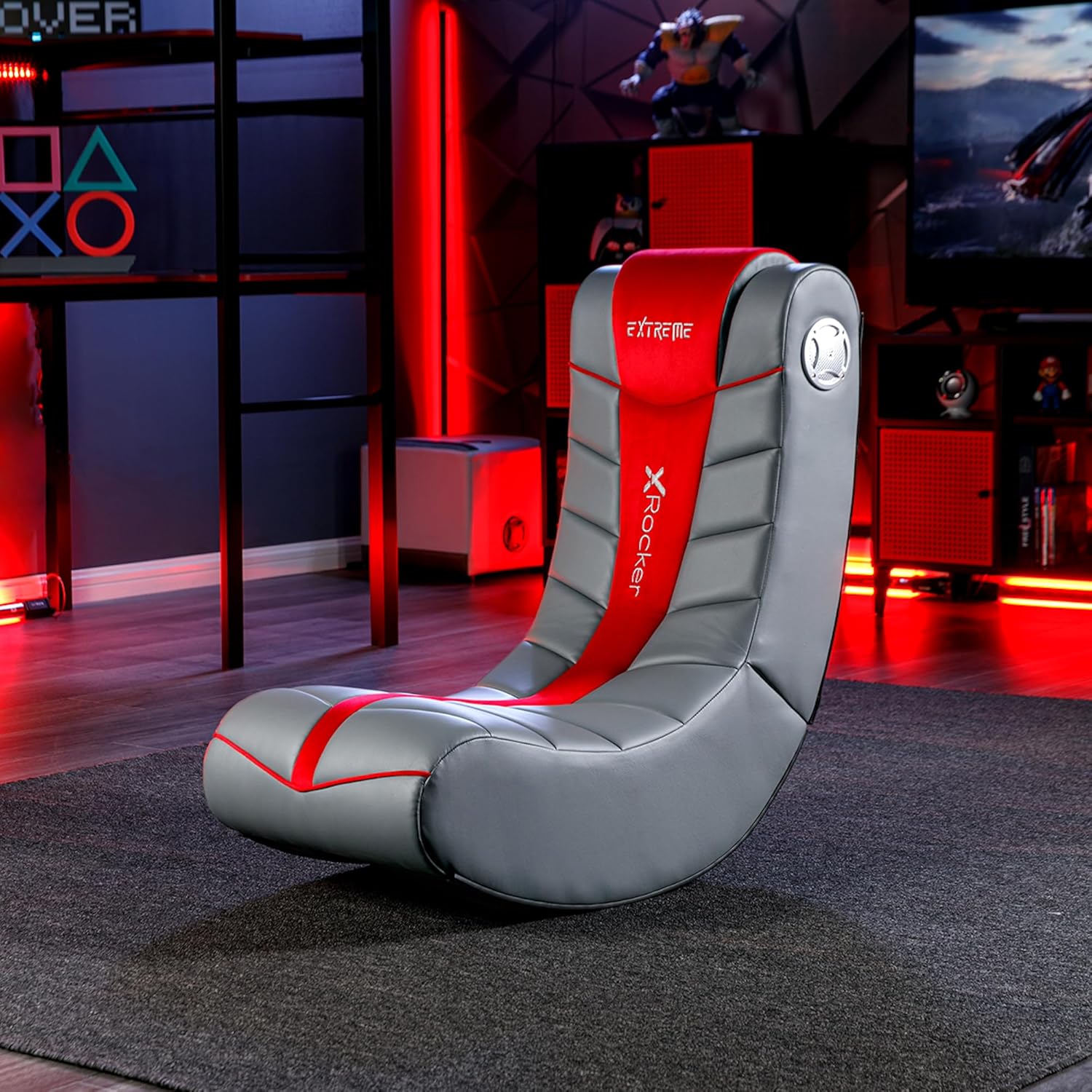
Image 4.1: Chair dimensions and features, including the audio control panel.
4.2 पावर जडान
- Locate the power input jack on the side control panel of the chair.
- Connect the supplied power adapter to the power input jack.
- पावर एडाप्टरलाई उपयुक्त भित्ता आउटलेटमा प्लग गर्नुहोस्।
5. सञ्चालन निर्देशनहरू
The X Rocker Extreme III 2.0 Gaming Rocker Chair features an integrated audio system for an immersive experience.
5.1 Audio Control Panel Overview
The audio control panel is located on the side of the chair and includes:
- पावर/भोल्युम नब: Turns the chair's audio system on/off and adjusts the volume.
- Audio Input (Green Jack): Connects to your audio source (e.g., gaming console, TV, smartphone).
- Audio Output (Red Jack): Allows connection to another X Rocker chair for multi-player audio.
- Headset Output (Black Jack): हेडफोन जडानको लागि।
- पावर इनपुट: पावर एडाप्टर जडानको लागि।

छवि ६.१: विस्तृत view of the audio control panel.
३.२ अडियो स्रोतमा जडान गर्दै
The chair can connect to various audio sources using the provided cables. Ensure the chair is powered on before connecting.
- For devices with RCA outputs (e.g., most TVs, older consoles):
- Connect one end of the RCA audio cable (red/white) to the audio output jacks of your device.
- Connect the other end of the RCA cable to the corresponding audio input jacks on the chair's control panel.
- For devices with a 3.5mm headset output (e.g., smartphones, some controllers):
- Use a 3.5mm audio cable (not always included, may need to be purchased separately).
- Connect one end to your device's headset output.
- Connect the other end to the green Audio Input jack on the chair's control panel.
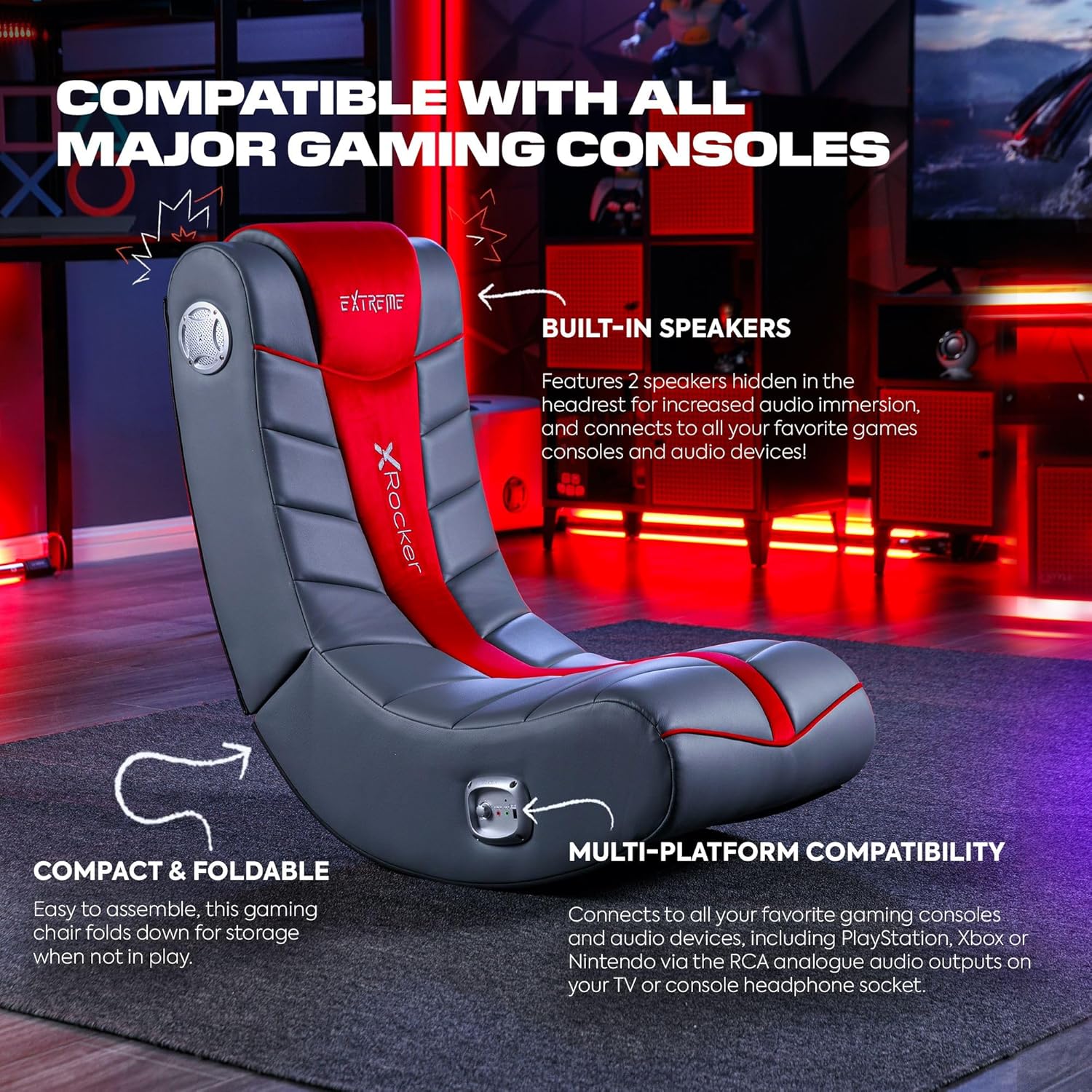
Image 5.2: The X Rocker chair highlighting its compatibility with various gaming consoles and audio devices.
६.३ भोल्युम समायोजन
Once connected, turn the Power/Volume knob clockwise to power on the audio system and increase the volume. Turn counter-clockwise to decrease volume and power off.
5.4 Multi-Player Connectivity
To connect multiple X Rocker chairs for a shared audio experience:
- Connect the first chair to your audio source as described in Section 5.2.
- Using an audio cable, connect the Audio Output (red jack) of the first chair to the Audio Input (green jack) of the second X Rocker chair.
- Repeat for additional chairs as needed.
6. मर्मतसम्भार
6.1 सफाई निर्देशनहरू
To clean your X Rocker Extreme III 2.0 Gaming Rocker Chair:
- स्पट सफा मात्र: नरम प्रयोग गर्नुहोस्, डीamp cloth with mild soap and water to spot clean any soiled areas.
- Do not use harsh chemicals, abrasive cleaners, or solvents, as these may damage the faux leather material.
- Ensure the chair is completely dry before use.
6.2 भण्डारण
The chair is foldable for convenient storage when not in use.
- Ensure the chair is powered off and disconnected from all audio and power sources.
- Gently fold the chair inward until it is compact.
- प्रत्यक्ष घाम र चरम तापक्रमबाट टाढा चिसो, सुख्खा ठाउँमा भण्डार गर्नुहोस्।

Image 6.1: The X Rocker chair in its compact, folded state for easy storage.
T. समस्या निवारण
If you encounter issues with your X Rocker Extreme III 2.0 Gaming Rocker Chair, please refer to the following common problems and solutions:
| समस्या | सम्भावित कारण | समाधान |
|---|---|---|
| No power to the chair. | Power adapter not connected or faulty; outlet not working. | Ensure the power adapter is securely connected to the chair and a working wall outlet. Test the outlet with another device. |
| स्पिकरहरूबाट कुनै आवाज छैन। | Volume too low; audio cables not connected correctly; incorrect audio source selected on device. | Increase the volume using the Power/Volume knob. Check all audio cable connections. Ensure your audio source (TV, console) is outputting audio correctly. |
| ध्वनि विकृत वा चर्किएको छ। | Volume too high; loose audio connection; interference. | Lower the volume. Check all audio cable connections for looseness. Move the chair or audio source away from other electronic devices that may cause interference. |
| Chair is unstable or tips easily. | Not placed on a flat surface; exceeding weight limit. | Ensure the chair is on a completely flat and stable surface. Verify that the user's weight does not exceed the maximum capacity of 300 lbs. |
8. निर्दिष्टीकरणहरू
- मोडेलको नाम: Floor Rocker
- मोडेल नम्बर: 5149101
- उत्पादन आयाम (D x W x H): ७.६ x ५.१ x ५.१ सेन्टिमिटर (३ x २ x २ इन्च)
- वस्तु वजन: ०.५५ किलोग्राम (१.२१ पाउण्ड)
- अधिकतम वजन सिफारिश: २९.३ पाउण्ड (१३.३ किलो)
- सामग्री: नक्कली छाला, फोम फिल
- फ्रेम सामग्री: मिश्र धातु इस्पात
- अडियो प्रणाली: 2.0 स्टेरियो स्पिकरहरू
- जडान: RCA Audio Input/Output, 3.5mm Headset Output
- विशेषताहरु: Ergonomic, Foldable, Head Support, Side-facing speakers with headrest
- विधानसभा आवश्यक: छैन
- उत्पादन हेरचाह: दाग सफा गर्नुहोस्
9. वारेन्टी र समर्थन
For warranty information, please refer to the documentation included with your purchase or visit the official X Rocker webसाइट। वारेन्टीका सर्तहरू क्षेत्र र खुद्रा विक्रेता अनुसार फरक हुन सक्छन्।
If you require technical assistance, replacement parts, or have questions not covered in this manual, please contact X Rocker customer support. Contact details can typically be found on the manufacturer's webसाइट वा तपाईंको उत्पादन प्याकेजिङमा।