
1. परिचय
Thank you for choosing the Nexlux LED Light Strip. This manual provides essential information for the safe and efficient use of your LED light strip. Please read these instructions carefully before installation and operation, and retain them for future reference.
2. सुरक्षा जानकारी
- बिजुली आपूर्ति भोल्युम सुनिश्चित गर्नुहोस्tage ले उत्पादनको आवश्यकताहरू (१२०V) सँग मेल खान्छ।
- Do not connect the LED strip to the power supply while it is still on the reel to prevent overheating.
- Avoid bending the LED strip sharply or at angles less than 90 degrees to prevent damage to the circuit board.
- Keep the product away from water and high humidity environments unless specified as waterproof. This model is for indoor use.
- उत्पादन आफैं मर्मत वा परिमार्जन गर्ने प्रयास नगर्नुहोस्। सहयोगको लागि ग्राहक समर्थनलाई सम्पर्क गर्नुहोस्।
- Unplug the power adapter from the wall outlet before cleaning or when not in use for extended periods.
3. प्याकेज सामग्री
कृपया निम्न वस्तुहरूको लागि प्याकेज जाँच गर्नुहोस्:
- Nexlux LED Light Strip (16.4 Ft or 32.8 Ft, depending on model)
- Control Unit/Receiver
- पावर एडाप्टर
- रिमोट कन्ट्रोल (यदि तपाईंको विशिष्ट मोडेलमा समावेश गरिएको छ भने)
- उपयोगकर्ता पुस्तिका (यो कागजात)

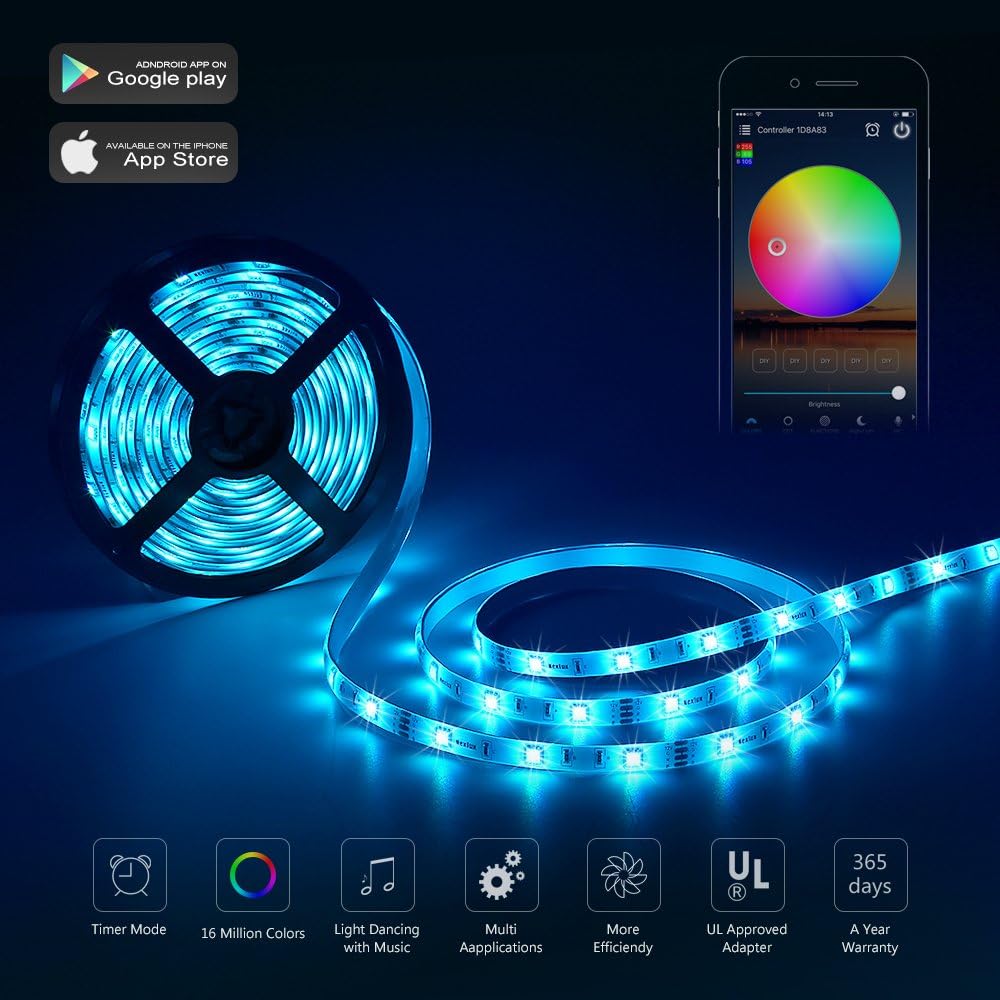
This image displays the Nexlux LED light strip coiled on a reel, alongside its control unit and a smartphone screen showing the companion mobile application for controlling the lights.
4. सेटअप
- सतह तयार गर्नुहोस्: Ensure the installation surface is clean, dry, and smooth. Dust, oil, or moisture can affect the adhesive's effectiveness.
- नाप र काट (वैकल्पिक): If necessary, measure the desired length and cut the LED strip only at the designated cut marks (usually indicated by a copper pad and scissor icon). Do not cut elsewhere.
- स्ट्रिप जोड्नुहोस्: Peel off the adhesive backing from the LED strip. Carefully press the strip onto the desired surface, ensuring firm contact along its entire length.
- नियन्त्रण एकाइ जडान गर्नुहोस्: Connect the end of the LED strip to the control unit. Ensure the arrows on both connectors align correctly.
- पावर जोड्नुहोस्: Plug the power adapter into the control unit, then plug the power adapter into a standard wall outlet.
- एप डाउनलोड गर्नुहोस् (वैकल्पिक): For advanced features, download the Nexlux companion app from your smartphone's app store (Android or iOS). Follow the in-app instructions to pair your device.

This image presents two different room settings: a bedroom with blue LED lighting under the bed and along the walls, and a gaming room with vibrant multi-colored LED strips illuminating the desk and surrounding areas, showcasing diverse application possibilities.

This image features a modern living room where the Nexlux LED light strip is installed along shelves and ceiling edges, providing ambient lighting. The text 'Ultra long LED light strip' emphasizes the product's extended length suitable for larger spaces.
5. सञ्चालन निर्देशनहरू
5.1 Basic Operation (Remote Control)
If your model includes a remote control, use it to:
- बत्तीहरू अन/अफ गर्नुहोस्।
- चमक स्तरहरू समायोजन गर्नुहोस्।
- Select static colors (Multi-color).
- Choose dynamic lighting modes (e.g., flash, fade, jump).
5.2 एप नियन्त्रण
The Nexlux app provides comprehensive control over your LED light strip:
- रङ चयन: Access a full spectrum of colors and customize your lighting.
- चमक समायोजन: Fine-tune the light intensity.
- गतिशील मोडहरू: Explore various pre-set and customizable lighting effects.
- संगीत सिंक: Synchronize the lights with music playing on your device or through the app.
- Timer/Schedule Function: बत्तीहरू स्वचालित रूपमा बल्ने वा निभ्ने निश्चित समय सेट गर्नुहोस्।
This image illustrates the scheduling capability of the Nexlux LED light strip, with settings for automatic turn-on at 8:00 AM and turn-off at 9:00 PM, enhancing convenience and energy saving.
5.3 आवाज नियन्त्रण
Certain Nexlux LED Light Strip models support voice control integration with smart home assistants like Alexa. To enable voice control:
- Ensure your LED strip is connected to your home Wi-Fi network via the Nexlux app.
- Enable the Nexlux skill in your smart assistant's app (e.g., Amazon Alexa app).
- Discover new devices through your smart assistant.
- Use voice commands such as "Alexa, turn on the bedroom light" or "Alexa, change the living room light to blue."

This image shows the Nexlux LED light strip being controlled by voice command via Alexa, with an example of changing bedroom light to pink. Below, it displays the strip illuminating different areas of a home with various colors, highlighting its versatility.
5.4 Motion Sensor Feature
Some models of the Nexlux LED Light Strip include a motion sensor. This feature allows the lights to automatically turn on when motion is detected and turn off after a period of inactivity. Refer to the app settings for configuration options related to the motion sensor, such as sensitivity and duration.
6. मर्मतसम्भार
- सरसफाई: Gently wipe the LED strip with a dry, soft cloth. Do not use abrasive cleaners or solvents. Ensure the power is disconnected before cleaning.
- भण्डारण: If storing the LED strip for an extended period, ensure it is clean, dry, and coiled loosely to prevent damage. Store in a cool, dry place.
- निरीक्षण: समय-समयमा स्ट्रिप र जडानहरू कुनै पनि झर्ने वा क्षतिको संकेतको लागि जाँच गर्नुहोस्।
T. समस्या निवारण
| समस्या | सम्भावित कारण | समाधान |
|---|---|---|
| बत्तीहरू बल्दैनन्। | बिजुली छैन, जडान ढिलो छ, बिग्रिएको पावर एडाप्टर। | Check power outlet, ensure all connections are secure, try a different power adapter if available. |
| रिमोट कन्ट्रोल काम गर्दैन। | Dead battery, remote out of range, IR sensor blocked. | Replace battery, ensure remote is pointed at the control unit, remove any obstructions. |
| App cannot connect to the strip. | Wi-Fi issue, incorrect pairing, app glitch. | Ensure Wi-Fi is active and correct, restart the app and LED strip, re-attempt pairing process. |
| बत्तीहरू झिलिमिली वा मधुरो छन्। | अपर्याप्त बिजुली, बिग्रिएको स्ट्रिप, खुकुलो जडान। | Check power adapter, inspect strip for damage, secure connections. |
8. निर्दिष्टीकरणहरू
- ब्रान्ड: Nexlux
- मोडेल नम्बर: YPL0051M
- उत्पादन आयाम: 17 x 17 x 7 cm; 299 g (packaging)
- रंग: Multi-color (RGB)
- शक्ति स्रोत: कर्ड इलेक्ट्रिक
- प्रकाश स्रोत प्रकार: एलईडी
- इनडोर/आउटडोर प्रयोग: भित्री
- विशेष सुविधा: मोशन सेन्सर
- शैली: पट्टी
9. वारेन्टी र समर्थन
For warranty information and customer support, please refer to the documentation provided with your purchase or visit the official Nexlux webसाइट। कुनै पनि वारेन्टी दावीको लागि खरिदको प्रमाणको रूपमा आफ्नो खरिद रसिद राख्नुहोस्।