
CNYST DH1200
CNYST DH1200 Digital Solid Density Measuring Densitometer User Manual
मोडेल: DH1200
उत्पादन समाप्त भयोview
The CNYST DH1200 Digital Solid Density Measuring Densitometer is a precision instrument designed for accurate density measurement of solid materials. It features an RS-232 interface and can handle samples with a maximum weight of 1200g and a weighing precision of 0.01g. This manual provides essential information for the setup, operation, and maintenance of your densitometer.

चित्र १: अगाडि view of the CNYST DH1200 Digital Solid Density Measuring Densitometer.
प्याकेज सामग्री
Before proceeding with setup, please verify that all components are present:
- DH1200 Densitometer Main Unit
- Measurement Cage Assembly (including upper and lower frames, transparent container)
- पावर एडाप्टर
- चिमटी
- Calibration Weight (e.g., 100g)
- थर्मोमिटर
- Small Parts (screws, mesh basket)
- उपयोगकर्ता पुस्तिका (यो कागजात)
भिडियो १: अनबक्सिङ र माथिview of the CNYST DH1200 Densitometer components.
सेटअप निर्देशनहरू
- नियुक्ति: Place the densitometer main unit on a stable, level surface, free from vibrations and direct sunlight.
- Assemble Measurement Cage:
- Carefully remove the transparent container and the black measurement frame from the main unit.
- Ensure the transparent container is clean and dry before use.
- Place the transparent container onto the designated area on the main unit's weighing platform.
- Position the black measurement frame over the transparent container, ensuring it is securely seated.
- पावर जडान: Connect the provided power adapter to the densitometer's power input port and then plug it into a suitable power outlet.
- प्रारम्भिक पावर अन: थिच्नुहोस् ON/OFF button to power on the device. Allow a few moments for the display to stabilize.
- शून्य अंशांकन: With the measurement cage empty and assembled, press the शून्य button to tare the scale. The display should show "0.000g".
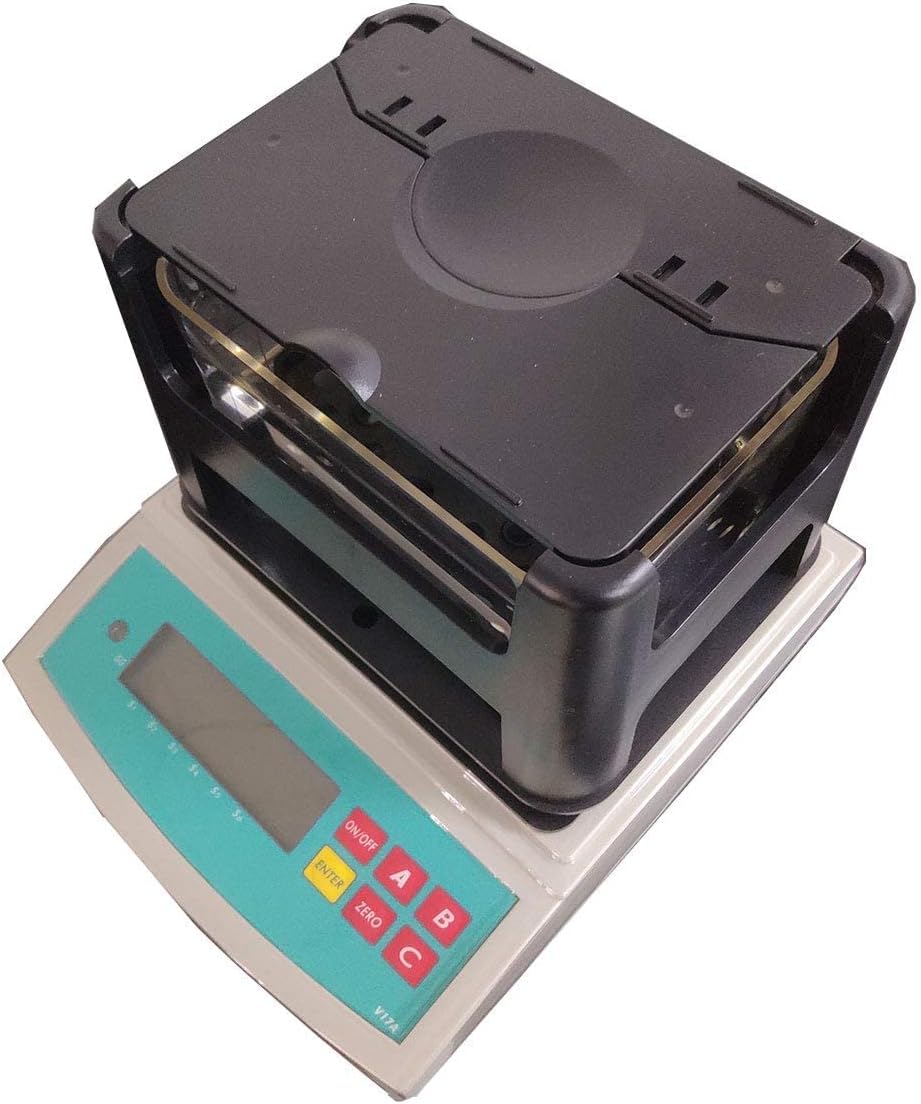
Figure 2: The densitometer with the measurement cage properly assembled.
सञ्चालन निर्देशनहरू
The DH1200 densitometer can measure the density of solid materials using the Archimedes principle. Follow these steps for accurate measurements:
- एस तयार गर्नुहोस्ampLe: Ensure your solid sample is clean and dry. For porous materials, consider pre-treatment as per relevant standards.
- Measure Weight in Air:
- एस राख्नुहोस्ample on the upper platform of the measurement cage (above the water).
- Wait for the reading to stabilize. Record this weight (W1).
- तरल पदार्थ तयार पार्नुहोस्: Fill the transparent container with distilled water or another suitable liquid (e.g., ethanol) to a level that fully submerges the sample without overflowing. Ensure no air bubbles are present.
- Measure Weight in Liquid:
- Carefully transfer the sample to the lower platform of the measurement cage, ensuring it is fully submerged in the liquid and not touching the sides or bottom of the container.
- Wait for the reading to stabilize. Record this weight (W2).
- Calculate Density: The densitometer will automatically calculate and display the density based on the measured weights and the density of the liquid used. Refer to the device's display for the calculated density value.
- सफा गर्नुहोस्: After measurement, remove the sample and liquid. Clean the measurement cage and transparent container thoroughly.

चित्र 3: क्लोज-अप view of the densitometer's weighing platform and control panel.
मर्मतसम्भार
- सरसफाई: Regularly clean the densitometer's exterior with a soft, dry cloth. For the measurement cage and transparent container, use mild soap and water, then rinse thoroughly and dry completely. Avoid abrasive cleaners or solvents.
- भण्डारण: Store the densitometer in a clean, dry environment, away from extreme temperatures, humidity, and direct sunlight. Keep the dust cover on when not in use.
- क्यालिब्रेसन: Periodic calibration by a qualified technician is recommended to ensure continued accuracy.
समस्या निवारण
| समस्या | सम्भावित कारण | समाधान |
|---|---|---|
| गलत पठनहरू |
|
|
| Display shows "OVERLOAD" | Sample weight exceeds maximum capacity. | एस हटाउनुहोस्ample immediately. Use a sample within the 1200g limit. |
| यन्त्र सक्रिय हुँदैन |
|
|
निर्दिष्टीकरणहरू
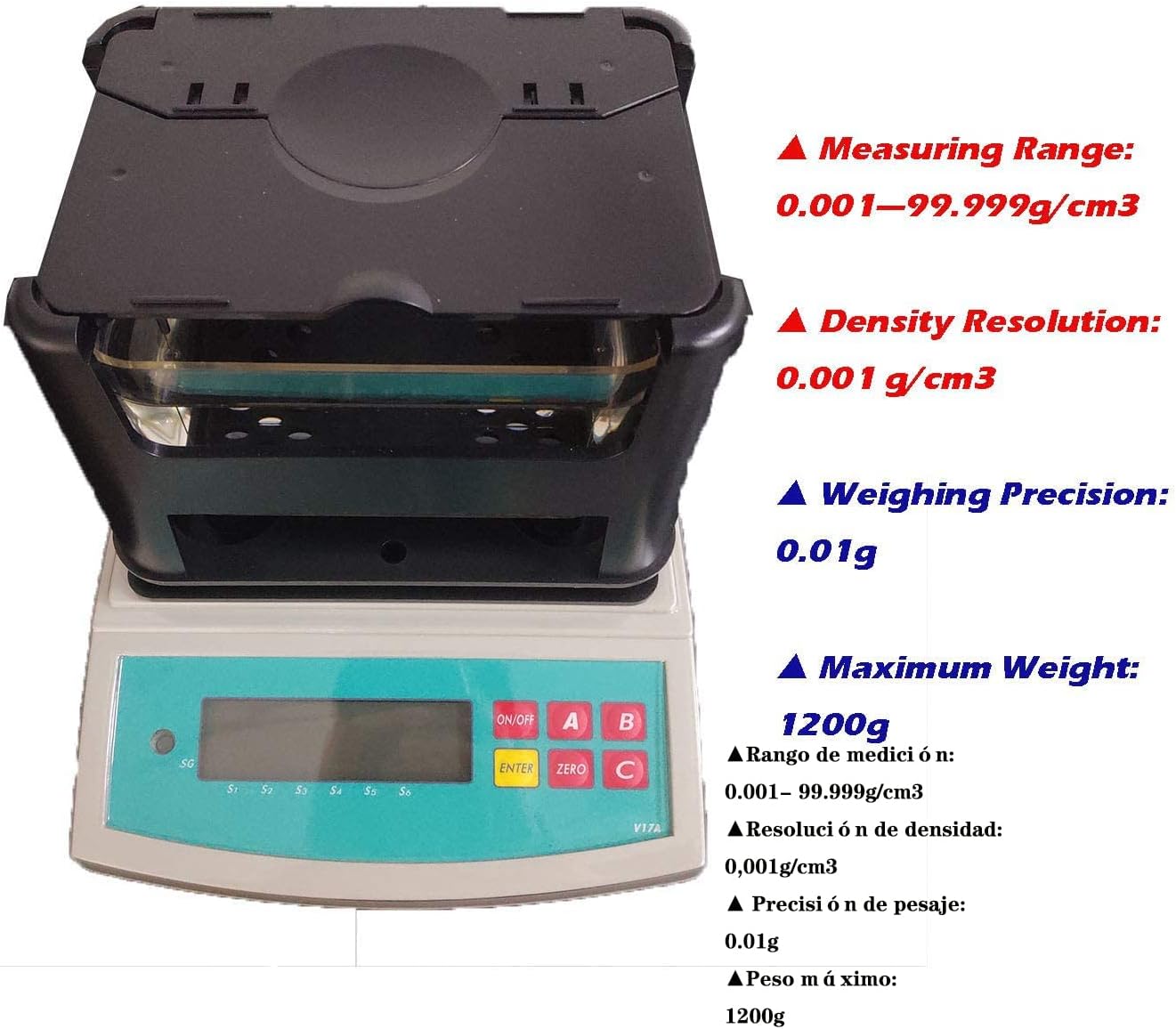
Figure 4: Visual representation of key technical specifications.
| सुविधा | मूल्य |
|---|---|
| मापन दायरा | 0.001—99.999 g/cm³ |
| Density Resolution | 0.001 ग्राम/सेमी³ |
| अधिकतम वजन | 1200 ग्राम |
| Weighing Precision | 0.01 ग्राम |
| मापदण्ड मिल्यो | ASTM D792, GB/T1033, GB/T2951, JIS K6268, ISO 2781, ISO 1183, GB/T208, GB/T5163, GB/T 1933 |
| वस्तुको वजन | 9.9 पाउन्ड |
| प्याकेज आयामहरू | १० x ३ x ३ इन्च |
| शक्ति स्रोत | Battery Powered (Note: Unit also uses AC adapter as shown in video) |
| प्रमाणीकरण | ISO |
| निर्माता | CNYST |
वारेन्टी र समर्थन
For warranty information and technical support, please contact the seller directly. The seller for this product is anhui east electronic. You can find their contact information on the product's Amazon page or through your purchase history.
विस्तारित कभरेजको लागि सुरक्षा योजनाहरू उपलब्ध छन्:
- २ वर्षे सुरक्षा योजना
- २ वर्षे सुरक्षा योजना
- पूर्ण सुरक्षा (मासिक योजना)
For more details on these plans, please refer to the product listing on Amazon.com.
Ask a question about this manual
Ask about setup, troubleshooting, compatibility, parts, safety, or missing instructions. Manuals+ will review the question and use this page’s manual context to help answer it.