
SilverStone SST-ST1300-TI-X
SilverStone Technology ST1300-TI 1300W Power Supply
प्रयोगकर्ता पुस्तिका
परिचय
This manual provides detailed instructions for the installation, operation, maintenance, and troubleshooting of your SilverStone Technology ST1300-TI 80 Plus Titanium 1300W Fully Modular ATX/PS2 Power Supply. Please read this manual thoroughly before installation and operation to ensure proper functionality and safety.

एक ओभरview of the SilverStone ST1300-TI 1300W power supply, showcasing its design and the product packaging.
सुरक्षा जानकारी
Always observe the following safety precautions to prevent injury or damage to the power supply and connected components:
- पावर सप्लाई युनिट नखोल्नुहोस्। उच्च भोल्युमtagबिजुलीबाट विच्छेद हुँदा पनि, es भित्र उपस्थित हुन्छन्।
- स्थापना वा मर्मतसम्भार गर्नु अघि एसी आउटलेटबाट बिजुली आपूर्ति विच्छेद भएको सुनिश्चित गर्नुहोस्।
- राम्रोसँग हावा चल्ने ठाउँमा बिजुली आपूर्ति जडान गर्नुहोस्।
- पावर सप्लाईसँग प्रदान गरिएका मोड्युलर केबलहरू मात्र प्रयोग गर्नुहोस्। असंगत केबलहरू प्रयोग गर्दा क्षति हुन सक्छ।
- बिजुली आपूर्तिलाई आर्द्रता वा अत्यधिक तापक्रममा नदिनुहोस्।
- If the power supply is damaged or malfunctions, discontinue use immediately and contact SilverStone support.
प्याकेज सामग्री
प्याकेजमा सबै वस्तुहरू छन् भनी प्रमाणित गर्नुहोस्:
- SilverStone ST1300-TI Power Supply Unit
- Modular Cable Set (ATX 20+4 pin, EPS/ATX 4+4 pin, PCIe 6+2 pin, SATA, 4-pin Peripheral)
- एसी पावर कर्ड
- माउन्टिङ स्क्रू
- उपयोगकर्ता पुस्तिका (यो कागजात)
- Cable Ties (optional, may be included)
सेटअप र स्थापना
Follow these steps for proper installation of your power supply:
- आफ्नो प्रणाली तयार गर्नुहोस्: Ensure your computer case is compatible with ATX/PS2 form factor power supplies. Disconnect all power from your system and open the computer case.
- पावर सप्लाई माउन्ट गर्नुहोस्: Carefully slide the ST1300-TI into the power supply bay of your computer case. Align the screw holes and secure the power supply with the provided mounting screws.
- मोड्युलर केबलहरू जडान गर्नुहोस्:

This image provides an angled perspective of the ST1300-TI power supply, highlighting the array of modular cable connection ports on the front panel and the top-mounted cooling fan.
Connect only the necessary modular cables to the power supply. The ST1300-TI is fully modular, allowing for cleaner cable management.
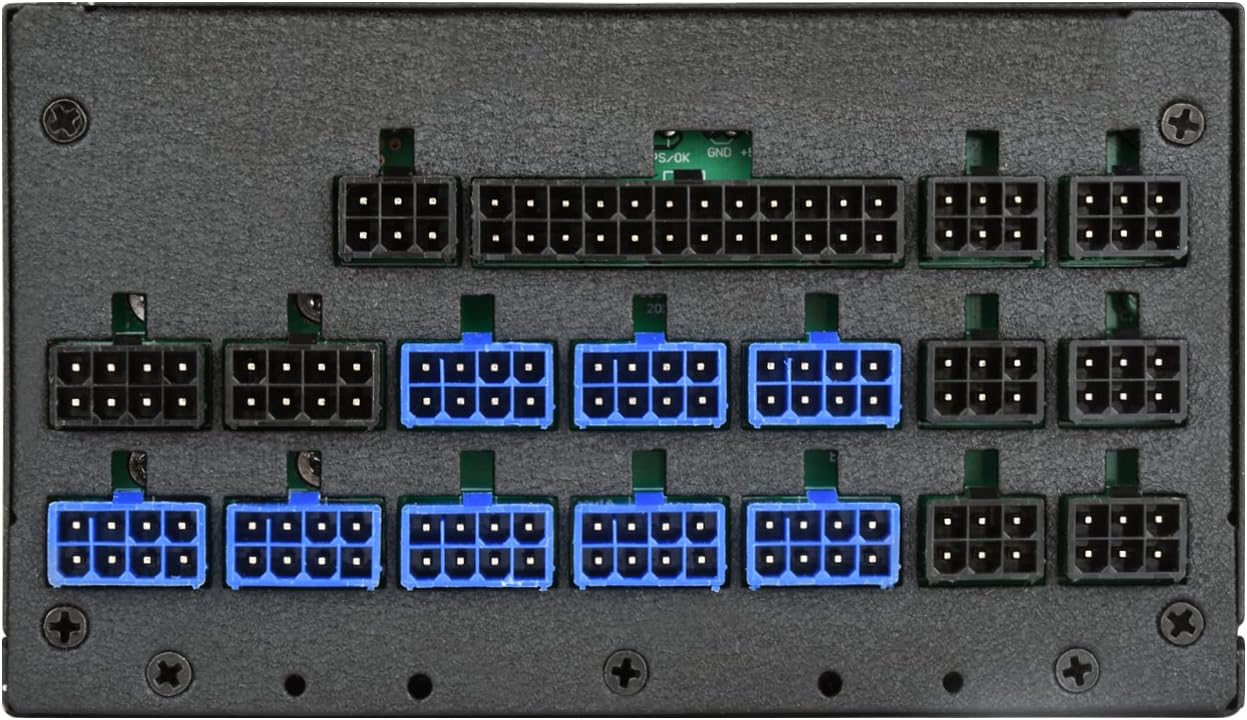
एक विस्तृत view of the modular cable connection ports on the SilverStone ST1300-TI power supply, indicating various types of connectors for different components.
- 20+4 Pin ATX Motherboard Cable: Connect to the main power connector on your motherboard.
- 4+4 Pin EPS/ATX 12V Cable: Connect to the CPU power connector on your motherboard.
- 6+2 Pin PCIe Cables: Connect to your graphics cards (GPUs) as required.
- SATA पावर केबलहरू: SSD, HDD र अप्टिकल ड्राइभ जस्ता SATA उपकरणहरूमा जडान गर्नुहोस्।
- 4-pin Peripheral (Molex) Cables: आवश्यक परेमा पुराना बाह्य उपकरणहरू वा केस फ्यानहरूमा जडान गर्नुहोस्।
- केबल व्यवस्थापन: तपाईंको केस भित्र हावा प्रवाह र सौन्दर्य सुधार गर्न केबलहरूलाई सफासँग रुट गर्नुहोस्।
- केस बन्द गर्नुहोस्: सबै जडानहरू सुरक्षित भएपछि, आफ्नो कम्प्युटर केस बन्द गर्नुहोस्।
- एसी पावर जडान गर्नुहोस्: Plug the provided AC power cord into the power supply's AC inlet and then into a wall outlet or surge protector.
सञ्चालन निर्देशनहरू
To power on your system:
- Ensure the power switch on the back of the ST1300-TI power supply is in the "ON" (I) position.
- आफ्नो कम्प्युटर केसमा रहेको पावर बटन थिच्नुहोस्।
The ST1300-TI features an ultra-silent 135mm fan with intelligent semi-fanless operation. The fan may not spin at low loads to minimize noise, activating only when necessary to maintain optimal temperatures.
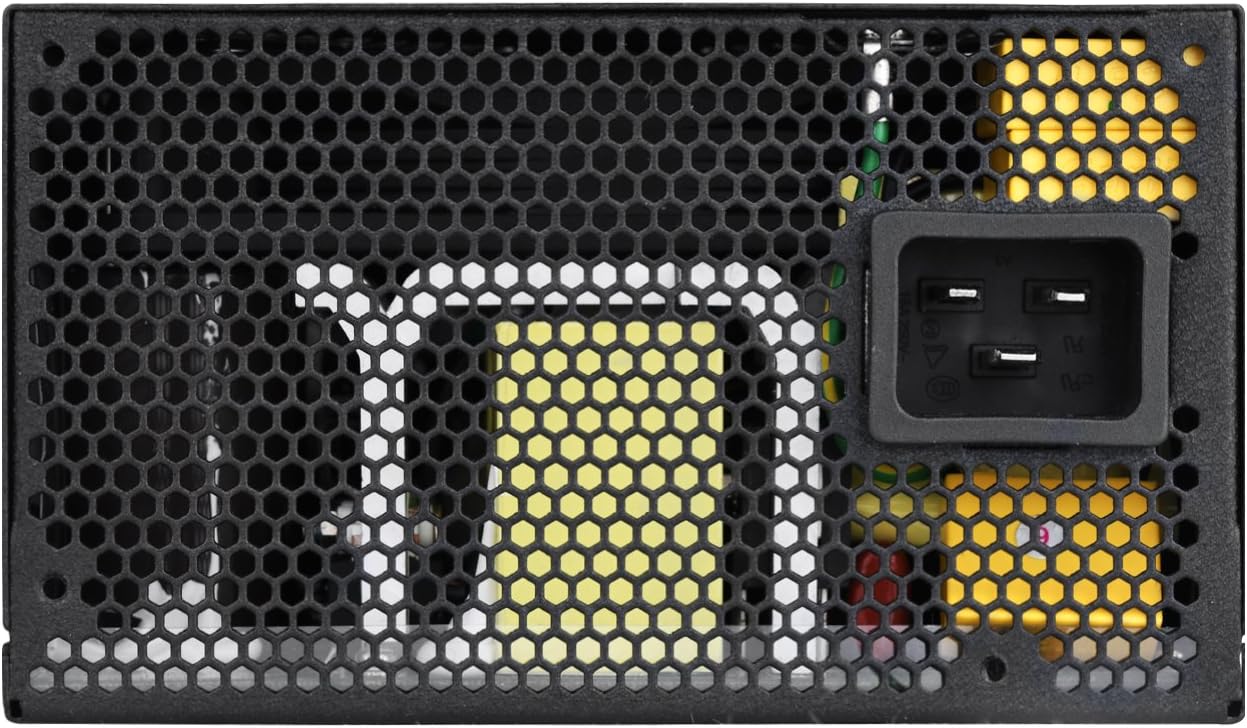
प्रत्यक्ष ओभरहेड view of the 135mm cooling fan and its protective grille on the SilverStone ST1300-TI power supply.
मर्मतसम्भार
Regular maintenance helps ensure the longevity and optimal performance of your power supply:
- सरसफाई: Periodically clean the exterior of the power supply and its fan grille using a soft, dry cloth. For deeper cleaning, use compressed air to remove dust from the fan and internal components, ensuring the system is powered off and unplugged.
- निरीक्षण: Regularly inspect cables for any signs of wear, fraying, or damage. Ensure all connections are secure.
- भेन्टिलेसन: Ensure that the power supply's intake and exhaust vents are not obstructed to allow for proper airflow.
समस्या निवारण
If you encounter issues with your ST1300-TI power supply, refer to the following common problems and solutions:
| समस्या | सम्भावित कारण | समाधान |
|---|---|---|
| प्रणाली सक्रिय छैन। |
|
|
| प्रणाली सक्रिय हुन्छ तर तुरुन्तै बन्द हुन्छ। |
|
|
| फ्यान घुमिरहेको छैन। |
|
|
For further assistance, please refer to the support section or SilverStone's official webसाइट।
निर्दिष्टीकरणहरू
Key specifications for the SilverStone ST1300-TI power supply:

The product label on the SilverStone ST1300-TI power supply, displaying electrical specifications such as AC input, DC output voltages, and maximum power ratings.
| सुविधा | विवरण |
|---|---|
| मोडेल नाम | SST-ST1300-TI-X |
| ब्रान्ड | सिल्वरस्टोन |
| फारम कारक | ATX |
| आउटपुट वाटtage | 1300W |
| दक्षता मूल्याङ्कन | ८० प्लस टाइटेनियम |
| मोडुलरिटी | पूर्ण मोड्युलर |
| शीतलन विधि | Air (135mm fan with intelligent semi-fanless operation) |
| सञ्चालन तापमान | 24 ℃ सञ्चालन तापमान संग 7/50 निरन्तर शक्ति उत्पादन |
| क्यापेसिटरहरू | जापानी इलेक्ट्रोलाइटिक क्यापेसिटरहरू |
| भोल्युमtagई नियमन | Strict ±3% voltage regulation and low ripple & noise |
| आयाम (LxWxH) | ३.७ x २.२ x ०.८ इन्च (९४.० x ५५.४ x २०.१ मिमी) |
| वजन | १.५ पाउन्ड (०.६८ किलो) |
वारेन्टी र समर्थन
For detailed warranty information, please refer to the official SilverStone Technology website or the warranty card included with your product. SilverStone provides technical support for their products.
अनलाइन समर्थन: Visit the official SilverStone Technology webFAQs, चालक डाउनलोडहरू, र समर्थन सम्पर्क जानकारीको लागि साइट। www.silverstonetek.com