
Groov-e GVBT750BK
Groov-e Ultra Wireless Bluetooth Headphones Instruction Manual GVBT750BK
परिचय
खरिद गर्नुभएकोमा धन्यवादasing the Groov-e Ultra Wireless Bluetooth Headphones. These headphones are designed to provide a superior audio experience with features such as wireless connectivity, extended battery life, and comfortable design. This manual will guide you through the setup, operation, and maintenance of your new headphones.
प्याकेज सामग्री
Please ensure all items are present in your Groov-e Ultra headphone package:
- Groov-e Ultra Wireless Bluetooth Headphones
- USB चार्जिङ केबल
- 3.5mm अडियो केबल
- उपयोगकर्ता पुस्तिका (यो कागजात)
उत्पादन समाप्त भयोview
Familiarize yourself with the various components of your Groov-e Ultra headphones.
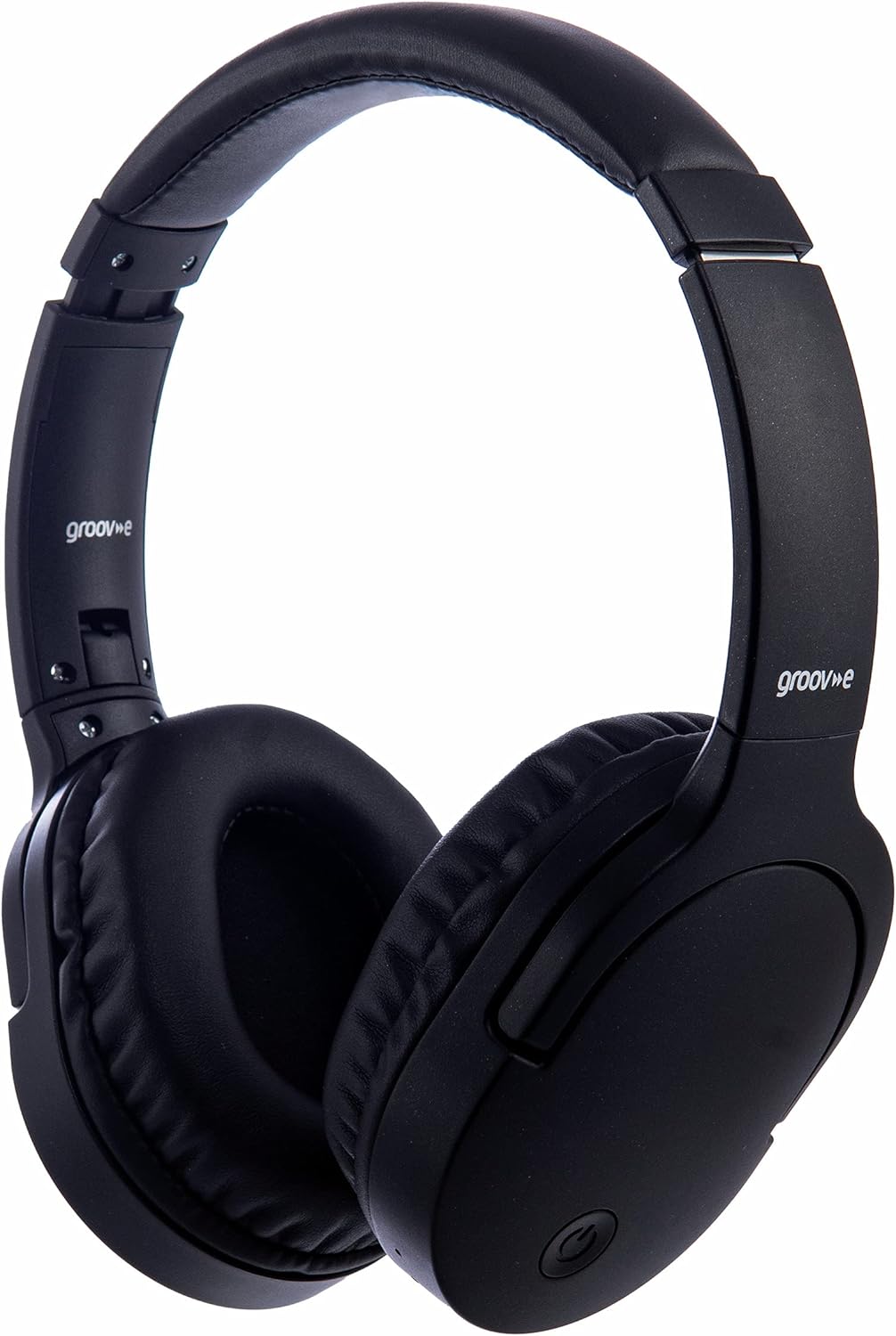
छवि: अगाडि view of the Groov-e Ultra Wireless Bluetooth Headphones in black.
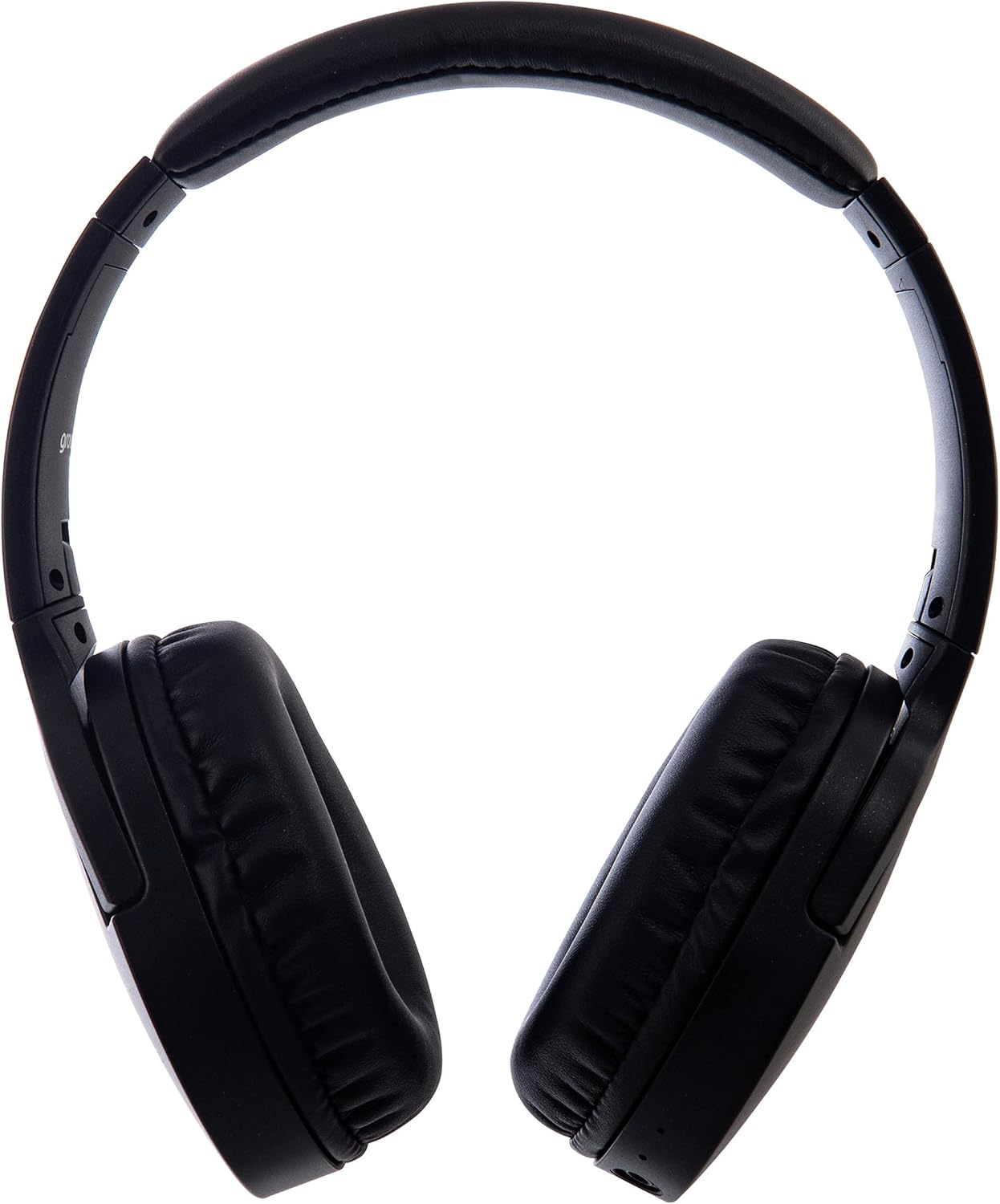
छवि: साइड view of the Groov-e Ultra Wireless Bluetooth Headphones, showing the earcups and headband.
Key features and controls include:
- पावर बटन: Located on the earcup, used for powering on/off and initiating pairing mode.
- भोल्युम नियन्त्रण: Buttons for adjusting audio volume.
- बहु-कार्य बटन: For play/pause, answer/end calls, and activating voice assistant.
- माइक्रोफोन: ह्यान्ड्स-फ्री कलिङको लागि एकीकृत।
- 3.5mm अडियो ज्याक: अडियो स्रोतहरूमा तार जडानको लागि।
- USB चार्जिंग पोर्ट: For charging via the included USB cable.
- वायरलेस चार्जिङ क्षेत्र: Located on the right earcup for compatible wireless charging pads.
- एलईडी सूचक: Displays power, charging, and Bluetooth pairing status.
सेटअप
१. प्रारम्भिक चार्जिङ
Before first use, fully charge your headphones. The Groov-e Ultra headphones support both wired and wireless charging.
तार चार्जिंग:
- Connect the supplied USB charging cable to the headphone's charging port.
- USB केबलको अर्को छेउलाई उपयुक्त USB पावर स्रोतमा जडान गर्नुहोस् (जस्तै, कम्प्युटर USB पोर्ट, USB भित्ता एडाप्टर)।
- LED सूचक चार्ज गर्दा उज्यालो हुनेछ र पूर्ण चार्ज भएपछि बन्द हुनेछ वा रंग परिवर्तन हुनेछ।
ताररहित चार्जिङ:
- Place the right earcup of the headphones onto a compatible Qi-certified wireless charging pad.
- Ensure the headphones are correctly positioned on the charging pad for optimal contact.
- LED सूचक चार्ज गर्दा उज्यालो हुनेछ र पूर्ण चार्ज भएपछि बन्द हुनेछ वा रंग परिवर्तन हुनेछ।
पूर्ण चार्ज हुन सामान्यतया लगभग लाग्छ ३ घण्टा.
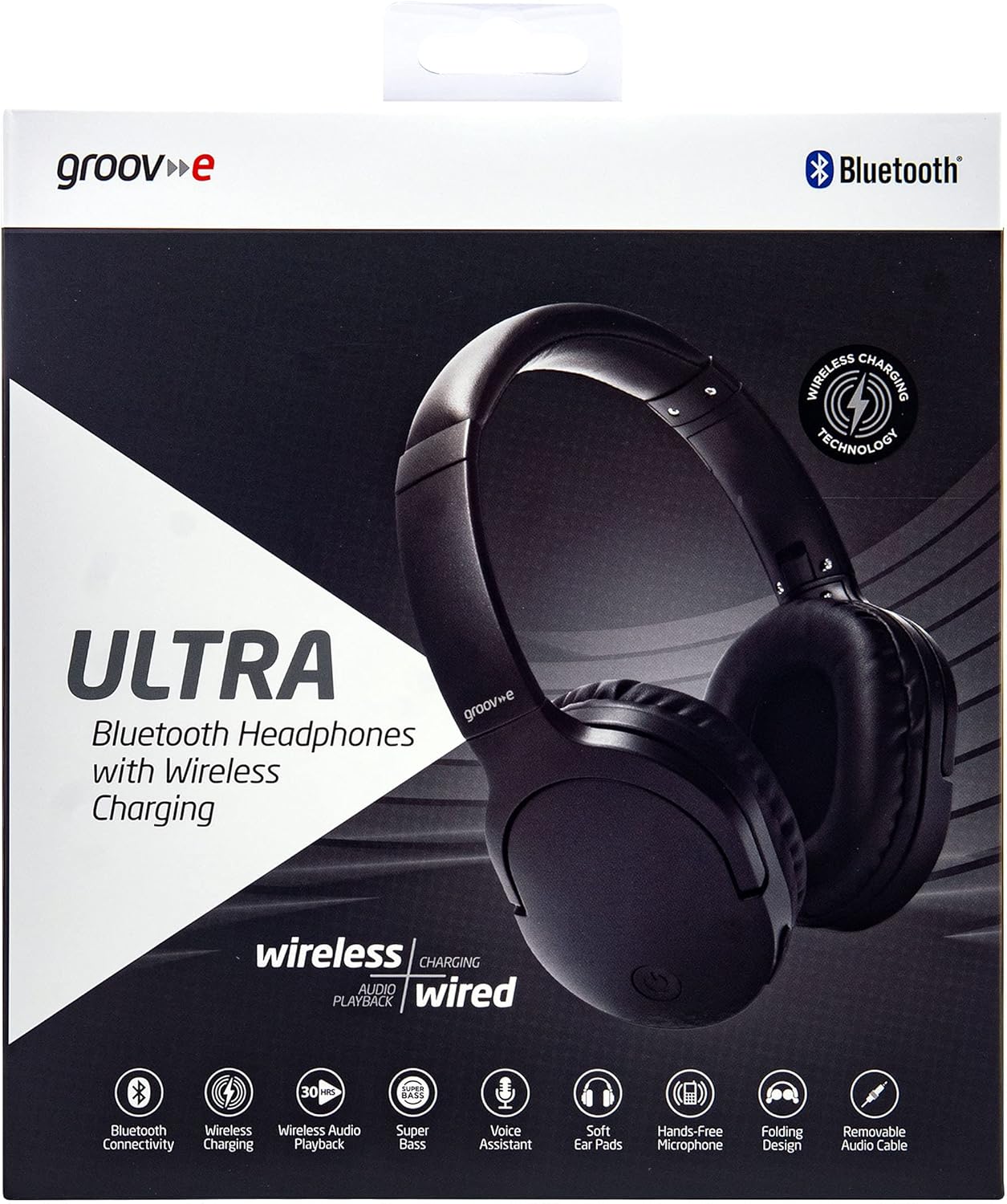
Image: Groov-e Ultra headphones charging wirelessly on a pad, with a laptop in the background.
सञ्चालन निर्देशनहरू
१. पावर अन/अफ
- पावर अन: Press and hold the Power button for approximately 3 seconds until the LED indicator flashes.
- पावर अफ: LED सूचक बन्द नभएसम्म लगभग ३-५ सेकेन्डसम्म पावर बटन थिचिराख्नुहोस्।
२ ब्लुटुथ पेयरि।
- सुनिश्चित गर्नुहोस् कि हेडफोनहरू बन्द छन्।
- LED सूचक रातो र नीलो रंगमा वैकल्पिक रूपमा चम्किएसम्म, जोडी मोडलाई संकेत गर्दै, लगभग ५-७ सेकेन्डसम्म पावर बटन थिचिराख्नुहोस्।
- आफ्नो उपकरण (स्मार्टफोन, ट्याब्लेट, ल्यापटप) मा, ब्लुटुथ सक्षम गर्नुहोस् र उपलब्ध उपकरणहरू खोज्नुहोस्।
- Select "Groov-e Ultra" from the list of found devices.
- Once paired, the LED indicator will flash blue slowly, and you may hear an audible confirmation.
- यदि पासवर्डको लागि सोधियो भने, "००००" प्रविष्ट गर्नुहोस्।
पावर अन हुँदा हेडफोनहरू स्वचालित रूपमा अन्तिम जोडी गरिएको उपकरणमा पुन: जडान गर्ने प्रयास गर्नेछन्।
३. तारयुक्त जडान (३.५ मिमी अडियो केबल)
For devices without Bluetooth or to conserve battery, you can use the supplied 3.5mm audio cable.
- ३.५ मिमी अडियो केबलको एउटा छेउ हेडफोनको अडियो ज्याकमा जडान गर्नुहोस्।
- अर्को छेउलाई आफ्नो उपकरणको ३.५ मिमी अडियो आउटपुटमा जडान गर्नुहोस्।
- The headphones will operate in passive mode, and Bluetooth functionality will be disabled.
4. संगीत प्लेब्याक
- प्ले/पज: एकचोटि बहु-समारोह बटन थिच्नुहोस्।
- अर्को ट्र्याक: भोल्युम अप बटन थिच्नुहोस् र होल्ड गर्नुहोस्।
- अघिल्लो ट्र्याक: भोल्युम डाउन बटन थिच्नुहोस् र होल्ड गर्नुहोस्।
- आवाज बढाउ: भोल्युम अप बटन छोटकरीमा थिच्नुहोस्।
- भोल्यूम डाउन: भोल्युम डाउन बटन छोटकरीमा थिच्नुहोस्।
5. कल व्यवस्थापन
- जवाफ/अन्त कल: एकचोटि बहु-समारोह बटन थिच्नुहोस्।
- कल अस्वीकार: 2 सेकेन्डको लागि बहु-कार्य बटन थिच्नुहोस् र होल्ड गर्नुहोस्।
- आवाज सहायक: Double-press the Multi-function button to activate your device's voice assistant (e.g., Siri, Google Assistant).
मर्मतसम्भार
To ensure the longevity and optimal performance of your Groov-e Ultra headphones, follow these maintenance guidelines:
- सरसफाई: Use a soft, dry cloth to clean the earcups and headband. Do not use abrasive cleaners or solvents.
- भण्डारण: प्रयोगमा नभएको बेला, हेडफोनहरूलाई चिसो, सुख्खा ठाउँमा, प्रत्यक्ष घाम र अत्यधिक तापक्रमबाट टाढा राख्नुहोस्। फोल्डेबल डिजाइनले कम्प्याक्ट भण्डारणको लागि अनुमति दिन्छ।
- ब्याट्री केयर: ब्याट्रीको आयु जोगाउन, हेडफोनहरू बारम्बार पूर्ण रूपमा चार्ज नगर्नुहोस्। निरन्तर प्रयोग नगरे पनि नियमित रूपमा चार्ज गर्नुहोस्।
- पानी प्रतिरोध: The headphones are rated as "waterproof" (as per specifications), but this typically refers to resistance against splashes or light rain. Avoid submerging them in water.
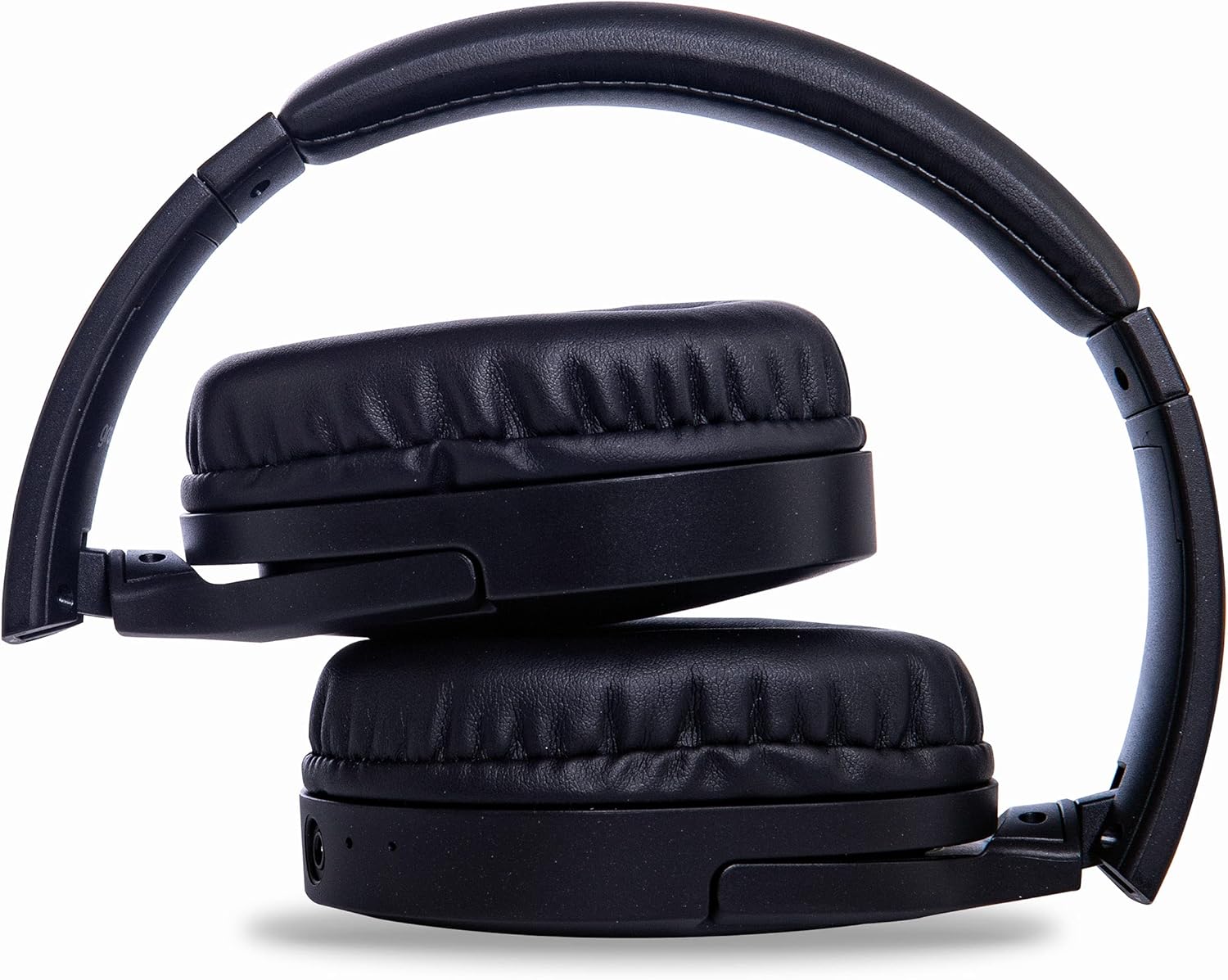
Image: Groov-e Ultra headphones folded, demonstrating their compact storage design.
समस्या निवारण
यदि तपाईंले आफ्नो हेडफोनमा समस्याहरू सामना गर्नुभयो भने, निम्न सामान्य समाधानहरू हेर्नुहोस्:
| समस्या | सम्भावित कारण | समाधान |
|---|---|---|
| हेडफोनहरू अन हुँदैनन्। | कम ब्याट्री। | Charge the headphones fully using either wired or wireless charging. |
| ब्लुटुथ मार्फत जोडा बनाउन सकिँदैन। | हेडफोनहरू पेयरिङ मोडमा छैनन्; उपकरणको ब्लुटुथ बन्द छ; हस्तक्षेप। | Ensure headphones are in pairing mode (flashing red/blue). Turn Bluetooth off and on on your device. Move closer to the device. |
| कुनै आवाज छैन वा ध्वनि गुणस्तर कमजोर छ। | Volume too low; incorrect source; loose wired connection; Bluetooth interference. | Increase volume on headphones and device. Check if the correct audio output is selected. Ensure 3.5mm cable is fully inserted. Re-pair Bluetooth. |
| वायरलेस चार्जिङले काम गरिरहेको छैन। | Headphones not positioned correctly; incompatible charging pad. | Adjust headphone position on the charging pad. Ensure the charging pad is Qi-certified and functioning. |
| Buzzing or too loud on Bluetooth. | Bluetooth signal issue; volume settings. | Try moving closer to the source device. Adjust volume levels on both the headphones and the connected device. |
| Cannot connect to Apple Mac Book Pro. | Compatibility issue or specific Bluetooth driver problem. | Ensure your Mac's Bluetooth drivers are up to date. Try resetting Bluetooth on your Mac. Consult Apple support or Groov-e support for specific compatibility advice. |
निर्दिष्टीकरणहरू
| सुविधा | विवरण |
|---|---|
| मोडेल नाम | अल्ट्रा |
| मोडेल नम्बर | GVBT750BK |
| ब्रान्ड | ग्रुभ-ई |
| जडान प्रविधि | ताररहित (ब्लुटुथ) |
| ताररहित संचार प्रविधि | ब्लुटुथ |
| फारम कारक | Supra-Aural (Over-ear) |
| कान नियुक्ति | Supra-auriculaire |
| हल्ला अलग | सक्रिय शोर दमन |
| हेडफोन ज्याक | Mm. mm मिमी ज्याक |
| विशेष सुविधाहरू | Microphone included, Sweat resistant |
| ब्याट्री जीवन | Up to 30 hours (wireless audio playback) |
| चार्ज गर्ने समय | करिब ३ घण्टा |
| नियन्त्रण विधि | स्पर्श (स्पर्श) |
| आवृत्ति दायरा | 20 Hz - 20,000 Hz (Possible) |
| पानी प्रतिरोध स्तर | वाटरप्रूफ |
| मिल्दो यन्त्रहरू | Smartphones, laptops, tablets, car audio systems, music production equipment, televisions |
| सामग्री | छाला |
सुरक्षा जानकारी
Please read and follow these safety guidelines to prevent damage to your headphones or personal injury:
- Do not expose headphones to extreme temperatures, humidity, or corrosive environments.
- हेडफोनहरू खसाल्ने वा बलियो प्रभाव पार्ने काम नगर्नुहोस्।
- हेडफोनहरू छुट्याउन वा परिमार्जन गर्न प्रयास नगर्नुहोस्। यसले वारेन्टी रद्द गर्नेछ।
- बच्चाहरू र घरपालुवा जनावरहरूबाट टाढा राख्नुहोस्।
- लामो समयसम्म उच्च आवाजमा सुन्दा श्रवणशक्तिमा क्षति पुग्न सक्छ। सुरक्षित स्तरमा आवाज समायोजन गर्नुहोस्।
- Exercise caution when using headphones in situations requiring awareness of your surroundings (e.g., driving, cycling, walking in traffic).
- स्वीकृत चार्जिङ केबल र पावर एडेप्टर मात्र प्रयोग गर्नुहोस्।
वारेन्टी र समर्थन
Groov-e products are designed and manufactured to the highest standards. For warranty information, please refer to the warranty card included with your purchase or visit the official Groov-e webसाइट।
For technical support, troubleshooting assistance, or general inquiries, please contact Groov-e customer service through their official channels. Contact details can typically be found on the product packaging or the Groov-e webसाइट।
अनलाइन समर्थन: www.groov-e.co.uk/support
Ask a question about this manual
Ask about setup, troubleshooting, compatibility, parts, safety, or missing instructions. Manuals+ will review the question and use this page’s manual context to help answer it.