1. उत्पादन समाप्तview
This Projection Alarm Clock is a multifunctional device designed to display time, temperature, and humidity. It features a projection function, dual alarm settings, a backlit LCD screen, and a USB charging port for mobile devices. The clock is powered by either a DC power supply via USB cable or 2 AAA batteries (not included).
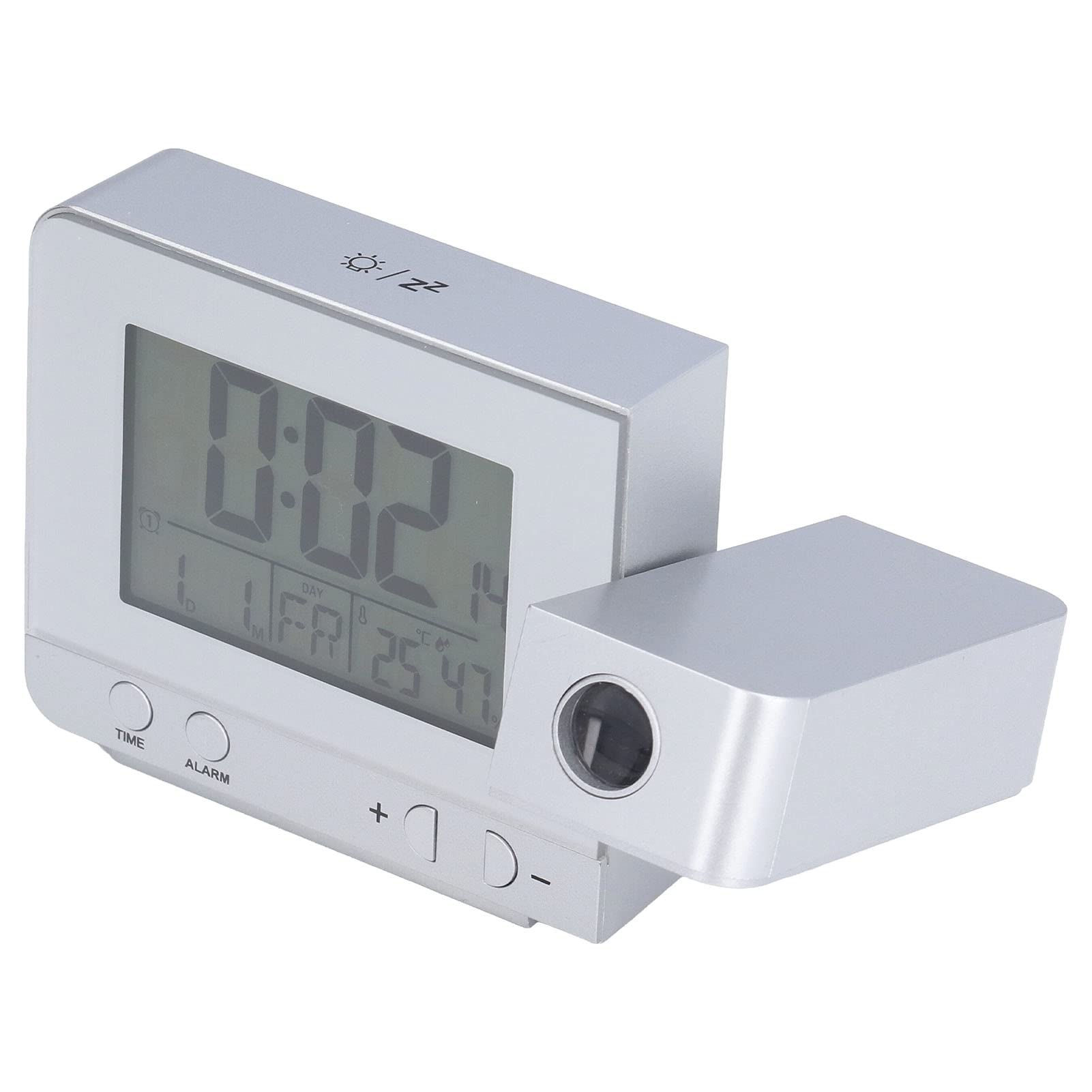
चित्र १: अगाडि view of the Projection Alarm Clock displaying time, date, temperature, and humidity.
2. प्याकेज सामग्री
- 1 x Projection Alarm Clock (Batteries Not Included)
- 1 x USB केबल
- १ x अंग्रेजी प्रयोगकर्ता पुस्तिका
१.३। मुख्य विशेषताहरु
- प्रक्षेपण कार्य: Projects time and temperature onto a wall or ceiling with nearly 180-degree rotation.
- दोहोरो अलार्म घडी: Set two independent alarms with a slowly rising volume.
- स्नूज प्रकार्य: Provides a 5-minute snooze period.
- ब्याकलिट एलसीडी स्क्रिन: Displays time, date, day of the week, temperature, and humidity. Adjustable backlight with 4 levels (High, Medium, Low, Off) when DC powered, or 8-second highlight when battery powered.
- तापक्रम र आर्द्रता प्रदर्शन: Detects indoor temperature (-9℃ to +50℃) and humidity (20% to 95%).
- USB चार्जिंग पोर्ट: 5V USB output interface for charging mobile phones.
- समय प्रणाली: Supports 12HR/24HR format.
- Automatic Temperature Prediction: Automatically predicts changes in indoor temperature.
२. उत्पाद कम्पोनेन्टहरू

Figure 2: Side panel with Alarm ON/OFF switches and USB charging port.

Figure 3: Front display and control buttons (TIME, ALARM, +, -).
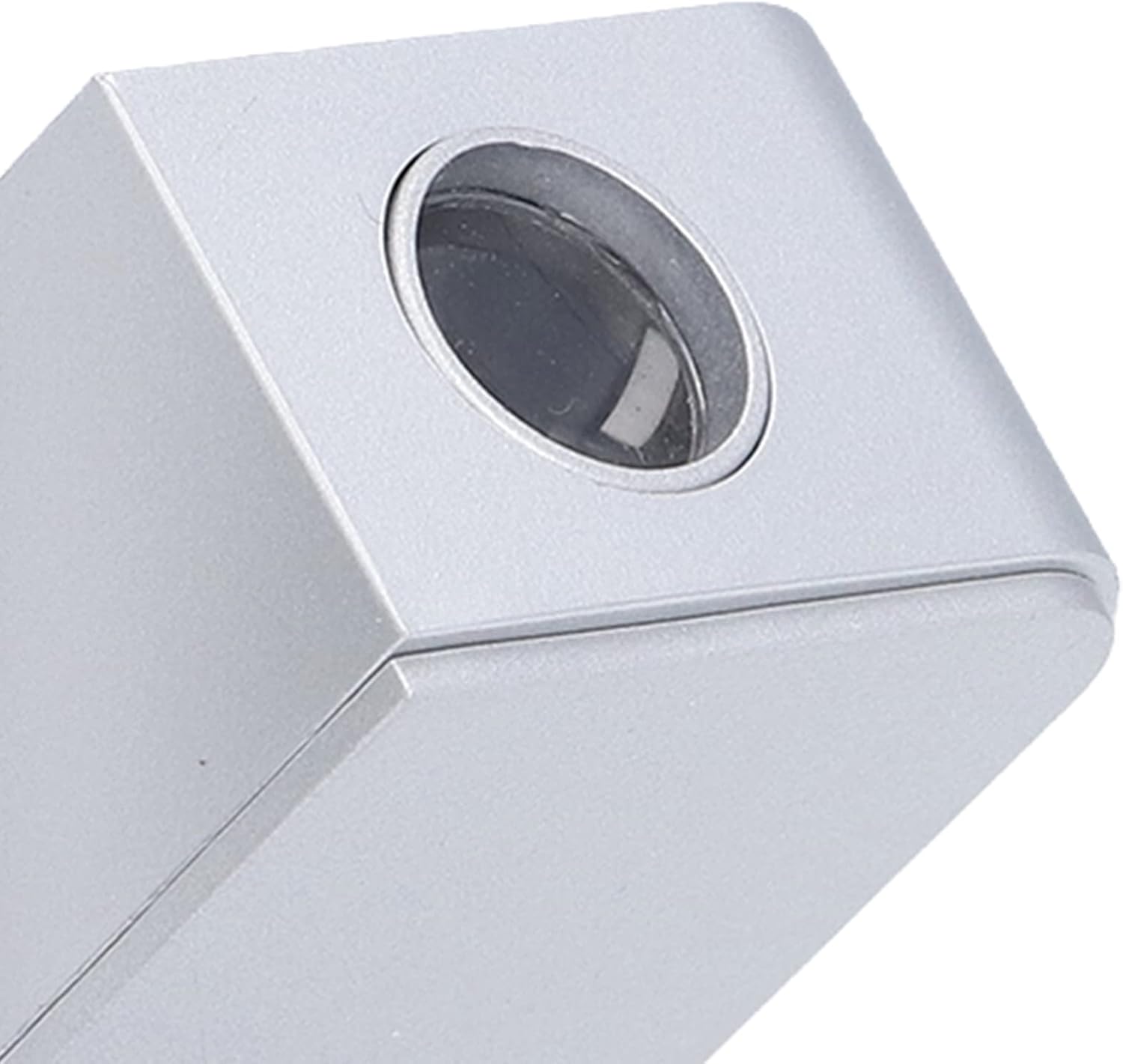
Figure 4: Projection lens.
5. सेटअप
5.1 शक्ति स्रोत
The alarm clock can be powered by two methods:
- USB Cable (DC Power Supply): Connect the provided USB cable to the clock and a 5V USB power adapter (not included). This is the recommended power source for continuous backlight and projection.
- AAA ब्याट्रीहरू: Insert 2 AAA batteries (not included) into the battery compartment. When powered by batteries, the backlight and projection will only illuminate for 8 seconds after a button press to conserve power.
३.२.३ प्रारम्भिक पावर अन
Once connected to a power source, the clock will power on and display default settings. It is recommended to use the USB cable for initial setup and continuous operation.
6. सञ्चालन निर्देशनहरू
6.1 समय र मिति सेट गर्दै
- थिच्नुहोस् र होल्ड गर्नुहोस् TIME button for 3 seconds to enter time setting mode. The hour display will flash.
- प्रयोग गर्नुहोस् + or - घण्टा समायोजन गर्न बटनहरू।
- थिच्नुहोस् TIME again to confirm the hour and move to minute setting. Adjust minutes with + or -.
- थिच्न जारी राख्नुहोस् TIME to cycle through and set Year, Month, Day, and 12HR/24HR format.
- थिच्नुहोस् TIME one last time or wait 15 seconds for the settings to be saved automatically.
६.३ अलार्म सेट गर्ने
- थिच्नुहोस् र होल्ड गर्नुहोस् अलार्म button for 3 seconds to enter Alarm 1 setting mode. The Alarm 1 hour display will flash.
- प्रयोग गर्नुहोस् + or - अलार्म घण्टा समायोजन गर्न बटनहरू।
- थिच्नुहोस् अलार्म again to confirm the hour and move to minute setting. Adjust minutes with + or -.
- थिच्नुहोस् अलार्म again to set the alarm sound.
- Repeat steps for Alarm 2 by pressing अलार्म until Alarm 2 settings appear.
- To activate/deactivate an alarm, use the physical ON/OFF switches on the side of the clock (refer to Figure 2).
6.3 स्नुज समारोह
When an alarm sounds, press any button (except the alarm ON/OFF switch) to activate the 5-minute snooze function. The alarm will sound again after 5 minutes.
६.५ प्रक्षेपण प्रकार्य
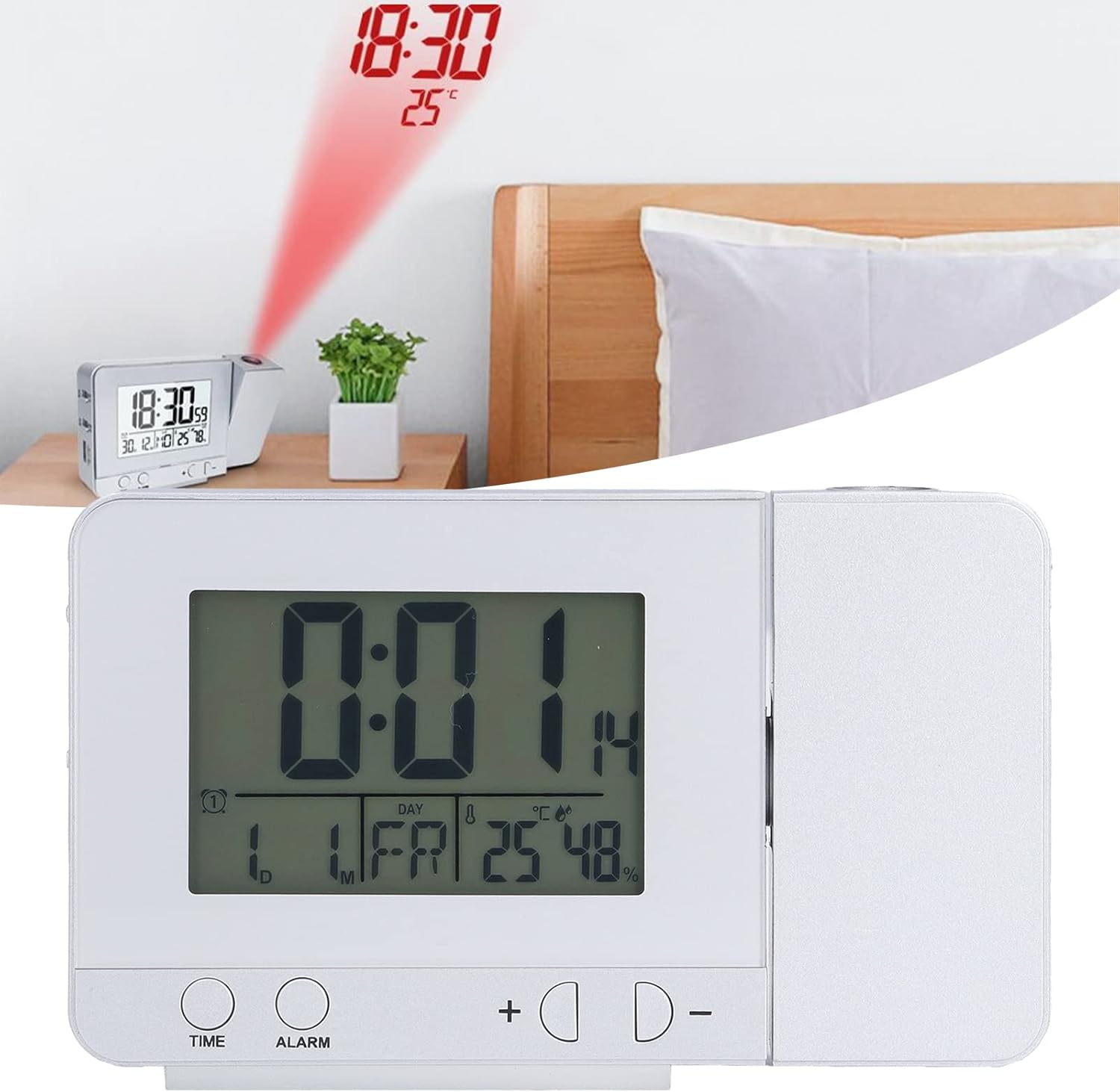
Figure 5: Time and temperature projected onto a surface.
- The projection lens (Figure 4) can be rotated nearly 180 degrees to adjust the projection angle.
- When DC powered, the projection lamp is always on. When battery powered, it lights up for 8 seconds.
- The projection displays time and temperature.
6.5 ब्याकलाइट समायोजन
- When DC powered, press the + button to cycle through 4 backlight levels: High, Medium, Low, and Off.
- When battery powered, the backlight will illuminate for 8 seconds after any button press.
6.6 USB चार्ज
The 5V USB output port (Figure 2) can be used to charge compatible mobile phones and other small electronic devices. Ensure the alarm clock is connected to a DC power source for this function.
६.२ तापक्रम र आर्द्रता प्रदर्शन
The clock automatically detects and displays indoor temperature and humidity. The temperature can be switched between Celsius (℃) and Fahrenheit (℉) by pressing the - button. The temperature and humidity calibration time is approximately 30 seconds.
7. मर्मतसम्भार
- सरसफाई: घडीलाई नरम, सुख्खा कपडाले पुछ्नुहोस्। घर्षण गर्ने क्लिनर वा घोलकहरू प्रयोग नगर्नुहोस्।
- ब्याट्री प्रतिस्थापन: If using batteries, replace them when the display becomes dim or functions are inconsistent. Ensure correct polarity.
- भण्डारण: यदि घडी लामो समयसम्म भण्डारण गर्दै हुनुहुन्छ भने, चुहावट रोक्न ब्याट्रीहरू हटाउनुहोस्।
T. समस्या निवारण
| समस्या | सम्भावित कारण | समाधान |
|---|---|---|
| डिस्प्ले खाली वा मधुरो छ। | No power, low batteries, or backlight is off. | Check USB connection or replace AAA batteries. Adjust backlight brightness with the '+' button. |
| Projection is unclear or not visible. | Projection lens obstructed, incorrect angle, or battery power. | Ensure the lens is clean and unobstructed. Adjust the projection angle. Connect to DC power for continuous projection. |
| अलार्म बज्दैन। | Alarm is not set or is switched off. | Verify alarm settings (Section 6.2). Ensure the alarm ON/OFF switch on the side is in the 'ON' position. |
| USB चार्जिङले काम गरिरहेको छैन। | Clock not connected to DC power. | Ensure the clock is powered via the USB cable and a 5V adapter. |
9. निर्दिष्टीकरणहरू
- वस्तु प्रकार: प्रक्षेपण अलार्म घडी
- सामग्री: प्लास्टिक
- उत्पादन आकार: ९.४ x ५.६ x २.५९ सेमी (३.७ x २.२१ x १.०२ इन्च)
- वजन: २२१ ग्राम (७.८ औंस)
- ब्याट्री प्यारामिटरहरू: २ x AAA ब्याट्रीहरू (समावेश गरिएको छैन)
- शक्ति स्रोत: Battery Powered, Corded Electric (USB)
- प्रदर्शन प्रकार: डिजिटल
- तापक्रम पत्ता लगाउने: -9℃ to +50℃ (Resolution 1℃/℉)
- आर्द्रता पत्ता लगाउने: १०% देखि ९९% (रिजोल्युसन १%)
- USB चार्जर आउटपुट: 5V - 1A

चित्र ५: उत्पादनको आयाम।
10. वारेन्टी र समर्थन
For warranty information or technical support, please refer to the seller's policy or contact the retailer where the product was purchased. Keep your purchase receipt for any warranty claims.