
Thomson 24HA2S13C
THOMSON 24HA2S13C 24-inch 12V HD Smart Android TV User Manual
Model: 24HA2S13C
महत्त्वपूर्ण सुरक्षा जानकारी
Read all instructions before operating the TV. Keep this manual for future reference. Follow all warnings and instructions marked on the product.
- वेंटिलेसन उद्घाटन रोक्नुहोस्।
- तातो स्रोतहरू नजिक स्थापना नगर्नुहोस्।
- पावर कर्डलाई हिंड्न वा पिन्च हुनबाट जोगाउनुहोस्।
- केवल निर्माता द्वारा निर्दिष्ट संलग्नकहरू/उपसाधनहरू प्रयोग गर्नुहोस्।
- चट्याङको बेला वा लामो समयको लागि प्रयोग नगरिएको बेला अनप्लग गर्नुहोस्।
- योग्य सेवा कर्मचारीहरूलाई सबै सेवाहरू सन्दर्भ गर्नुहोस्।
उत्पादन समाप्त भयोview
The THOMSON 24HA2S13C is a 24-inch HD Smart Android TV designed for versatile use, including camping with its 12V power supply. It features Google Assistant, Wi-Fi, Bluetooth, Dolby Digital audio, and a triple-tuner for various signal reception.

छवि: अगाडि view of the THOMSON 24HA2S13C 24-inch Smart Android TV, showing the screen displaying streaming service logos and a family enjoying the TV in a campसेटिङ गर्दै।
प्याकेज सामग्री
प्याकेजमा सबै वस्तुहरू समावेश छन् भनी प्रमाणित गर्नुहोस्:
- THOMSON 24HA2S13C Smart Android TV
- रिमोट कन्ट्रोल
- Power Adapter (12V compatible)
- टिभी स्ट्यान्डहरू (२)
- टिभी खडा को लागी शिकंजा
- उपयोगकर्ता पुस्तिका (यो कागजात)
- द्रुत सुरुवात गाइड
सेटअप
१. टिभी स्ट्यान्डहरू जोड्ने
- स्क्रिनलाई क्षति हुनबाट जोगाउन टिभीको अनुहारलाई नरम, समतल सतहमा सावधानीपूर्वक राख्नुहोस्।
- Align the TV stands with the mounting holes on the bottom of the TV.
- प्रदान गरिएका स्क्रूहरू प्रयोग गरेर स्ट्यान्डहरू सुरक्षित गर्नुहोस्। तिनीहरूलाई बलियोसँग कसिएको सुनिश्चित गर्नुहोस्।

Image: The THOMSON 24HA2S13C TV showing two possible stand positions for different furniture widths. The image highlights the flexibility in stand placement.
2. जडान शक्ति
Connect the 12V power adapter to the TV's power input and then to a suitable power source. For camping or mobile use, connect to a 12V DC power outlet.

Image: The THOMSON 24HA2S13C TV mounted in a caravan, with a 12V power adapter shown, illustrating its suitability for mobile use.
3. बाह्य यन्त्रहरू जडान गर्दै
टिभीले बाह्य उपकरणहरू जडान गर्न विभिन्न पोर्टहरू प्रदान गर्दछ:
- HDMI: For high-definition audio and video devices (e.g., game consoles, Blu-ray players).
- USB: मिडिया प्ले गर्न USB भण्डारण उपकरणहरू जडान गर्नको लागि।
- LAN: तारयुक्त इन्टरनेट जडानको लागि।
- एन्टेना/स्याटेलाइट: प्रसारण संकेतहरू प्राप्त गर्नको लागि।
- AV मा: पुराना एनालग उपकरणहरूको लागि।
- अडियो आउट (अप्टिकल): बाह्य ध्वनि प्रणालीहरूमा जडानको लागि।
- CI+: सशर्त पहुँच मोड्युलहरूको लागि।

छवि: पछाडि view of the THOMSON 24HA2S13C TV, detailing the various input and output ports available for connectivity.
टिभी सञ्चालन गर्दै
1. प्रारम्भिक सेटअप विजार्ड
पहिलो पटक पावर अन गरेपछि, टिभीले तपाईंलाई प्रारम्भिक सेटअप प्रक्रिया मार्फत मार्गदर्शन गर्नेछ। यसमा समावेश छन्:
- भाषा चयन।
- नेटवर्क जडान (वाइफाइ वा इथरनेट)।
- गुगल खाता साइन-इन (वैकल्पिक, तर पूर्ण स्मार्ट टिभी सुविधाहरूको लागि सिफारिस गरिएको)।
- Channel scanning (for DVB-T2/C/S2).
२ रिमोट कन्ट्रोल प्रकार्यहरू
The included remote control provides access to all TV functions. It features backlit buttons for use in low light and a dedicated "Favorite" button for quick access to your preferred app.

Image: The remote control for the THOMSON 24HA2S13C TV, highlighting its ergonomic design, backlit buttons, and voice control capabilities.
२. स्मार्ट टिभी सुविधाहरू (एन्ड्रोइड टिभी)
This TV runs on Android TV, providing access to a wide range of applications and services:
- स्ट्रिमिङ सेवाहरू: Access Netflix, Prime Video, YouTube, Disney+, and more.
- गुगल सहायक: Use voice commands to search for content, control playback, and get information. Activate by pressing the Google Assistant button on the remote.
- Chromecast बिल्ट-इन: Cast content from compatible smartphones, tablets, or computers directly to your TV.
- गुगल प्ले स्टोर: थप एप र खेलहरू डाउनलोड गर्नुहोस्।

Image: The THOMSON 24HA2S13C TV screen showing the Android TV home interface with popular streaming applications and content recommendations.
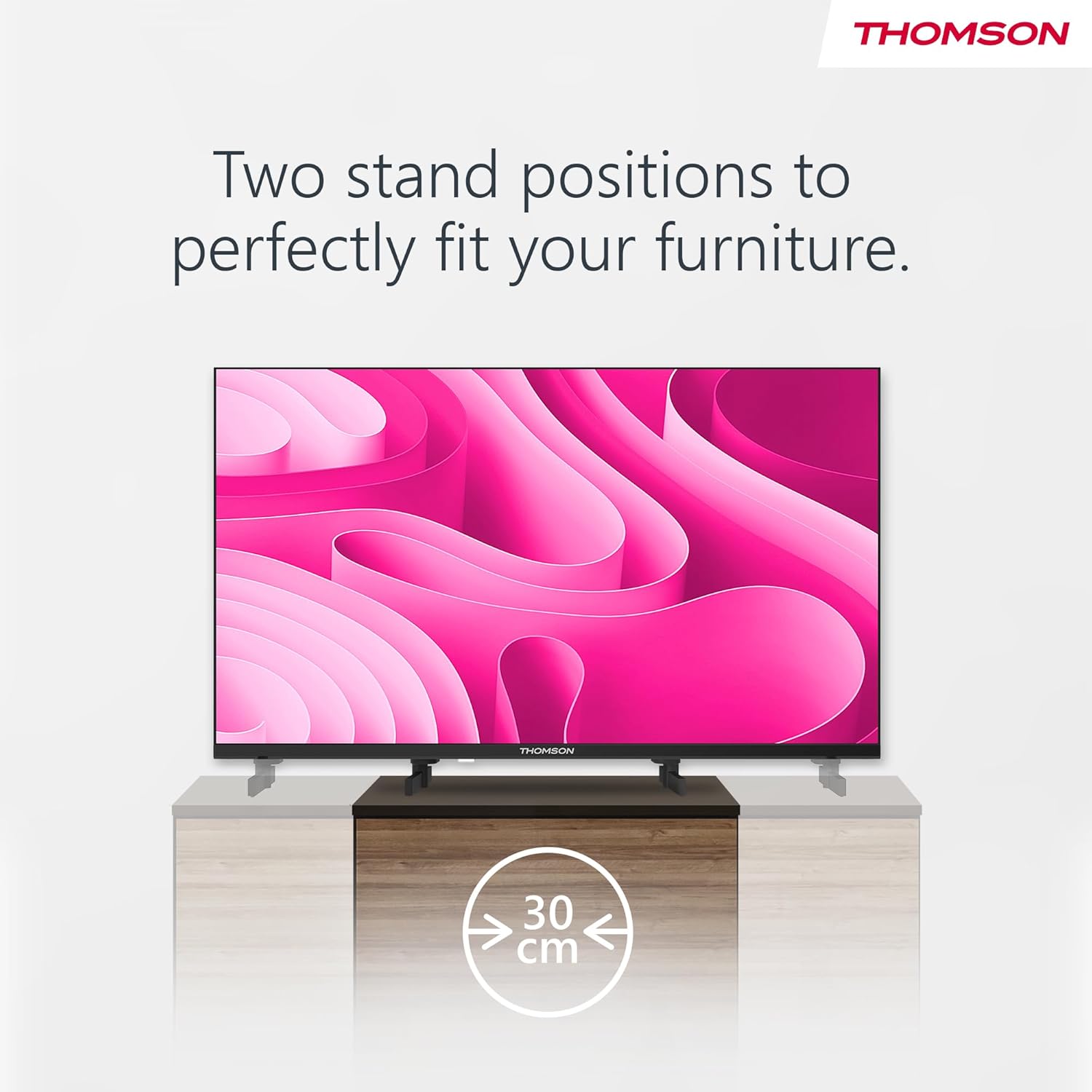
Image: A person using the voice control feature of the THOMSON TV remote, demonstrating interaction with Google Assistant.
मर्मतसम्भार
टिभी सफा गर्दै
- सफा गर्नुअघि सधैं टिभी अनप्लग गर्नुहोस्।
- Use a soft, dry cloth to wipe the screen and cabinet. Do not use liquid cleaners or aerosol sprays.
- जिद्दी चिन्हहरूको लागि, हल्का रूपमा dampen a microfiber cloth with water and gently wipe. Avoid excessive moisture.
सफ्टवेयर अपडेटहरू
The TV may receive software updates to improve performance and add new features. Ensure your TV is connected to the internet to receive these updates. You can usually check for updates in the TV's settings menu.
समस्या निवारण
| समस्या | सम्भावित कारण | समाधान |
|---|---|---|
| शक्ति छैन | पावर कर्ड जडान गरिएको छैन; पावर आउटलेट सक्रिय छैन। | पावर कर्ड जडान जाँच गर्नुहोस्। अर्को उपकरणको साथ आउटलेट परीक्षण गर्नुहोस्। |
| तस्वीर छैन, तर ध्वनि छ। | गलत इनपुट स्रोत चयन गरियो; ब्याकलाइट समस्या। | Press the "Input" button on the remote to select the correct source. Contact support if issue persists. |
| आवाज छैन, तर तस्वीर छ। | Volume too low or muted; audio cables loose. | Increase volume. Check mute status. Ensure audio cables are securely connected. |
| रिमोट कन्ट्रोल काम गर्दैन | ब्याट्री सकिएको छ; रिमोट र टिभी बीच अवरोध। | ब्याट्रीहरू बदल्नुहोस्। कुनै पनि अवरोधहरू हटाउनुहोस्। रिमोट टिभीको IR सेन्सरमा केन्द्रित छ भनी सुनिश्चित गर्नुहोस्। |
| Wi-Fi मा जडान गर्न सकिँदैन | गलत पासवर्ड; राउटरमा समस्या; टिभी राउटरबाट धेरै टाढा छ। | Wi-Fi पासवर्ड प्रमाणित गर्नुहोस्। राउटर पुनः सुरु गर्नुहोस्। टिभीलाई राउटरको नजिक लैजानुहोस् वा तारयुक्त जडान प्रयोग गर्नुहोस्। |
निर्दिष्टीकरणहरू
| सुविधा | विवरण |
|---|---|
| ब्रान्ड | थमसन |
| मोडेल | 24HA2S13C |
| स्क्रिन साइज | १.24.१ ईन्च (.60 XNUMX.२ सेमी) |
| प्रदर्शन प्रविधि | एलईडी |
| संकल्प | १३६६ x ७६८ (HD) |
| अपरेटिङ सिस्टम | एन्ड्रोइड टिभी |
| विशेष सुविधाहरू | Google Assistant, Chromecast Built-in, 12V Power Supply, Dolby Audio, Triple Tuner (DVB-T2/C/S2) |
| जडान | Wi-Fi, Bluetooth, HDMI (x3), USB (x2), LAN, Optical Audio Out, AV In, CI+ |
| भोल्युमtage | 12 भोल्ट (DC) |
| उत्पादन आयाम (डब्ल्यू एक्स डी एक्स एच) | ११२.९५ x २५.९२ x ७१.७७ सेमी (स्ट्यान्ड सहित) |
| वजन | 3.5 किलो |
For detailed energy efficiency information, please refer to the EU EPREL database: https://eprel.ec.europa.eu/qr/1456673

Image: The EU Energy Label for the THOMSON 24HA2S13C TV, showing an energy efficiency rating of E and power consumption of 18 kWh/1000h.
वारेन्टी र समर्थन
This Thomson TV comes with a 3-year guarantee. For technical support, warranty claims, or service inquiries, please contact your local Thomson service provider or refer to the manufacturer's webसाइट।
Manufacturer: STREAMVIEW जीएमबीएच
Webसाइट: www.streamview.com
इमेल: सम्पर्क@स्ट्रिमview.com
आधिकारिक उत्पादन भिडियो
दृश्यावलोकनको लागि यो भिडियो हेर्नुहोस्view of the Thomson 24-inch Easy TV.
भिडियो: छोटो जानकारीview of the Thomson 24-inch Easy TV, showcasing its design and features. This video is provided by the vendor Streamview GmbH।