
1. परिचय
This manual provides detailed instructions for the operation and maintenance of the LAUNCH X431 PROS Elite diagnostic scan tool. It is designed to assist users in effectively utilizing the device's comprehensive diagnostic capabilities, including ECU coding, bi-directional control, and various reset functions, for a wide range of vehicle models.

Image 1.1: The LAUNCH X431 PROS Elite diagnostic scan tool, featuring a robust red casing and an intuitive touchscreen interface.
२. सेटअप र प्रारम्भिक कन्फिगरेसन
२.१ अनबक्सिङ र कम्पोनेन्टहरू
प्याकेज खोल्दा, सबै कम्पोनेन्टहरू उपस्थित छन् भनी प्रमाणित गर्नुहोस्:
- 1 * LAUNCH X431 PROS ELITE Host
- ब्लुटुथ एडाप्टर
- एड्याप्टर स्विच गर्दै
- OBD16 Extension Cable
- USB A to Micro cable
- 3 Adapter Plugs
2.2 उपकरण समाप्तview and Initial Charging
The X431 PROS Elite is powered by a 2.0GHz Quad-Core CPU and Android 10 OS, ensuring fast and reliable performance. It features an 8-inch touchscreen and a 6000mAh battery for extended use. Before first use, fully charge the device. The upgraded battery allows for a full charge in approximately 1 hour, providing up to 15 hours of operation.

छवि ६.१: विस्तृत view of the LAUNCH X431 PROS Elite's enhanced hardware, including the 6000mAh battery, 2.4 & 5 GHz WiFi, Android 10 OS, 4-Core CPU, 4GB/64GB memory, and 8MP rear camera.

छवि २.१: पछाडिको भाग view of the LAUNCH X431 PROS Elite, showing the input specifications and regulatory compliance markings.
२.३ सफ्टवेयर दर्ता र अद्यावधिकहरू
To ensure optimal performance and access to the latest vehicle data, register your device and perform software updates regularly. The device includes 2 years of free updates, with no-fee weekly upgrades available to keep pace with newer vehicle models and technologies. Stable wired communication is recommended for updates to prevent disruptions.
3. सञ्चालन निर्देशनहरू
२.२ सवारी साधनमा जडान गर्ने
Connect the X431 PROS Elite to your vehicle's OBDII port using the provided OBD16 extension cable and Bluetooth adapter. Ensure a secure connection before initiating any diagnostic procedures.
3.2 System Navigation and Basic Diagnostics
The device features an intuitive interface for easy navigation. From the main menu, you can access various diagnostic functions:
- पूर्ण प्रणाली स्क्यान: Perform a comprehensive scan of all available vehicle systems to quickly identify issues.
- कोडहरू पढ्नुहोस्/खाली गर्नुहोस्: डायग्नोस्टिक ट्रबल कोडहरू (DTCs) प्राप्त गर्नुहोस् र मर्मत पछि तिनीहरूलाई खाली गर्नुहोस्।
- प्रत्यक्ष डाटा: View real-time data streams from various sensors and modules. The device supports 12-in-1 graphing for detailed analysis, with options to record, playback, compare, and share data.

Image 3.1: The LAUNCH X431 PROS Elite displaying in-depth live data analysis with 12-in-1 graphing and options for diagnostic report comparison, sharing, and cloud uploading.
3.3 विशेष कार्यहरू
The X431 PROS Elite offers advanced special functions to address complex vehicle issues:
- ECU कोडिङ: Simplify the process of coding, learning, and matching replaced ECUs. This function allows for backing up and restoring code, activating hidden functions, and customizing vehicle settings. The system can automatically obtain code data for matching, streamlining operations.

छवि 3.2: समाप्तview of ECU Coding capabilities, including ECU replacement, component matching, personalization, modification, adaptive data, and variant coding.
- Bi-directional Control / Active Tests: Perform active tests on nearly all electronic modules (e.g., windows, lights, cooling fan, throttle) to directly test components and receive real-time feedback, aiding in pinpointing problems. Over 4000 active tests are supported.
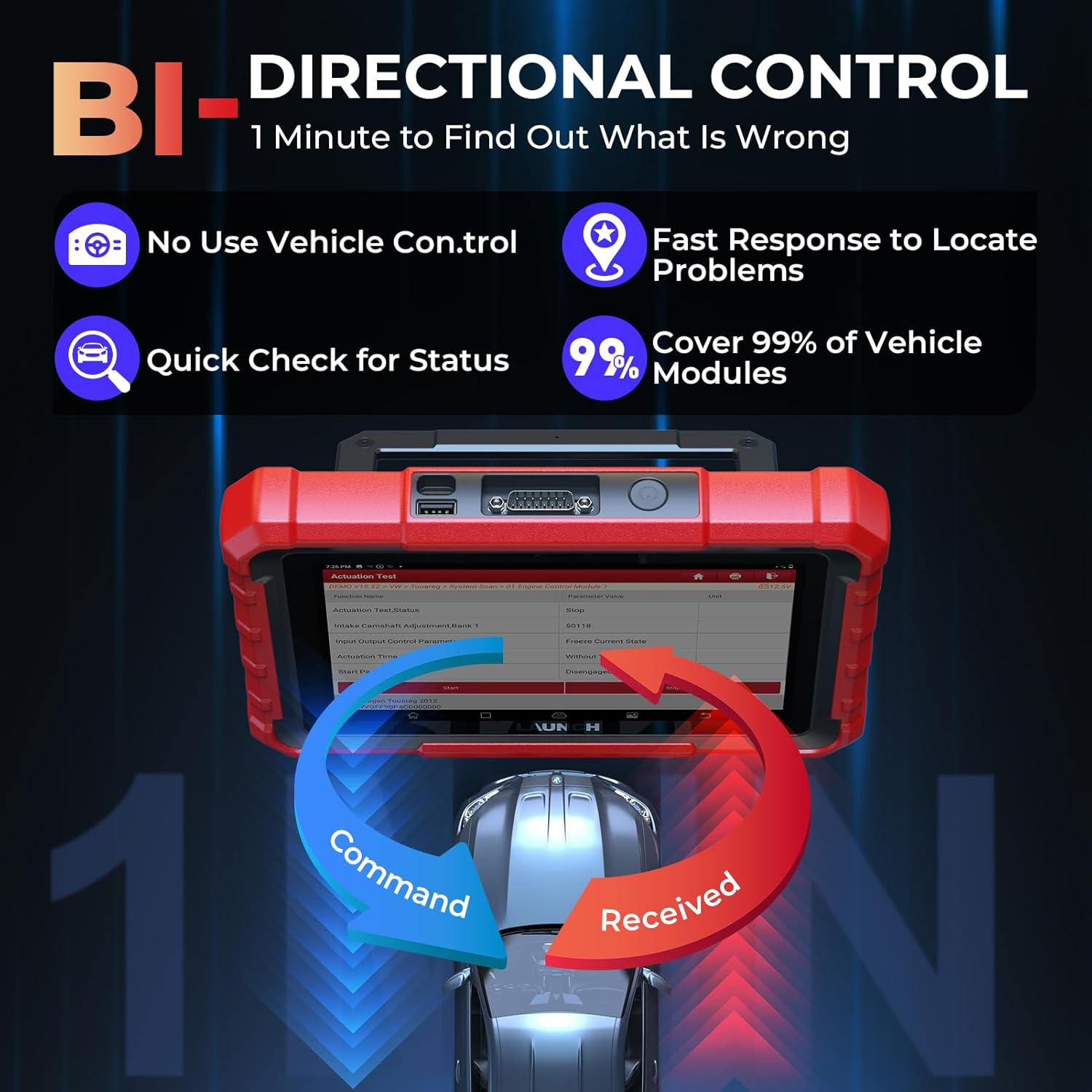
Image 3.3: Illustration of bi-directional control, demonstrating the ability to send commands to vehicle components and receive feedback for quick problem identification.
- कार्यहरू रिसेट गर्नुहोस्: Access over 38 maintenance services for various models, including common resets like Brake Reset, Oil Maintenance Reset, Steering Angle Reset, Battery Matching, ABS Bleeding, Throttle Relearn, TPMS Reset, DPF Regeneration, Gearbox Relearn, and EPB Reset.

Image 3.4: Visual representation of 38+ maintenance functions available on the LAUNCH X431 PROS Elite, including brake reset, oil maintenance reset, and battery matching.
3.4 Advanced Protocols and Vehicle Coverage
The X431 PROS Elite supports a wide range of vehicle brands (200+) and models from 1996 to 2026. It includes support for advanced protocols:
- क्यान एफडी: For GM & Chrysler models (2020 and later), offering 14x faster data transfer without additional adapters.
- डोइपी: For Land Rover, Volvo, Jaguar, and BMW models, accelerating diagnostic speed without additional adapters.
- एफसीए एसजीडब्ल्यू: Provides secure access to FCA SGW vehicles (Fiat, Chrysler, Dodge, Jeep models 2017 and later) for reading live data and performing active tests, without requiring a 12+8 adapter.

छवि 3.5: समाप्तview of the diagnostic tool's support for 200+ car brands, CAN FD compliant cars, DoIP compliant cars, and FCA car access.
3.5 Guided Functions and Add-on Tools
The device may offer guided functions for specific procedures, providing step-by-step instructions. Additionally, the X431 PROS Elite is compatible with various add-on tools to expand its diagnostic capabilities, such as videoscope, battery tester, sensorbox, multimeter, WiFi printer, and X431 i-TPMS.
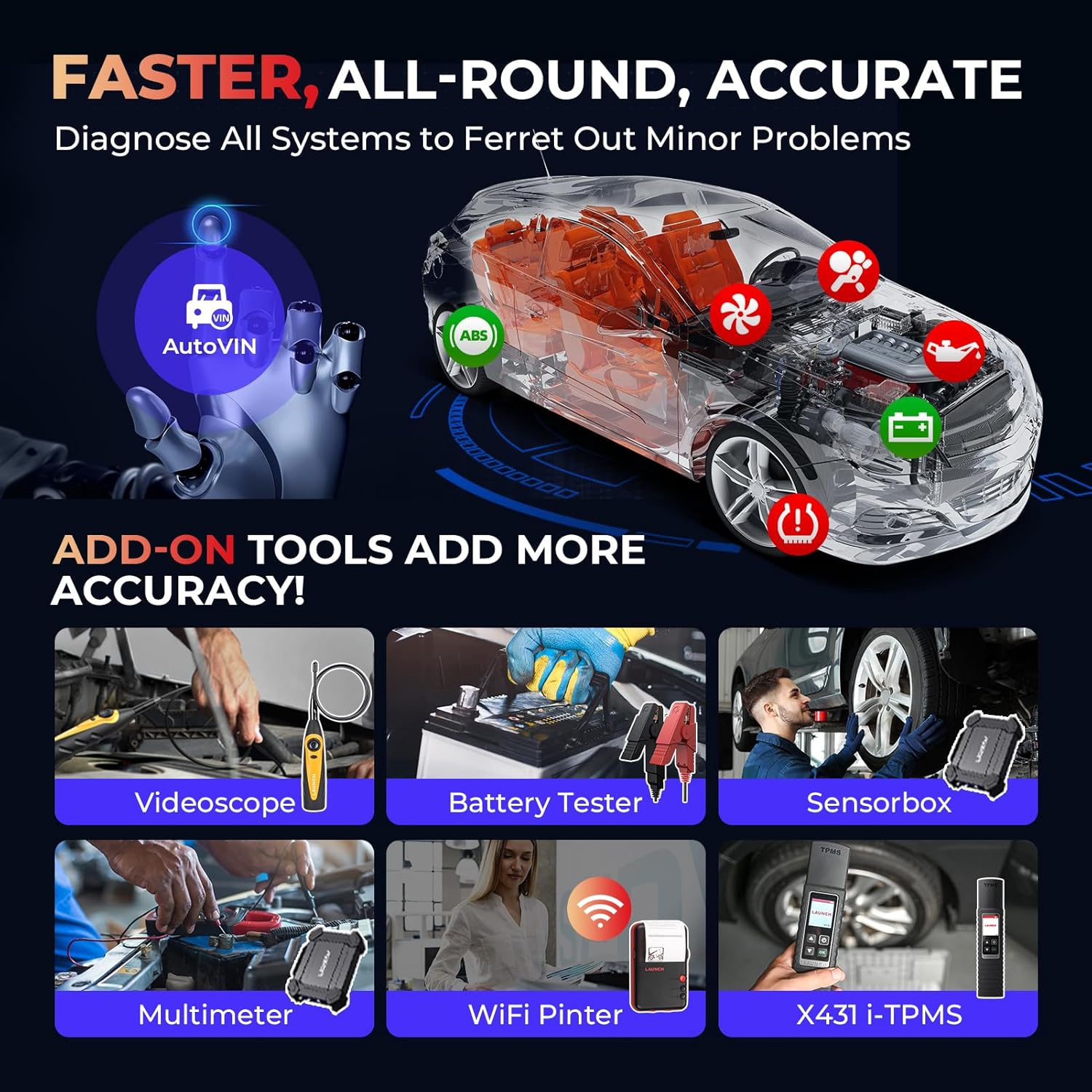
छवि ५.२: उदाहरणamples of add-on tools compatible with the LAUNCH X431 PROS Elite, including a videoscope, battery tester, and sensorbox, which enhance diagnostic accuracy.
4. मर्मतसम्भार
4.1 सफ्टवेयर अपडेटहरू
Regularly update the device software to ensure access to the latest vehicle models, diagnostic functions, and bug fixes. Updates are available weekly and are free for the first two years.
.4.2.१ सफाई र भण्डारण
Keep the device clean by wiping it with a soft, dry cloth. Avoid using abrasive cleaners or solvents. Store the device in a cool, dry place away from direct sunlight and extreme temperatures to prolong its lifespan.
T. समस्या निवारण
5.1 साझा मुद्दाहरू
- यन्त्र सक्रिय छैन: Ensure the battery is charged. Connect the device to the power adapter and allow it to charge for at least 1 hour.
- सवारी साधनसँग कुनै सञ्चार छैन: Verify that the OBDII cable is securely connected to both the vehicle's port and the diagnostic tool. Check the vehicle's ignition status.
- ढिलो सञ्चालन: Ensure the device software is up to date. Close any unnecessary applications running in the background.
- सफ्टवेयर अपडेट समस्याहरू: Ensure a stable internet connection (preferably wired) during updates. If issues persist, contact technical support.
२.१ प्राविधिक सहयोग
For any technical assistance or troubleshooting beyond this manual, please contact LAUNCH technical support at 1-888-756-2936, available Monday-Friday, 9 AM-6 PM EST.
6. निर्दिष्टीकरणहरू
| सुविधा | निर्दिष्टीकरण |
|---|---|
| ब्रान्ड | लन्च |
| शक्ति स्रोत | ब्याट्री संचालित |
| अपरेटिङ सिस्टम | एन्ड्रोइड 10.0 |
| स्क्रिन साइज | 8 इन्च |
| मूल संकल्प | ८x४० |
| मोटर वाहन फिट प्रकार | विश्वव्यापी फिट |
| समावेश अवयवहरू | Host, Bluetooth Adapter, Switching Adapter, OBD16 Extension Cable, USB A to Micro cable, 3 Adapter Plugs |
7. वारेन्टी र समर्थन
7.1 निर्माता वारेन्टी
The LAUNCH X431 PROS Elite comes with a 2-year manufacturer warranty. Please retain your proof of purchase for warranty claims.
7.2 फिर्ता नीति
A 60-day return and refund policy is offered. Refer to your purchase agreement for specific terms and conditions.
7.3 ग्राहक समर्थन
For product support, technical inquiries, or warranty service, please contact LAUNCH customer service at 1-888-756-2936, Monday through Friday, 9 AM to 6 PM EST.