1. परिचय
Thank you for choosing the Anmite 24-inch IPS 100Hz Full HD Gaming Monitor, model AN-238W02. This manual provides essential information for setting up, operating, and maintaining your new monitor. Please read this manual thoroughly before use to ensure proper functionality and to maximize your viewअनुभव गर्दै।
This monitor features a 24-inch IPS panel with a 1920 x 1080 Full HD resolution, a 100Hz refresh rate, and a 1ms response time, designed to deliver smooth and vibrant visuals for gaming and multimedia. It also includes AMD FreeSync Premium technology for tear-free gameplay and specialized FPS/RTS game modes.
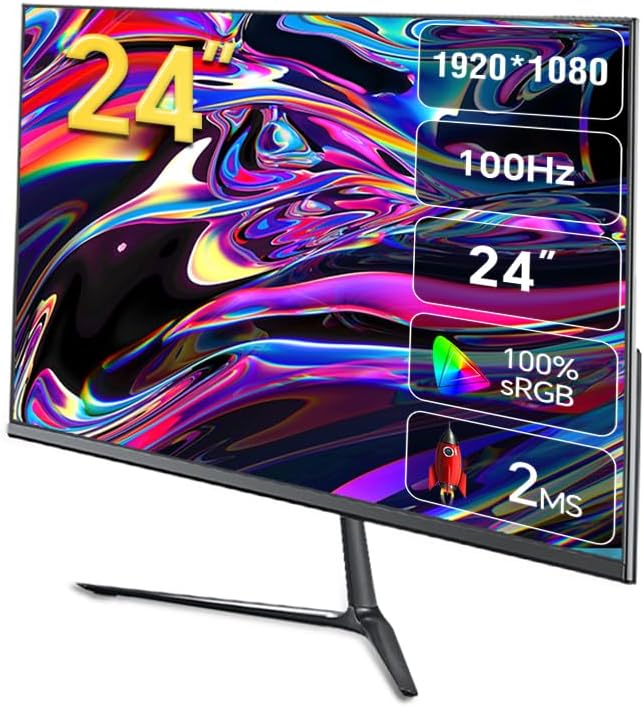
छवि १: अगाडि view of the Anmite AN-238W02 monitor, showcasing its 24-inch display, 1920x1080 resolution, 100Hz refresh rate, and 1ms response time.
2. सुरक्षा जानकारी
- मनिटरलाई खस्नबाट रोक्नको लागि सधैं स्थिर, समतल सतहमा राख्नुहोस्।
- भेन्टिलेसन खोल्ने ठाउँहरू नरोक्नुहोस्। उचित हावा प्रवाहको लागि मनिटर वरिपरि पर्याप्त ठाउँ सुनिश्चित गर्नुहोस्।
- मनिटरसँग आपूर्ति गरिएको पावर एडाप्टर मात्र प्रयोग गर्नुहोस्।
- मनिटरलाई पानी, ओसिलोपन र प्रत्यक्ष सूर्यको किरणबाट टाढा राख्नुहोस्।
- मनिटर खोल्ने प्रयास नगर्नुहोस् casinछ) सबै सेवाहरू योग्य कर्मचारीहरूलाई सिफारिस गर्नुहोस्।
- चट्याङ परेको बेला वा लामो समयसम्म प्रयोग नगरिएको बेला मनिटरलाई पावर आउटलेटबाट अनप्लग गर्नुहोस्।
3. प्याकेज सामग्री
कृपया प्याकेज अनबक्स गर्दा प्याकेजको सामग्री जाँच गर्नुहोस्। यदि कुनै वस्तु हराइरहेको छ वा बिग्रिएको छ भने, आफ्नो खुद्रा विक्रेतालाई सम्पर्क गर्नुहोस्।
- Anmite 24" IPS 100Hz Full HD Gaming Monitor (AN-238W02)
- मनिटर स्ट्यान्ड (आधार र घाँटी)
- पावर एडाप्टर र पावर केबल
- HDMI केबल
- उपयोगकर्ता पुस्तिका (यो कागजात)
4. सेटअप
३.१ मनिटर स्ट्यान्ड जम्मा गर्ने
- स्क्रिन सुरक्षित राख्दै, मनिटरलाई यसको प्याकेजिङबाट सावधानीपूर्वक हटाउनुहोस्।
- Attach the stand neck to the back of the monitor by aligning the mounting points and securing with screws (if provided).
- स्ट्यान्ड बेसलाई स्ट्यान्ड नेकमा जडान गर्नुहोस्, यो सुनिश्चित गर्नुहोस् कि यो ठाउँमा क्लिक हुन्छ वा प्रदान गरिएको स्क्रूसँग सुरक्षित छ।
- जम्मा गरिएको मनिटरलाई स्थिर, समतल सतहमा राख्नुहोस्।
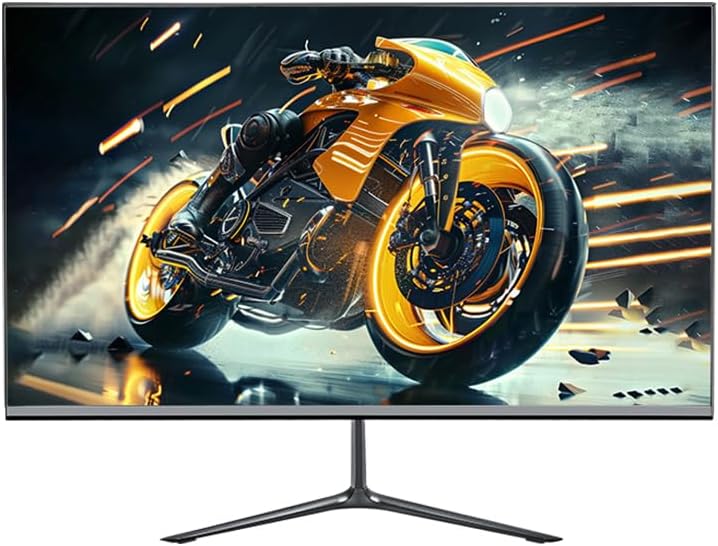
Image 4.1: The Anmite AN-238W02 monitor fully assembled with its stand, ready for connection.
४.२ तपाईंको मनिटर जडान गर्दै
सुनिश्चित गर्नुहोस् कि कुनै पनि जडान गर्नु अघि सबै उपकरणहरू पावर बन्द छन्।
- पावर जडान: पावर एडाप्टरलाई मनिटरको पावर इनपुटमा जडान गर्नुहोस्, त्यसपछि पावर केबललाई भित्ताको आउटलेटमा प्लग गर्नुहोस्।
- भिडियो जडान: Connect one end of the HDMI cable (or VGA cable) to the corresponding port on your computer's graphics card and the other end to the HDMI (or VGA) input on the monitor. For optimal performance and 100Hz refresh rate, HDMI is recommended.
- अडियो आउटपुट: If you wish to connect external speakers or headphones, plug them into the Audio Out Jack on the monitor.
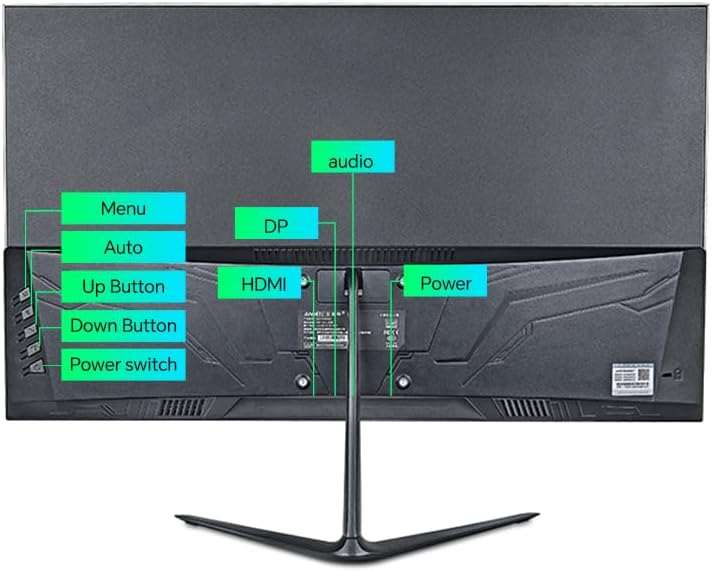
छवि २: पछाडि view of the monitor, highlighting the power input, HDMI, DP (DisplayPort, if available), VGA, and audio ports, along with the control buttons.
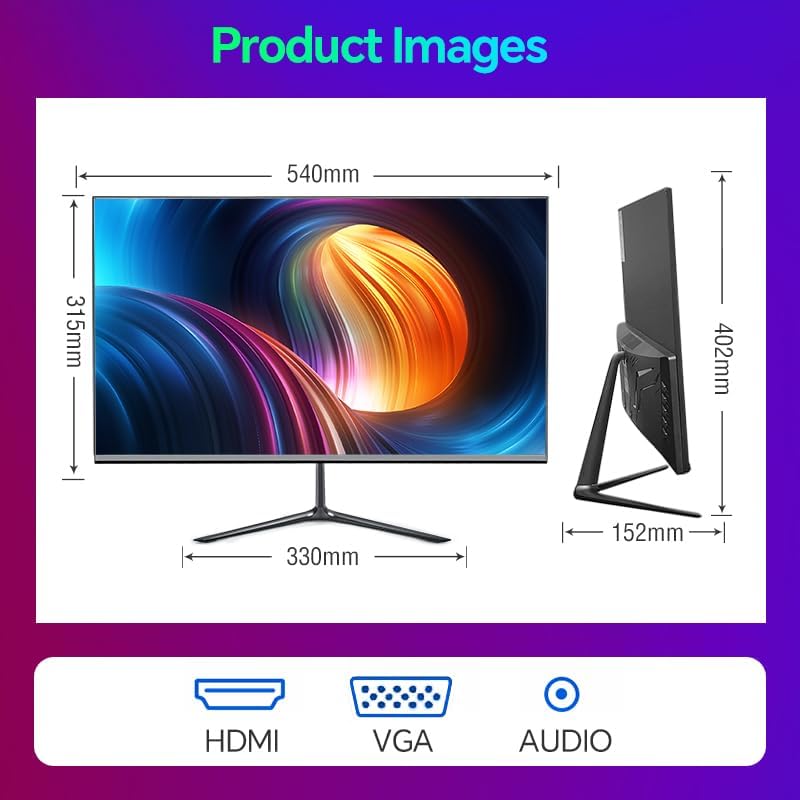
Image 4.3: Diagram illustrating the monitor's physical dimensions and the types of input ports available: HDMI, VGA, and Audio Out.
5. सञ्चालन निर्देशनहरू
५.१ पावर अन/अफ
थिच्नुहोस् पावर स्विच button located on the back of the monitor to turn it on or off. The power indicator light will illuminate when the monitor is on.
३.१ अन-स्क्रिन डिस्प्ले (OSD) मेनु
The OSD menu allows you to adjust various monitor settings. Use the buttons on the back of the monitor to navigate:
- मेनु: OSD मेनु खोल्न वा उप-मेनु प्रविष्ट गर्न थिच्नुहोस्।
- माथि बटन: Navigate up or increase a value.
- डाउन बटन: Navigate down or decrease a value.
- Auto (or Exit): Automatically adjust image settings (VGA only) or exit the current menu.
५.३ प्रमुख सुविधाहरू र सेटिङहरू
- १100 हर्ट्ज रिफ्रेस दर: This monitor supports a 100Hz refresh rate, providing smoother motion and reduced input lag compared to standard 60Hz monitors. Ensure your graphics card and connection cable (HDMI recommended) support this refresh rate, and set it in your operating system's display settings.
- AMD FreeSync प्रिमियम: This technology synchronizes the monitor's refresh rate with your AMD graphics card's frame rate, eliminating screen tearing and stuttering. Enable FreeSync in your graphics card's control panel and ensure it is active in the monitor's OSD settings (if applicable).
- FPS/RTS Game Modes: The monitor includes pre-calibrated display settings optimized for First-Person Shooter (FPS) and Real-Time Strategy (RTS) games. Access these modes through the OSD menu to enhance visibility and color profiles for specific game genres.
- एन्टी फ्लिकर: This feature reduces screen flickering, which can cause eye strain during prolonged use. It operates by preventing the backlight from flickering periodically, providing a more comfortable viewअनुभव गर्दै।
- Micro-Bezel Design: The monitor features a micro-bezel on three sides, maximizing the visible screen area and providing an immersive viewअनुभव गर्दै।

Image 5.1: The monitor displaying a high-refresh-rate gaming experience, emphasizing smooth visuals.

छवि ३.२: विस्तृत view of the monitor's micro-bezel design, illustrating the minimal border around the display.
6. मर्मतसम्भार
6.1 मनिटर सफा गर्दै
- सफा गर्नु अघि सधैं मनिटर अनप्लग गर्नुहोस्।
- हल्का नरम, लिन्ट-रहित कपडा प्रयोग गर्नुहोस् dampस्क्रिन पुछ्न पानी वा घर्षण नगर्ने स्क्रिन क्लिनरले भिजाउनुहोस्।
- मनिटरको लागि casing, use a soft, dry cloth. Avoid using harsh chemicals or abrasive materials.
6.2 भण्डारण
If storing the monitor for an extended period, unplug it, cover it to protect from dust, and store it in a cool, dry place.
T. समस्या निवारण
| समस्या | सम्भावित कारण | समाधान |
|---|---|---|
| शक्ति छैन | पावर केबल जडान गरिएको छैन; पावर आउटलेटले काम गरिरहेको छैन | पावर केबल मोनिटर र आउटलेटमा सुरक्षित रूपमा जडान भएको सुनिश्चित गर्नुहोस्; अर्को उपकरणबाट आउटलेट परीक्षण गर्नुहोस्। |
| कुनै संकेत छैन | भिडियो केबल जडान गरिएको छैन; गलत इनपुट स्रोत चयन गरिएको छ | Check video cable connections (HDMI/VGA); Use OSD menu to select correct input source. |
| छवि धमिलो वा विकृत छ | गलत रिजोल्युसन; केबल समस्या | Set display resolution to 1920 x 1080 in your computer's display settings; Try a different video cable. |
| पर्दा झिलिमिली | रिफ्रेस दर बेमेल; केबल समस्या | Ensure refresh rate is set to 100Hz in display settings; Check for Anti-Flicker setting in OSD; Try a different video cable. |
8. निर्दिष्टीकरणहरू
| सुविधा | निर्दिष्टीकरण |
|---|---|
| मोडेल नम्बर | AN-238W02 |
| स्क्रिन साइज | १५.६ इन्च |
| प्यानल प्रकार | IPS |
| संकल्प | 1920 x 1080 (पूर्ण HD) |
| ताजा दर | 100Hz सम्म |
| प्रतिक्रिया समय | 1ms |
| जडान | VGA, HDMI, Audio Out Jack |
| AMD FreeSync | Yes (Premium Compatible) |
| एन्टी-फ्लिकर | हो |
| उत्पादन आयाम (स्ट्यान्ड सहित) | १० x ३ x ३ इन्च |
| वस्तुको वजन | 5.5 पाउन्ड |
| निर्माता | Shenzhen Anmite Technology Co.,Ltd. |
9. वारेन्टी र समर्थन
Anmite monitors are designed for reliability and performance. For information regarding warranty coverage, please refer to the warranty card included with your purchase or the retailer's policy where the product was acquired.
For technical support, troubleshooting assistance beyond this manual, or service inquiries, please contact Anmite customer support through the contact information provided with your product documentation or visit the official Anmite webसाइट।