
NINEYIN H808D
NINEYIN 11.26-inch Portable Carplay Screen User Manual
मोडेल: H808D
परिचय
This manual provides comprehensive instructions for the installation, operation, and maintenance of your NINEYIN 11.26-inch Portable Carplay Screen. This device integrates wireless Apple Carplay and Android Auto, a 4K dash camera, a 1080P backup camera, GPS navigation, Bluetooth connectivity, voice assistant support (Siri/Google Assistant), and mirror link functionality, enhancing your driving experience with advanced technology and safety features.
महत्त्वपूर्ण सुरक्षा जानकारी
Please read the following carefully before installation and use to ensure proper function and prevent damage.
- This car screen connects to Carplay or Android Auto via Bluetooth on your phone. It does not have a dedicated power switch; it is powered by connecting to the car's cigarette lighter power cord.
- The car stereo is suitable for 7-24V vehicles only. The included base bracket is designed for flat dashboards and is not compatible with semi-circular, curved, or concave dashboards.
- Always use the configured cigarette lighter power cord provided to test and use the product. Using non-original accessories may cause the product to malfunction or sustain damage.
- When first inserting the TF card, click the format option within the device settings. Failure to do so may result in the memory card not being detected or functioning correctly.
- The rear camera comes with a 5.5-meter cable that requires routing and installation to the car. For some larger vehicles, such as trucks, the cable length may not be sufficient.
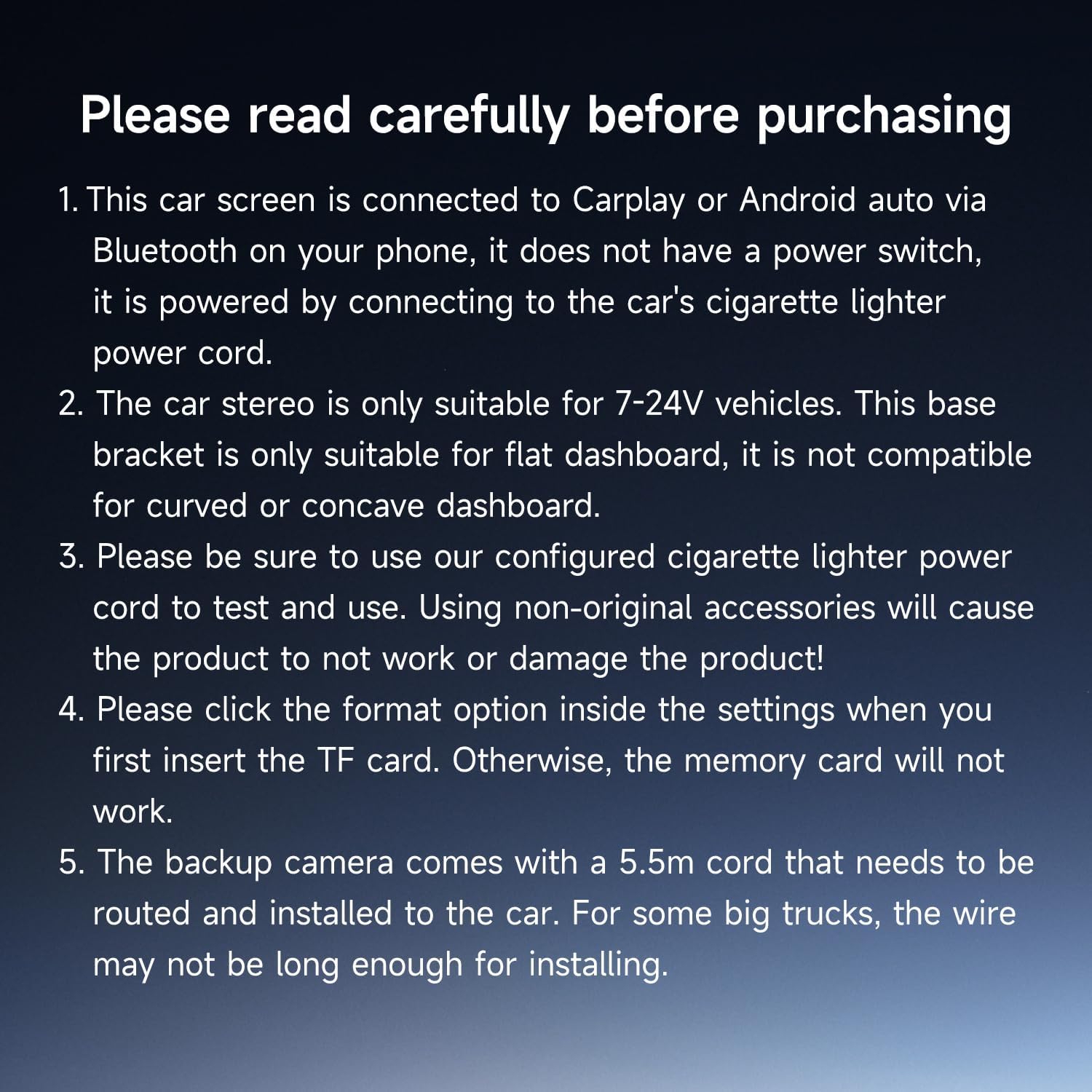
Image: Important notes on product usage and installation, including power requirements and dashboard compatibility.
उत्पादन समाप्त भयोview र सहायक उपकरणहरू
The NINEYIN Carplay Screen is designed for ease of use and comprehensive functionality. Below is an overview मुख्य एकाइ र समावेश गरिएका सामानहरू।
मुख्य एकाइ विशेषताहरु:
- 11.26-inch HD In-cell Touchscreen: Provides a clear, non-reflective display with a 1920x720 resolution and wide view५० डिग्रीसम्म कोणहरू।
- Integrated 4K Front Dash Camera: Records high-definition video of the road ahead.
- Adjustable Dash Cam: Multi-angle adjustment for optimal recording.
- जडान पोर्टहरू: TF card slot, AUX 3.5mm, Type-C, AV-IN.

Image: The main Carplay screen unit with its various ports and a display of all included accessories.
समावेश अवयवहरू:
- Base Bracket: For dashboard mounting.
- पावर केबल: Connects to the car's cigarette lighter.
- 64GB TF Card: For video recording storage.
- अडियो केबल: For AUX connection to car stereo.
- १०८०P ब्याकअप क्यामेरा: With a 5.5-meter cable for rear view.
- प्रयोगकर्ता पुस्तिका: यो कागजात।
सेटअप र स्थापना
The NINEYIN Carplay Screen is designed for easy plug-and-play installation, typically taking only a few minutes without requiring removal of your factory stereo system.
स्थापना चरणहरू:
- मुख्य एकाइ माउन्ट गर्नुहोस्: Secure the main Carplay screen unit to your car's dashboard using the provided base bracket. Ensure the dashboard surface is flat for proper adhesion and stability.
- पावर जोड्नुहोस्: Plug the power cable into the Type-C port on the Carplay screen and the other end into your car's cigarette lighter socket. The device will power on automatically with the vehicle's ignition.
- Install TF Card: Insert the 64GB TF card into the designated slot on the unit. Navigate to the settings menu on the screen and select the option to format the TF card. This is crucial for proper recording functionality.
- Install Backup Camera (Optional but Recommended): Route the 5.5-meter cable from the backup camera to the rear of your vehicle. Connect the camera to the AV-IN port on the main unit. Professional installation may be required for optimal routing and concealment of the cable.
- अडियो जडान गर्नुहोस् (वैकल्पिक): For audio output through your car's speakers, you can use the provided AUX cable to connect the Carplay screen's 3.5mm AUX port to your car's AUX input. Alternatively, you can use Bluetooth or FM transmission (see Operating Instructions for details).

Image: Illustrates the simplicity of installing the portable Carplay screen compared to the complex, time-consuming installation of a traditional car stereo.
सञ्चालन निर्देशनहरू
वायरलेस कारप्ले र एन्ड्रोइड अटो
The device offers seamless wireless integration with both Apple Carplay and Android Auto. Once powered on, the screen will display the main interface. Enable Bluetooth on your smartphone and connect to the device. Follow the on-screen prompts to activate Carplay or Android Auto.

Image: The main screen displaying the user interface for Wireless Carplay and Android Auto, with various app icons.
आवाज नियन्त्रण (सिरी/गुगल सहायक)
With Carplay or Android Auto active, you can use voice commands for hands-free operation. Simply say "Hey Siri" or "Hi Google" (or press the voice assistant button on the screen) to activate the voice assistant. You can then issue commands for navigation, calls, messages, and music playback.

Image: Illustration of voice control functionality with Siri and Google Assistant icons, showing example commands like "Navigate home" and "Play music."
GPS नेभिगेसन
Utilize real-time GPS navigation by connecting your smartphone. The device supports popular navigation apps like Google Maps and Waze, providing accurate route suggestions and traffic updates directly on the large screen.

Image: The screen displaying a map for GPS navigation, highlighting the real-time online map navigation feature.
Dual Camera System (Dash Cam & Backup Camera)
The integrated 4K front dash camera continuously records your drive. When the vehicle is put into reverse (with the backup camera properly installed and connected), the screen will automatically switch to the 1080P rear view, assisting with safe parking.

Image: The 4K front camera view, showing clear recording of the road ahead.

Image: The 1080P rear camera view with parking guidelines, assisting with safe reversing.
Adjusting the Dash Cam:
The dash cam lens can be adjusted multi-angle (up and down) to optimize the recording field of view for safer driving.

छवि: विस्तृत view of the adjustable dash camera, showing its range of motion.
लूप रेकर्डिङ:
The device supports unlimited loop recording, automatically overwriting older videos to ensure continuous recording without missing any moments. Ensure the 64GB TF card is formatted correctly for this feature to function.

Image: Visual explanation of the loop recording feature, showing how older fileनिरन्तर रेकर्डिङ सुनिश्चित गर्न हरू अधिलेखन गरिन्छ।
Mobile App Video Playback:
You can watch recorded videos directly on your smartphone by downloading the dedicated mobile application. Scan the QR code provided in the product packaging or visit यो लिङ्क एप डाउनलोड गर्न।

Image: Demonstrates how to view recorded videos on a mobile phone via a dedicated app, including a QR code for download.
Mirror Link (Airplay/Mirrorcast)
Synchronize your smartphone's content to the 11.26-inch HD screen for a comfortable and wide viewing experience. This feature supports Airplay for iOS and Mirrorcast for Android devices. नोट: This feature does not support Netflix videos due to content protection policies.

Image: The Mirror Link feature, displaying a smartphone's screen content mirrored onto the larger Carplay screen.
स्प्लिट स्क्रिन डिस्प्ले
The device supports a left and right split screen display, allowing you to view two functions simultaneously, such as Carplay navigation alongside the DVR recording view.

Image: The split screen display feature, showing two applications running side-by-side on the screen.
अडियो आउटपुट विकल्प
The NINEYIN Carplay Screen offers multiple ways to output audio for a stable and dynamic music experience:
- बिल्ट-इन स्पिकर: युनिटबाट प्रत्यक्ष अडियो आउटपुटको लागि।
- ब्लुटुथ: Connect to your car's Bluetooth system for wireless audio streaming.
- एफएम ट्रांसमिटर: Transmit audio to your car's FM radio by tuning to a specific frequency.
- AUX जडान: Use the provided 3.5mm audio cable to connect to your car's AUX input.

Image: Displays the four available audio output methods for the device.
मर्मतसम्भार
- सरसफाई: स्क्रिन र बाहिरी भाग सफा गर्न नरम, सुख्खा कपडा प्रयोग गर्नुहोस्। घर्षण गर्ने क्लिनर वा घोलकहरूबाट बच्नुहोस्।
- तापक्रम: Do not expose the device to extreme temperatures (hot or cold) for extended periods, as this may affect performance and lifespan.
- केबल व्यवस्थापन: क्षति हुनबाट जोगाउन सबै केबलहरू सुरक्षित रूपमा रुट गरिएका छन् र पिन्च वा अल्झिएका छैनन् भनी सुनिश्चित गर्नुहोस्।
- सफ्टवेयर अपडेटहरू: निर्माताको जाँच गर्नुहोस् website or the mobile application periodically for firmware updates to ensure optimal performance and new features.
समस्या निवारण
| समस्या | सम्भावित कारण | समाधान |
|---|---|---|
| यन्त्र सक्रिय हुँदैन। | Cigarette lighter socket issue; power cable not properly connected; vehicle voltage ९-८०V दायरा बाहिर। | Check cigarette lighter fuse; ensure power cable is securely plugged in; verify vehicle voltagई अनुकूलता। |
| TF card not detected or recording. | TF card not formatted; card inserted incorrectly; faulty TF card. | Format the TF card via device settings; reinsert the card correctly; try a different TF card. |
| Wireless Carplay/Android Auto connection issues. | फोनमा ब्लुटुथ सक्षम छैन; गलत जोडा बनाउने; हस्तक्षेप। | Ensure phone's Bluetooth is on and discoverable; delete previous pairings and re-pair; move phone closer to the unit. |
| ब्याकअप क्यामेरा प्रदर्शन भइरहेको छैन। | Camera cable not connected; camera faulty; vehicle not in reverse. | Check AV-IN cable connection; test camera if possible; ensure vehicle is in reverse gear. |
| Random device restarts. | Unstable power supply; software glitch; overheating. | Ensure stable power connection; try a factory reset (consult support if persistent); ensure adequate ventilation. |
| खराब अडियो गुणस्तर। | Incorrect audio output setting; FM interference; loose AUX cable. | Adjust audio output settings (Bluetooth, FM, AUX); try different FM frequencies; ensure AUX cable is fully inserted. |
निर्दिष्टीकरणहरू
- मोडेल नम्बर: H808D
- पर्दा आकार: 11.26 इन्च
- प्रदर्शन प्रविधि: IPS In-cell Touchscreen
- संकल्प: ६६ x ३७
- अगाडि क्यामेरा संकल्प: ४K (३०p)
- रियर क्यामेरा रिजोल्युसन: 1080P
- जडान: Wireless Carplay, Wireless Android Auto, Bluetooth, Mirror Link (Airplay/Mirrorcast)
- अडियो आउटपुट: Built-in Speaker, Bluetooth, FM Transmitter, AUX
- पावर इनपुट: ७-३२V (चुरोट लाइटर मार्फत)
- भण्डारण: TF कार्ड समर्थन गर्दछ (६४GB समावेश छ)
- उत्पादन आयाम: १० x ३ x ३ इन्च
- वस्तु वजन: 1.26 पाउन्ड
- निर्माता: JIUYIN
वारेन्टी र ग्राहक समर्थन
NINEYIN is committed to providing professional technical support and customer service for your product.
- फिर्ता नीति: ६० दिनको फिर्ता अवधि।
- प्रतिस्थापन नीति: 90-day replacement period.
- प्राविधिक समर्थन: 5-year technical support.
If you have any questions, require technical assistance, or need to claim warranty service, please contact our customer support team through the retailer's platform or the contact information provided with your purchase.