
1. परिचय
This manual provides essential information for the setup, operation, and maintenance of your VIMTAG 8310 5G/2.4G 4MP Camera. Please read thoroughly before use to ensure proper functionality and safety.

Figure 1: VIMTAG 8310 5G/2.4G 4MP Camera
२. बक्समा के छ?
प्याकेजमा सबै वस्तुहरू छन् भनी प्रमाणित गर्नुहोस्:
- Camera Body with power cable
- निर्देशन पुस्तिका
- माउन्टिङ स्क्रू
- पावर एडाप्टर
3. उत्पादन समाप्तview
The VIMTAG 8310 camera features a compact design suitable for both indoor and outdoor use. Key components include:
- लेन्स: Captures 2.5K (4MP) video.
- Infrared & White Light: रात्रि दृष्टि क्षमताहरूको लागि।
- माइक्रोफोन: दुई-तरिका अडियो संचार को लागी।
- वक्ता: दुई-तर्फी अडियो सञ्चार र अलर्टहरूको लागि।
- SD कार्ड स्लट: Supports Micro SD cards up to 512GB for local storage.
- रिसेट बटन: फ्याक्ट्री रिसेटको लागि।
- पावर पोर्ट: Micro USB for continuous power supply.

Figure 2: Camera features overview
4. सेटअप र स्थापना
२.२ एप डाउनलोड र खाता दर्ता
- Download the 'Canny Cam' app from your device's app store (iOS/Android).
- Register a new account using your email address and follow the on-screen instructions.
- आफ्नो नयाँ सिर्जना गरिएको खातामा लग इन गर्नुहोस्।

Figure 3: App download and registration process
4.2 Powering On and Device Connection
- Connect the camera to the power adapter using the provided USB cable and plug it into a power outlet.
- Open the 'Canny Cam' app and tap the '+' icon to add a new device.
- Follow the in-app instructions to connect the camera to your 5G/2.4G Wi-Fi network. This typically involves scanning a QR code displayed on your phone with the camera lens.
- एकपटक जडान भएपछि, तपाईंले आफ्नो क्यामेराको नाम राख्न सक्नुहुन्छ र यसलाई एउटा विशेष कोठामा तोक्न सक्नुहुन्छ।
Video 1: Why choose Vimtag Mini G3 Outdoor Security Camera? (Seller)
4.3 क्यामेरा माउन्ट गर्दै
The camera comes with a versatile stand that allows for various mounting options:
- Tabletop/Free Standing: Place the camera on any flat surface. The stand has padded feet for stability.
- पर्खाल/छत माउन्ट: The base of the stand can be detached and screwed into a wall or ceiling using the provided mounting screws. The camera then easily attaches to the mounted base.

Figure 4: Easy setup and mounting options

Figure 5: Mounting the camera to a wall
5. क्यामेरा सञ्चालन गर्दै
४ लाइभ View र दुई-तरिका अडियो
Access the live video feed anytime, anywhere through the Canny Cam app. Use the built-in microphone and speaker for two-way communication.

Figure 6: Two-Way Audio in action
४.२ रात्रि दृष्टि मोडहरू
The camera offers full-color night vision, enhanced by a built-in LED light, and traditional infrared night vision. Switch between modes via the app settings.

Figure 7: Comparison of Color and Infrared Night Vision
Video 2: How to set full-color night vision of Vimtag Mini G3 (Seller)
३.४ स्मार्ट पत्ता लगाउने र अलर्टहरू
Configure motion, human, and sound detection settings within the app. Receive instant alerts on your mobile device when activity is detected.
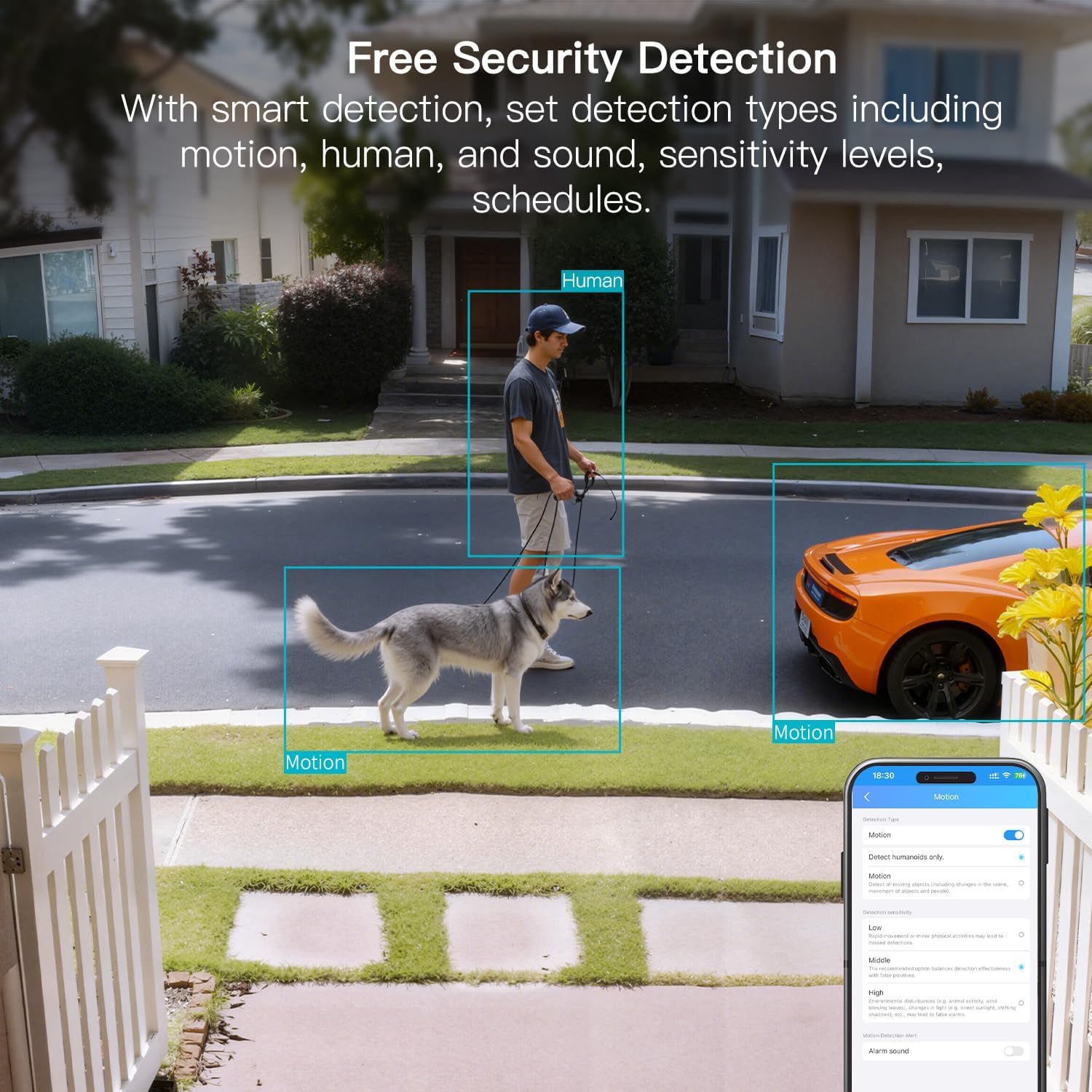
Figure 8: AI Detection capabilities

Figure 9: Smart alarm modes with sound and light
५.६ भण्डारण विकल्पहरू
The camera supports continuous 24/7 recording to a Micro SD card (up to 512GB, sold separately) or secure Cloud storage (subscription required).

Figure 10: Local and Cloud storage options
6. निर्दिष्टीकरणहरू
| सुविधा | विवरण |
|---|---|
| मोडेल नाम | 8310 |
| इनडोर/आउटडोर उपयोग | बाहिरी (IP65 मौसम प्रतिरोधी) |
| भिडियो क्याप्चर रिजोल्युसन | ४K (३०p) |
| प्रभावकारी अझै रिजोल्युसन | १२ एमपी |
| जडान प्रविधि | Wi-Fi (2.4 & 5G Hz, Dual Band, Wi-Fi 6) |
| विशेष सुविधाहरू | 2-Way Audio, HD Resolution, Motion Sensor, Color Night Vision, AI Detection, Alexa Support |
| Viewकोण कोण | ३६० डिग्री |
| रात दृष्टि दायरा | ९ फीट |
| शक्ति स्रोत | कर्डेड इलेक्ट्रिक (१२ भोल्ट, ५ वाट) |
| अधिकतम फ्ल्यास मेमोरी समर्थित | २५६ जीबी (माइक्रो एसडी) |
| उत्पादन आयामहरू | १० x ३ x ३ इन्च |
7. मर्मतसम्भार
- सरसफाई: Use a soft, dry cloth to clean the camera lens and body. Avoid harsh chemicals.
- फर्मवेयर अपडेट: Regularly check the Canny Cam app for firmware updates to ensure optimal performance and security.
- एसडी कार्ड प्रबन्धन: If using a Micro SD card, periodically check its status and format it via the app to maintain recording quality.
T. समस्या निवारण
- जडान समस्याहरू: Ensure the camera is within range of your Wi-Fi router. Verify Wi-Fi password and network stability. The camera supports both 2.4GHz and 5GHz bands.
- रेकर्डिङ समस्याहरू: Check if the Micro SD card is inserted correctly and has sufficient space. If using Cloud storage, verify your subscription status.
- कुनै अलर्ट छैन: Confirm motion/human/sound detection is enabled in the app settings and notification permissions are granted for the Canny Cam app on your phone.
- खराब छवि गुणस्तर: Ensure the lens is clean. Check network stability for optimal streaming resolution.
- यन्त्र रिसेट गर्नुहोस्: If issues persist, use the reset button on the camera to restore factory settings. You will need to reconfigure the device after a reset.
9. वारेन्टी र समर्थन
VIMTAG offers a 2-year warranty and lifetime technical support for this product. For assistance, please contact VIMTAG ग्राहक समर्थन:
- इमेल: Customer@vimtag.com
- इन-एप समर्थन: Access the 'Message Center' within the Canny Cam app for direct support.
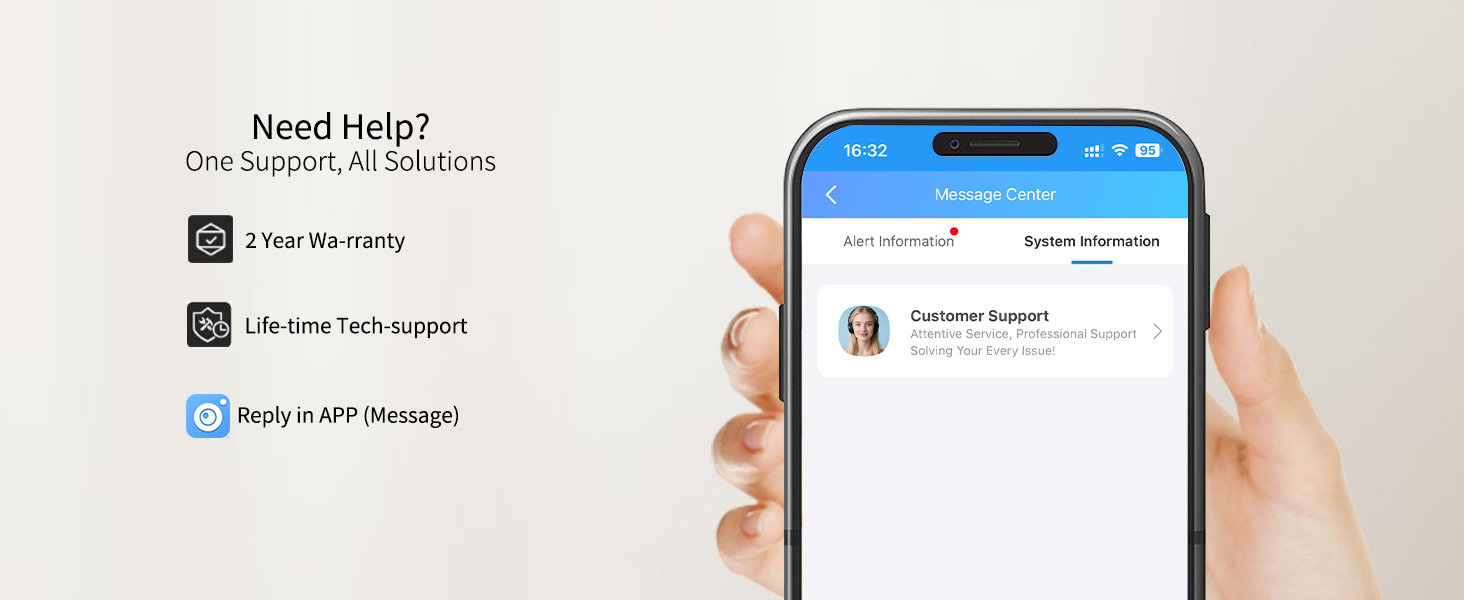
Figure 11: VIMTAG ग्राहक समर्थन