
1. परिचय
This manual provides detailed instructions for the installation, configuration, and operation of the Intelbras iNVD 5232 32-Channel IP Digital Video Recorder. Please read this manual thoroughly before using the device to ensure proper functionality and to prevent damage.
The Intelbras iNVD 5232 is designed for professional surveillance applications, offering advanced features for recording, monitoring, and managing IP camera feeds.
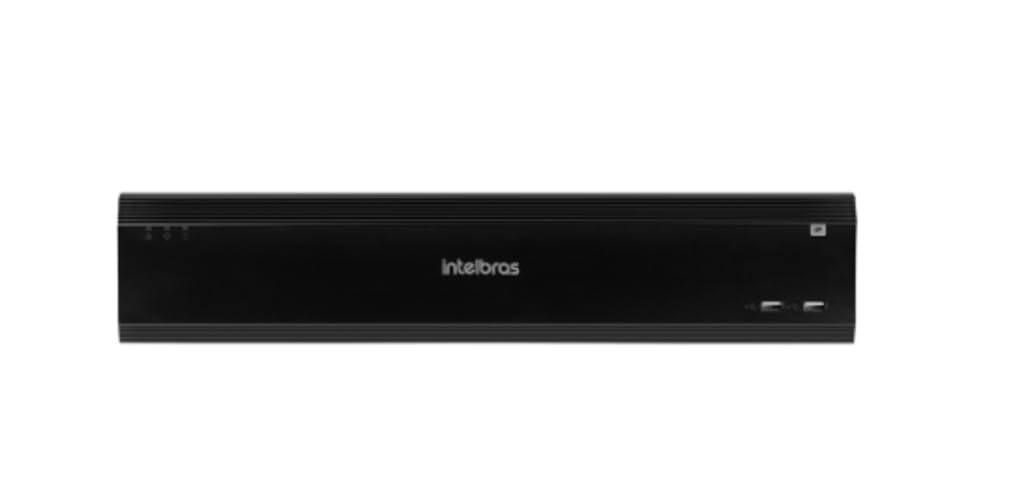
Figure 1: Intelbras iNVD 5232 Digital Video Recorder. This image shows the front panel of the iNVD 5232 unit, featuring a sleek black design with the Intelbras logo and USB ports.
2. सुरक्षा जानकारी
उपकरणमा चोटपटक र क्षति हुनबाट जोगाउन निम्न सुरक्षा सावधानीहरू पालना गर्नुहोस्:
- बिजुली आपूर्ति भोल्युम सुनिश्चित गर्नुहोस्tage ले उपकरणको आवश्यकताहरूसँग मेल खान्छ।
- उपकरणलाई ओसिलोपन, वर्षा, वा अत्यधिक तापक्रममा नदेखाउनुहोस्।
- यन्त्रलाई प्रत्यक्ष घाममा वा तातो स्रोतको नजिक नराख्नुहोस्।
- उपकरण नखोल्नुहोस् casinछ) सबै सेवाहरू योग्य कर्मचारीहरूलाई सिफारिस गर्नुहोस्।
- निर्माताले तोकेको सामानहरू मात्र प्रयोग गर्नुहोस्।
- Properly ground the device to prevent electrical shock.
3. प्याकेज सामग्री
प्याकेजमा सबै वस्तुहरू छन् भनी प्रमाणित गर्नुहोस्:
- Intelbras iNVD 5232 Digital Video Recorder Unit
- पावर एडाप्टर
- USB माउस
- HDD स्थापनाको लागि स्क्रूहरू
- द्रुत सुरुवात गाइड
- CD-ROM (सफ्टवेयर र पूर्ण म्यानुअल सहित)
4. उत्पादन समाप्तview
२.१ फ्रन्ट प्यानल
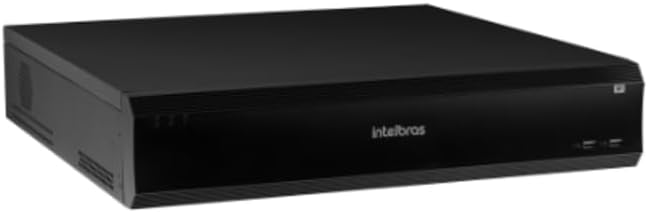
Figure 2: Front Panel of the iNVD 5232. This image displays the front of the DVR, showing LED indicators for power and status, along with two USB ports for peripheral connections.
- पावर एलईडी: शक्ति स्थिति संकेत गर्दछ।
- स्थिति एलईडी: प्रणालीको सञ्चालन स्थिति जनाउँछ।
- USB पोर्टहरू: माउस, USB ड्राइभ, वा अन्य बाह्य उपकरणहरू जडान गर्नको लागि।
4.2 पछाडिको प्यानल

Figure 3: Rear Panel of the iNVD 5232. This image details the rear connections, including power input, network ports, video outputs (HDMI, VGA), audio inputs/outputs, and alarm terminals.
- पावर इनपुट: प्रदान गरिएको पावर एडाप्टर जडान गर्नुहोस्।
- HDMI आउटपुट: Connect to an HDMI-compatible monitor.
- VGA आउटपुट: VGA-कम्प्याटिबल मनिटरमा जडान गर्नुहोस्।
- ल्यान पोर्टहरू: Connect to your network for IP camera communication and remote access.
- अडियो इन/आउट: बाह्य अडियो उपकरणहरू जडान गर्नको लागि।
- अलार्म भित्र/बाहिर: For connecting external alarm sensors and actuators.
- USB पोर्टहरू: बाह्य उपकरणहरूको लागि अतिरिक्त USB पोर्टहरू।
5. सेटअप
5.1 हार्डवेयर स्थापना
- हार्ड ड्राइभ स्थापना गर्नुहोस् (यदि पहिले नै स्थापित छैन भने): DVR खोल्नुहोस् casing, mount the hard drive using the provided screws, and connect the SATA power and data cables.
- मनिटर जडान गर्नुहोस्: HDMI वा VGA आउटपुट पोर्टमा मनिटर जडान गर्नुहोस्।
- माउस जडान गर्नुहोस्: USB माउसलाई USB पोर्टहरू मध्ये एकमा प्लग गर्नुहोस्।
- नेटवर्क जडान गर्नुहोस्: Connect an Ethernet cable from the LAN port to your network router or switch.
- पावर जोड्नुहोस्: Plug the power adapter into the DVR's power input and then into a power outlet. The device will power on automatically.
5.2 प्रारम्भिक कन्फिगरेसन
Upon first boot, the system will guide you through an initial setup wizard:
- भाषा चयन: तपाइँको मनपर्ने भाषा छान्नुहोस्।
- पासवर्ड सेटअप: बलियो प्रशासक पासवर्ड सिर्जना गर्नुहोस्।
- नेटवर्क सेटिङहरू: IP ठेगाना, सबनेट मास्क, गेटवे, र DNS कन्फिगर गर्नुहोस्। DHCP सामान्यतया पूर्वनिर्धारित रूपमा सक्षम हुन्छ।
- मिति र समय: सही मिति, समय र समय क्षेत्र सेट गर्नुहोस्।
- HDD प्रारम्भिकीकरण: Format the installed hard drive for recording.
- IP Camera Search and Add: The system will scan for available IP cameras on the network. Select and add your cameras.
Ope. अपरेटिंग
४ लाइभ View
After initial setup, the system will display the live view जडान गरिएका क्यामेराहरूको। तपाईं एकल-क्यामेरा बीच स्विच गर्न सक्नुहुन्छ view, बहु-क्यामेरा ग्रिडहरू, र अनुक्रमहरू viewअन-स्क्रिन नियन्त्रणहरू वा माउस प्रयोग गरेर।
6.2 रेकर्डिङ व्यवस्थापन
- रेकर्डि Sche तालिका: प्रत्येक क्यामेराको लागि निरन्तर, गति-पत्ता लगाउने, वा अलार्म-ट्रिगर गरिएको रेकर्डिङ तालिकाहरू कन्फिगर गर्नुहोस्।
- म्यानुअल रेकर्डिङ: Initiate recording manually from the live view इन्टरफेस।
- प्लेब्याक: रेकर्ड गरिएको foo पहुँच गर्नुहोस्tage by date, time, and event type. Use the playback controls to navigate through recordings.
- ब्याकअप: Export recorded video clips to a USB drive or network storage.
६.२ रिमोट एक्सेस
The iNVD 5232 supports remote access via a web browser or dedicated mobile application. Ensure your network is configured for remote access (e.g., port forwarding or P2P cloud service activation).
- Web ब्राउजर: Enter the DVR's IP address into a web एउटै नेटवर्कमा जडान भएको कम्प्युटरमा ब्राउजर।
- मोबाइल एप: Download the official Intelbras surveillance app from your device's app store. Scan the QR code on the DVR (if available) or manually enter the device ID for connection.
7. मर्मतसम्भार
८.१ सरसफाई
Regularly clean the exterior of the DVR with a soft, dry cloth. Do not use liquid cleaners or aerosols. Ensure ventilation openings are free from dust and obstructions.
7.2 फर्मवेयर अपडेटहरू
Periodically check the Intelbras webफर्मवेयर अपडेटहरूको लागि साइट। फर्मवेयर अपडेटहरूले नयाँ सुविधाहरू, कार्यसम्पादन सुधारहरू, र सुरक्षा वृद्धिहरू प्रदान गर्न सक्छन्। फर्मवेयर अपडेट प्याकेजसँग प्रदान गरिएका निर्देशनहरू ध्यानपूर्वक पालना गर्नुहोस्।
७.३ हार्ड ड्राइभ व्यवस्थापन
Monitor the health of your hard drives through the system's HDD management menu. Replace failing drives promptly to avoid data loss. Configure automatic overwriting of old footage लगातार रेकर्डिङ सुनिश्चित गर्न।
T. समस्या निवारण
| समस्या | सम्भावित कारण | समाधान |
|---|---|---|
| शक्ति छैन | पावर केबल विच्छेद भयो; बिग्रिएको पावर एडाप्टर; पावर आउटलेटमा समस्या। | Check power connections; test power adapter; try a different outlet. |
| कुनै भिडियो आउटपुट छैन | Monitor off/disconnected; incorrect video output settings; faulty cable. | Ensure monitor is on and connected; check video cable; try a different output port or cable. |
| Cannot connect IP cameras | Network issue; incorrect camera IP address/credentials; camera not powered. | Verify network connectivity; ensure cameras are powered and configured correctly; check camera credentials. |
| कुनै रेकर्डि छैन | HDD not initialized/full; recording schedule not set; camera disconnected. | Initialize HDD; check recording schedule; verify camera connection and status. |
9. निर्दिष्टीकरणहरू
| सुविधा | विवरण |
|---|---|
| मोडेल | iNVD 5232 |
| भिडियो इनपुट | ५.१.१ आईपी च्यानलहरू |
| भिडियो आउटपुट | १ HDMI, १ VGA |
| अडियो इनपुट/आउटपुट | Specific ports (e.g., RCA) |
| रेकर्डिङ रिजोल्युसन | Up to 8MP (depending on camera) |
| प्लेब्याक क्षमता | Multi-channel synchronous playback |
| भण्डारण | Multiple SATA HDD bays (HDDs not included) |
| नेटवर्क ईन्टरफेस | Gigabit ईथरनेट पोर्टहरू |
| USB इन्टरफेस | USB 2.0/3.0 पोर्टहरू |
| विद्युत आपूर्ति | DC 12V (adapter included) |
| सञ्चालन तापमान | 0°C देखि 50°C (32°F देखि 122°F) |
10. वारेन्टी र समर्थन
For warranty information, please refer to the warranty card included with your product or visit the official Intelbras website. Technical support is available through Intelbras authorized service centers and online resources.
इन्टेलब्रास आधिकारिक Webसाइट: www.intelbras.com.br
समर्थनलाई सम्पर्क गर्दा कृपया आफ्नो उत्पादन मोडेल र सिरियल नम्बर तयार राख्नुहोस्।