
1. परिचय
This manual provides instructions for the proper use and care of your Zoop Digital Watch, Model 16051PP04. This watch features a digital display, chronograph, stopwatch, and alarm functions, designed for durability and everyday use.

चित्र १: अगाडि view of the Zoop Digital Watch 16051PP04.
मुख्य विशेषताहरु:
- डिजिटल प्रदर्शन: स्पष्ट र पढ्न सजिलो समय प्रदर्शन।
- क्रोनोग्राफ: समयबद्ध कार्यक्रमहरूको लागि।
- स्टपवाच: Precise time measurement.
- अलार्म प्रकार्य: दैनिक अलार्म सेटिङ।
- क्वार्ट्ज आंदोलन: सही टाइमकिपिङ सुनिश्चित गर्दछ।
- Acrylic Glass: Durable and impact-resistant watch face.
- पानी प्रतिरोध: Up to 50 meters (suitable for splashes, not swimming).
- टिकाउ निर्माण: ABS case and PU strap with military camouflage print.
2. प्रारम्भिक सेटअप
Before using your watch, please familiarize yourself with the buttons and their basic functions.

चित्र १: साइड view showing watch buttons.
बटन प्रकार्यहरू:
- प्रकाश (माथि बायाँ): Illuminates the display.
- MODE / ADJ (Bottom Left): Cycles through modes (Time, Alarm, Stopwatch) and enters adjustment mode.
- ST/STOP (Top Right): Starts/stops stopwatch or chronograph.
- RESET / SET/STOP (Bottom Right): Resets stopwatch/chronograph or confirms settings in adjustment mode.
समय र मिति निर्धारण:
- सामान्य समय प्रदर्शनबाट, थिच्नुहोस् MODE / ADJ समय सेटिङ मोड सक्रिय नभएसम्म बटन बारम्बार थिच्नुहोस् (सामान्यतया अंकहरू फ्ल्यास गरेर संकेत गरिन्छ)।
- प्रयोग गर्नुहोस् ST/STOP button to adjust the flashing digit (hours, minutes, year, month, day).
- थिच्नुहोस् MODE / ADJ अर्को सेटिङ वस्तुमा सार्न बटन।
- सबै सेटिङहरू पूरा भएपछि, थिच्नुहोस् RESET / SET/STOP सेटिङ मोडबाट बाहिर निस्कन बटन।
3. सञ्चालन निर्देशनहरू
स्टपवाच प्रयोग गर्दै:
- थिच्नुहोस् MODE / ADJ स्टपवाच डिस्प्ले नदेखिएसम्म बटन थिच्नुहोस् (सामान्यतया '००:००:००')।
- थिच्नुहोस् ST/STOP समय सुरू गर्न।
- थिच्नुहोस् ST/STOP फेरि समय रोक्न।
- थिच्नुहोस् RESET / SET/STOP स्टपवाचलाई शून्यमा रिसेट गर्न।
अलार्म सेट गर्दै:
- थिच्नुहोस् MODE / ADJ अलार्म सेटिङ डिस्प्ले नदेखिएसम्म बटन थिच्नुहोस्।
- प्रयोग गर्नुहोस् ST/STOP button to adjust the flashing hour digit.
- थिच्नुहोस् MODE / ADJ मिनेट सेटिङमा सार्न बटन।
- प्रयोग गर्नुहोस् ST/STOP button to adjust the flashing minute digit.
- थिच्नुहोस् RESET / SET/STOP to confirm the alarm time and activate/deactivate the alarm.
प्रकाश प्रयोग गर्दै:
थिच्नुहोस् प्रकाश कम प्रकाश भएको अवस्थामा पनि दृश्यताका लागि केही सेकेन्डको लागि डिस्प्लेलाई उज्यालो पार्न बटन (माथि बायाँ)।
4. मर्मत र हेरचाह
पानी प्रतिरोध:
Your watch is water resistant up to 50 meters. This means it is suitable for everyday use, splashes, rain, and brief immersion in water. It is not suitable for swimming, diving, or showering with hot water. घडी भिजेको वा डुबेको बेला बटनहरू नचलाउनुहोस्।
सरसफाई:
घडीको खोल र पट्टालाई नरम, सुख्खा कपडाले पुछ्नुहोस्। जिद्दी फोहोरको लागि, थोरै घamp cloth can be used, followed by drying thoroughly. Avoid using chemical cleaners or solvents, as these can damage the watch materials.
ब्याट्री प्रतिस्थापन:
The watch is powered by a long-lasting quartz battery. When the display becomes dim or the watch stops functioning, the battery may need replacement. It is recommended to have the battery replaced by a qualified watch technician to ensure proper sealing and water resistance.
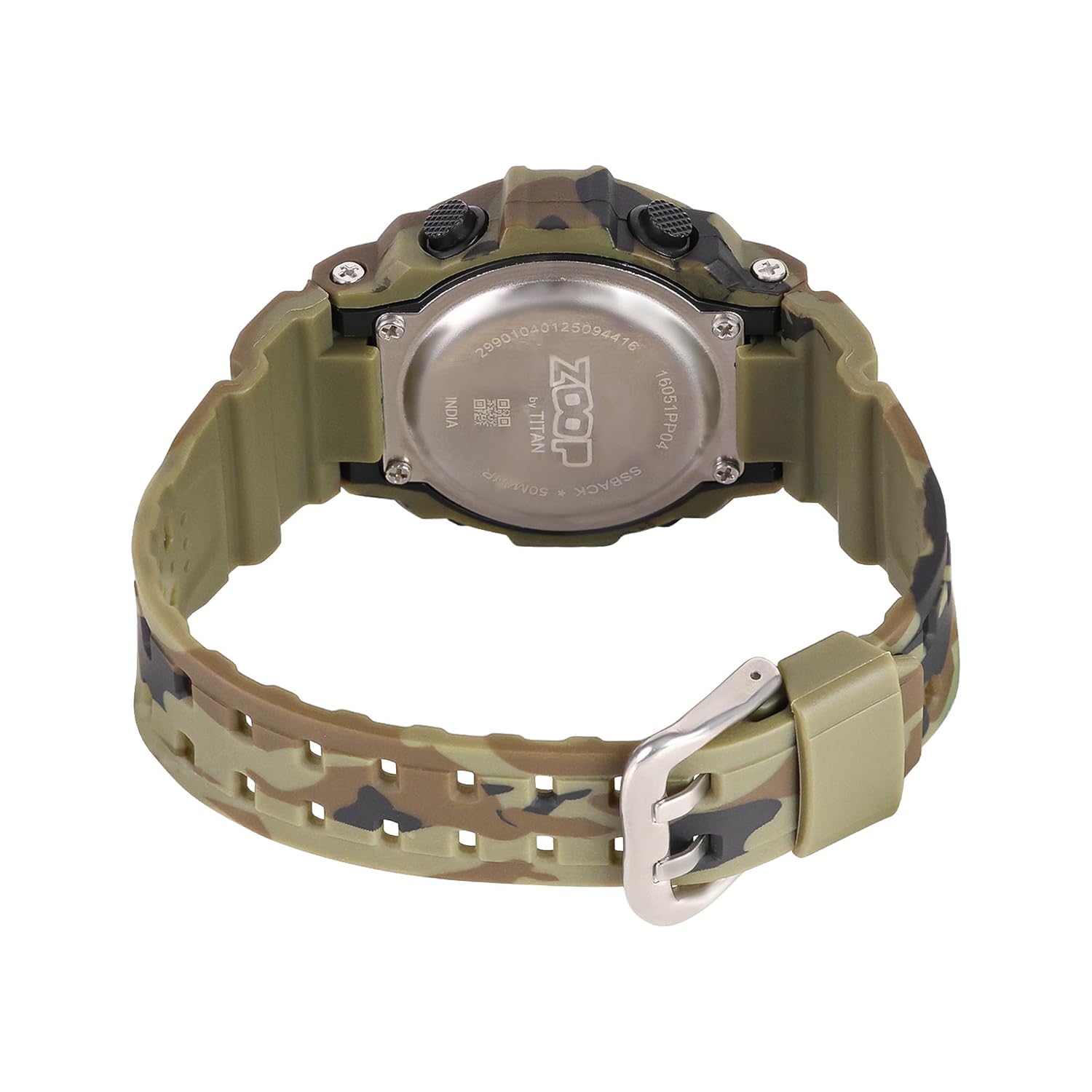
Figure 3: Watch case back, showing water resistance and model details.
T. समस्या निवारण
| समस्या | सम्भावित कारण | समाधान |
|---|---|---|
| डिस्प्ले खाली वा मधुरो छ। | कम ब्याट्री। | ब्याट्री बदल्नुहोस्। |
| समय गलत छ। | गलत समय सेटिङ वा कम ब्याट्री। | Reset time; if problem persists, replace battery. |
| बटनहरू अनुत्तरदायी छन्। | घडी लक मोडमा वा आन्तरिक खराबीमा हुन सक्छ। | Try pressing all buttons to reset. If unresponsive, consult service. |
| घडी भित्र पानी। | पानी प्रतिरोध क्षमतामा कमी (जस्तै, पानीमुनि बटन थिचिएको, अत्यधिक तापक्रम परिवर्तन)। | Immediately take to a service center. Do not attempt to dry it yourself. |
6. निर्दिष्टीकरणहरू

Figure 4: Watch dimensions, showing case size.
- मोडेल नम्बर: 16051PP04
- प्रदर्शन प्रकार: डिजिटल
- आन्दोलन प्रकार: क्वार्ट्ज
- केस सामाग्री: एबीएस प्लास्टिक
- पट्टा सामाग्री: पु (Polyurethane)
- क्रिस्टल सामग्री: एक्रिलिक
- केस व्यास: १० मिलिमीटर
- केस मोटाई: १० मिलिमीटर
- ब्यान्ड चौडाइ: 2.1 सेन्टिमिटर
- पानी प्रतिरोध गहिराई: १.५ मिटर
- क्ल्याप प्रकार: बकल
- वस्तु वजन: 150 ग्राम
- उत्पत्तिको देश: भारत
7. वारेन्टी र समर्थन
Two Year Guarantee:
This Zoop Digital Watch comes with a two-year limited guarantee from the date of purchase, covering manufacturing defects. This warranty does not cover damage resulting from improper use, accidents, unauthorized repairs, or normal wear and tear.
निर्माता सम्पर्क जानकारी:
For warranty claims, service, or support, please contact:
टाइटन कम्पनी लिमिटेड
#3, SIPCOT Industrial Complex
Hosur - 635126, Tamil Nadu, India