
ORGBRO Z3
ORGBRO Z3 Label Maker Machine User Manual
मोडेल: Z3
परिचय
Thank you for choosing the ORGBRO Z3 Label Maker Machine. This portable thermal label printer is designed for versatile use in home organization, small businesses, offices, and schools. It offers high-quality, ink-free printing and is compatible with various devices. This manual provides detailed instructions to help you set up, operate, and maintain your device for optimal performance.
बक्समा के छ
- 1x ORGBRO Z3 Label Maker Machine
- १x टाइप-सी चार्जिङ केबल
- 1x Roll of 50x30mm White Labels (230 Pcs)
- 1x प्रयोगकर्ता पुस्तिका
- 1x Drive USB
सेटअप गाइड
1. यन्त्र चार्ज गर्दै
Before first use, fully charge the ORGBRO Z3 Label Maker. Connect the provided Type-C charging cable to the device's charging port and a suitable USB power adapter. The LED screen will indicate charging status. A full charge provides approximately 4 weeks of runtime.
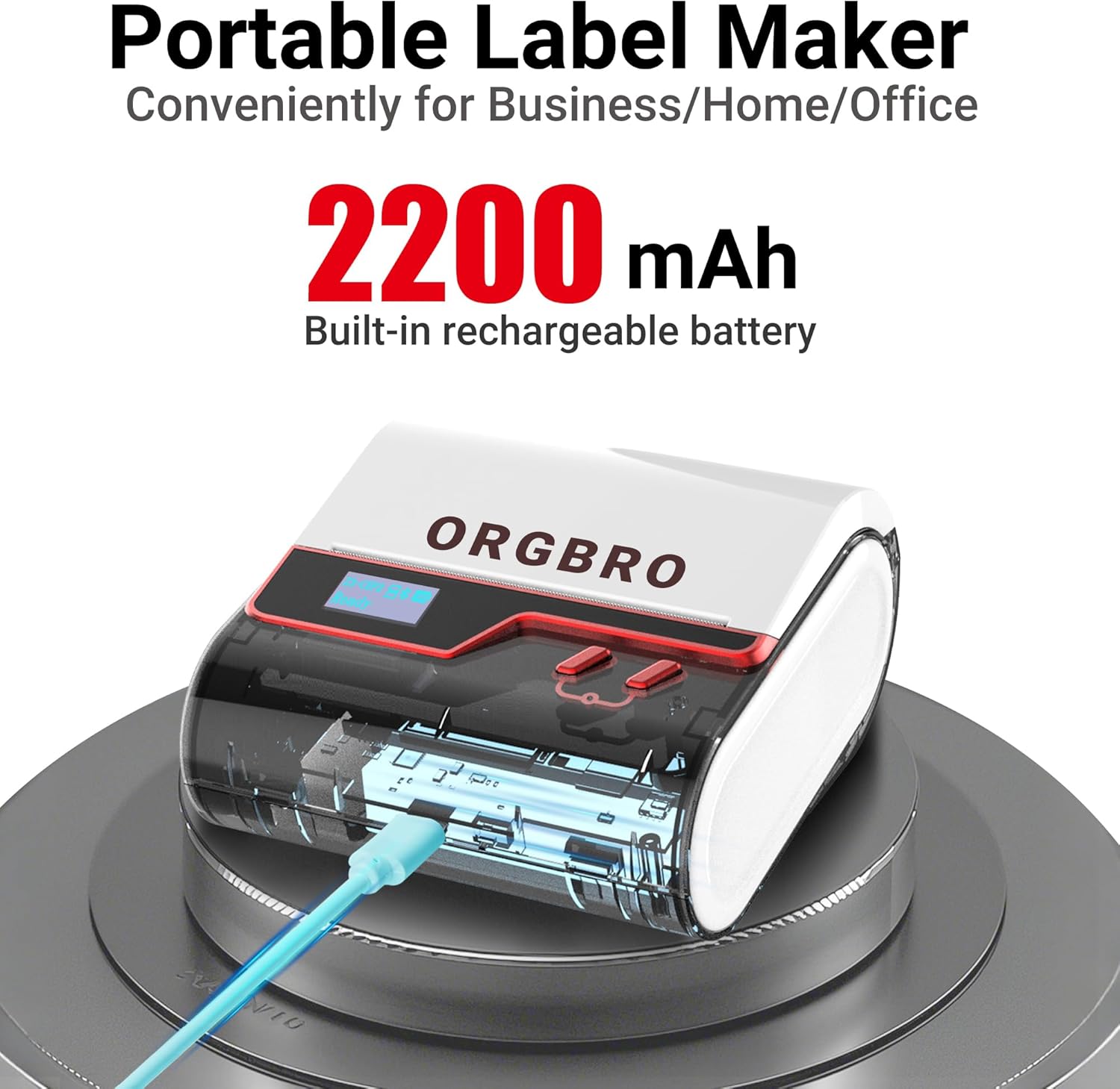
Image: The ORGBRO Z3 Label Maker showing its charging port and indicating a 2200mAh built-in rechargeable battery, emphasizing its portability.
२. लेबल पेपर लोड गर्दै
- लेबल डिब्बाको कभर खोल्नुहोस्।
- Insert the label roll with the printing surface facing up, ensuring it aligns correctly with the paper guides.
- Close the cover firmly. The printer supports label widths from 0.8 to 3.15 inches.

Image: A visual guide demonstrating the correct method for loading label paper into the ORGBRO Z3, highlighting its compatibility with 0.78-3.15 inch wide labels.
3. यन्त्रहरूमा जडान गर्दै
The ORGBRO Z3 supports connection via Bluetooth for mobile devices (Android/iOS) and USB for computers (Windows/Mac/Chrome OS/Linux).
ब्लुटुथ जडान (मोबाइल उपकरणहरू)
- Download the free "4BarCode" app from your device's app store (Google Play for Android, App Store for iOS).
- तपाईंको मोबाइल उपकरणमा ब्लुटुथ सक्षम छ भनी सुनिश्चित गर्नुहोस्।
- Open the "4BarCode" app. Do not connect directly via phone's Bluetooth settings. Connect through the app.
- Within the app, search for and select your ORGBRO Z3 device to pair. The LED screen will show Bluetooth status.
USB जडान (कम्प्युटरहरू)
- Connect the ORGBRO Z3 to your computer using the provided USB cable.
- Install the necessary drivers from the included Drive USB or download them from the official ORGBRO webसाइट।
- Once drivers are installed, the printer will be recognized by your computer's operating system.

Image: The ORGBRO Z3 Label Maker demonstrating its connectivity options, supporting both Bluetooth for phones (iOS, Android) and USB for computers (Apple, Windows, Chrome OS, Linux).
सञ्चालन निर्देशनहरू
1. Using the "4BarCode" App
The "4BarCode" app is your primary interface for creating and printing labels. It offers extensive customization options:
- टेम्प्लेटहरू: Access over 150 pre-designed templates for various uses.
- Fonts & Frames: Choose from 80+ fonts and 150+ frames to personalize your labels.
- Icons & Images: Utilize 670+ built-in icons or import images directly from your mobile device.
- सामग्री प्रकारहरू: Easily add text, barcodes, QR codes, shapes, and lines.

Image: The "4BarCode" app interface, showcasing its rich features including over 150 templates, 80+ fonts, and 670+ icons for comprehensive label design.
३. लेबलहरू सिर्जना गर्ने र छाप्ने
- Open the "4BarCode" app and ensure your ORGBRO Z3 is connected.
- Select "New Label" or choose an existing template.
- Customize your label by adding text, barcodes, QR codes, images, and other elements. Adjust size, font, and position as needed.
- प्रिview your label to ensure it appears as desired.
- Tap the "Print" button. The printer will begin printing at speeds up to 50mm/s with a crisp 203dpi resolution.

Image: The ORGBRO Z3 in action, demonstrating its capability for fast and clear printing, producing up to 52 labels per minute at a resolution of 203 DPI.
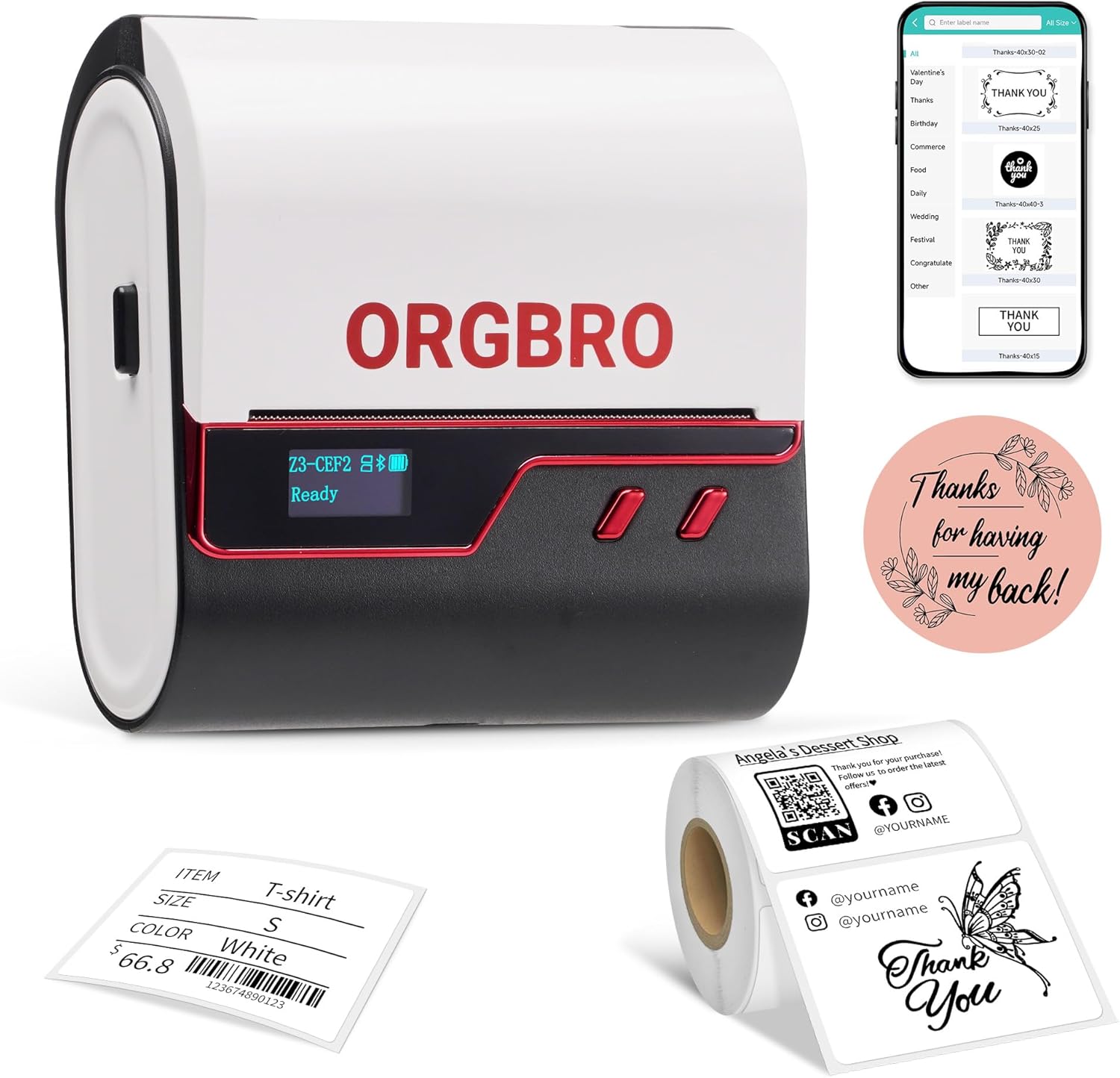
Image: The ORGBRO Z3 Label Maker showcasing its versatility with examples of different label types it can produce, such as product labels, thank you stickers, and clothing tags.
अनुप्रयोगहरू
गृह प्रयोग
The ORGBRO Z3 is ideal for organizing your home. Create labels for storage bins, kitchen containers, spice jars, files, and more to maintain a tidy and efficient living space.

छवि: पूर्वamples of the ORGBRO Z3 Label Maker's utility in home organization, including labels for coffee beans, vanilla extract, stockings, scarves, and office files.
व्यापार प्रयोग
For small businesses, the Z3 can print price barcodes, QR codes, product logos, address labels, and inventory tags. It helps streamline operations and enhance professionalism.

Image: Demonstrations of the ORGBRO Z3 Label Maker's application in business, such as shipping labels for packages, labels for baked goods, and jewelry tags.
मर्मतसम्भार
प्रिन्ट हेड सफा गर्दै
To ensure clear and consistent print quality, regularly clean the print head. Use a cotton swab lightly dampened with isopropyl alcohol. Gently wipe the print head surface. Allow it to dry completely before closing the cover and resuming use.
ब्याट्री केयर
To prolong battery life, avoid fully discharging the device frequently. Charge the device when the battery indicator is low. If storing the device for an extended period, ensure it is charged to at least 50% and recharge every few months.
समस्या निवारण
प्रिन्टरले प्रतिक्रिया दिइरहेको छैन
- यन्त्र सक्रिय र पूर्ण चार्ज भएको सुनिश्चित गर्नुहोस्।
- Check Bluetooth connection in the "4BarCode" app or USB cable connection for PC.
- Restart the printer and your connected device.
खराब प्रिन्ट गुणस्तर
- Verify that the label paper is loaded correctly and is thermal paper.
- मर्मतसम्भार खण्डमा वर्णन गरिए अनुसार प्रिन्ट हेड सफा गर्नुहोस्।
- Ensure the label design in the app is not too complex or has very fine lines that might be difficult to print at 203 DPI.
लेबलहरू सही तरिकाले खुवाउँदैनन्
- कागजको बाटोमा कुनै अवरोधहरू छन् कि छैनन् जाँच गर्नुहोस्।
- Ensure the label roll is properly seated and aligned within the guides.
- Make sure the label compartment cover is securely closed.
निर्दिष्टीकरणहरू
| मोडेल नाम | Z3 Label Maker |
| ब्रान्ड | ORGBRO |
| मुद्रण प्रविधि | थर्मल |
| संकल्प | 203 DPI (डट्स प्रति इन्च) |
| अधिकतम मुद्रण गति | Up to 50mm/s (approx. 52 labels/min for 50x30mm labels) |
| अधिकतम मिडिया आकार | 3.14 inches (0.8-3.15 inch wide labels) |
| जडान | ब्लुटुथ, USB टाइप-सी |
| मिल्दो यन्त्रहरू | iOS, Android, Windows 7+, Chrome OS, Mac OS 10+, Linux |
| ब्याट्री | 2200mAh रिचार्जेबल ब्याट्री |
| उत्पादन आयामहरू | १० x ३ x ३ इन्च |
| वस्तुको वजन | 1.21 पाउन्ड |
वारेन्टी जानकारी
The ORGBRO Z3 Label Maker Machine comes with a सीमित वारेन्टी. Please refer to the warranty card included in your product packaging for specific terms, conditions, and duration. Retain your proof of purchase for warranty claims.
समर्थन
For further assistance, technical support, or inquiries regarding your ORGBRO Z3 Label Maker Machine, please contact our customer service team. Refer to the contact information provided on the ORGBRO official website or the support section of the "4BarCode" app.
Ask a question about this manual
Ask about setup, troubleshooting, compatibility, parts, safety, or missing instructions. Manuals+ will review the question and use this page’s manual context to help answer it.