
परिचय
Thank you for choosing the SIMPLUS 3-in-1 Corded Stick Vacuum Cleaner. This manual provides essential information for the safe and efficient operation, maintenance, and troubleshooting of your new appliance. Please read it thoroughly before first use and keep it for future reference.
उत्पादन अवयवहरू
Your SIMPLUS 3-in-1 Corded Stick Vacuum Cleaner comes with several components designed for versatile cleaning.

Figure 1: Product Components and Dimensions. This image illustrates the main body, two PVC connecting hoses, a floor brush, a flat brush, and a filter element. Key dimensions are also provided.
- मुख्य शरीर: मोटर, डस्ट कप र नियन्त्रणहरू समावेश गर्दछ।
- PVC Connecting Hoses (x2): Used to extend the reach of the vacuum.
- भुइँ ब्रश: Primary attachment for floor cleaning.
- Flat Brush (Crevice Tool): साँघुरो ठाउँ र कुनाहरूको लागि।
- फिल्टर तत्व: Part of the 3-layer filtration system.
सेटअप र विधानसभा
पहिलो प्रयोगको लागि आफ्नो भ्याकुम क्लिनर जम्मा गर्न यी चरणहरू पालना गर्नुहोस्।
- Attach Extension Tube: Connect the PVC connecting hoses to the main body and the floor brush. Ensure they click securely into place.
- भुइँको ब्रश जोड्नुहोस्: Insert the floor brush into the end of the assembled extension tube.
- फिल्टर घुसाउनुहोस्: Ensure the 3-layer filter system (HEPA F8 filter, cyclone filter, microporous sponge filter) is correctly installed inside the dust cup.
- पावर जडान: पावर कर्डलाई उपयुक्त विद्युतीय आउटलेटमा प्लग गर्नुहोस्।
Video: RoneAir W800 Getting Started Guide. This video demonstrates the assembly process, including connecting the extension tubes and attachments, and shows how to install and remove the filter for cleaning.
सञ्चालन निर्देशनहरू
Your SIMPLUS vacuum offers versatile cleaning modes for different needs.
स्टिक भ्याकुमको रूपमा प्रयोग गर्दै
For general floor cleaning, use the vacuum in its stick configuration with the floor brush attached.
- पावर अन: Press the power button located on the main body.
- चालबाजी: The brush head rotates 30° left/right and 150° forward/backward, allowing easy access under furniture and around obstacles.
- सिफारिस गरिएका सतहहरू: Ideal for hardwood floors, tiles, and low-pile carpets.

Figure 2: Flexible Brush Head. The brush head's swivel steering allows for easy cleaning under sofas, beds, and other low-clearance areas.
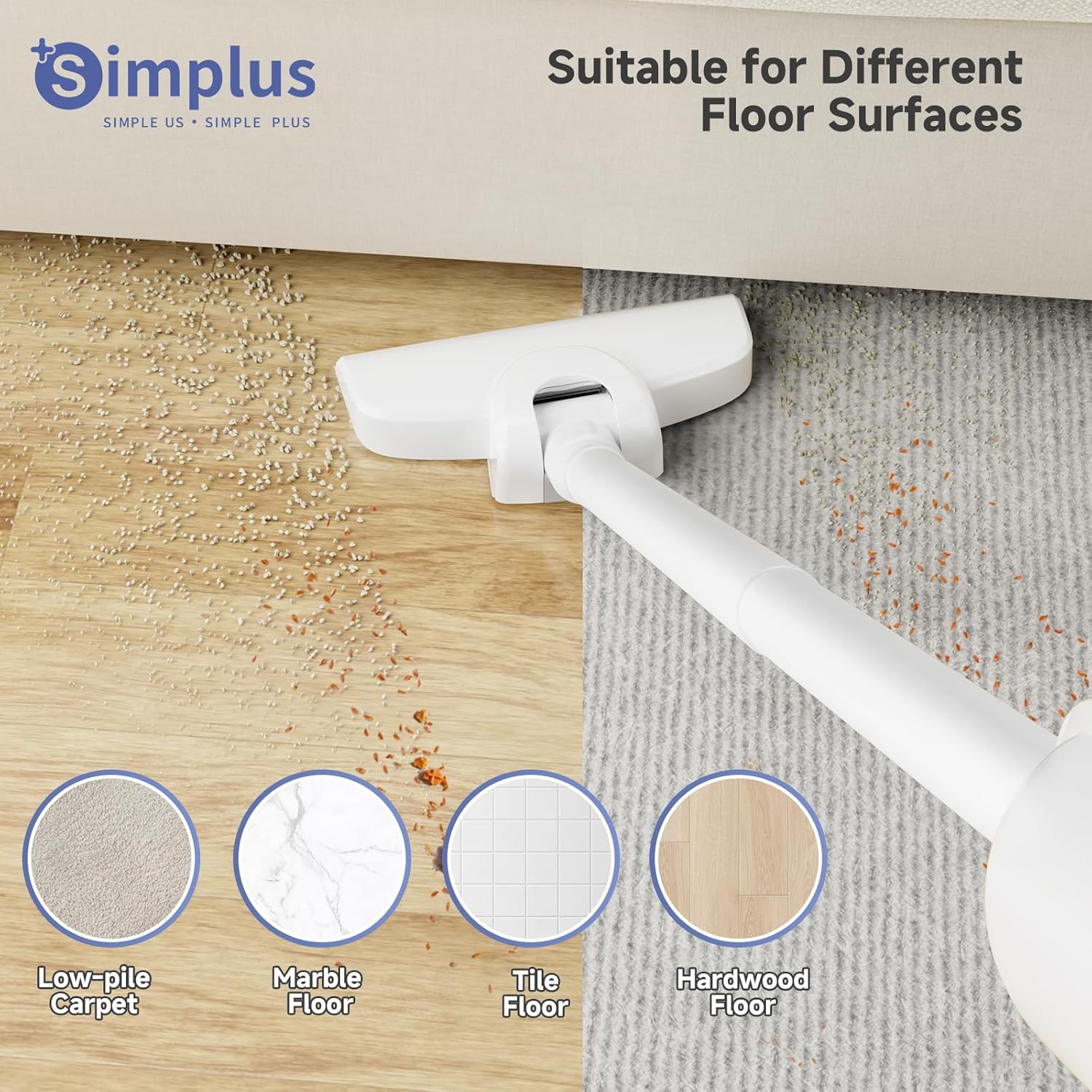
Figure 3: Suitable for Different Floor Surfaces. The vacuum is effective on various hard floor types and low-pile carpets.
ह्यान्डहेल्ड भ्याकुमको रूपमा प्रयोग गर्दै
Detach the extension tubes and floor brush to use the main body as a handheld vacuum for targeted cleaning.
- Attach Flat Brush: Connect the flat brush (crevice tool) directly to the main body for cleaning sofa gaps, car interiors, and tight corners.
- पावर अन: पावर बटन थिच्नुहोस्।
Video: Vacuum Cleaners for Home (Preview). This short video demonstrates the handheld vacuum in action, quickly cleaning a sofa surface.
मर्मतसम्भार
नियमित मर्मतसम्भारले इष्टतम कार्यसम्पादन सुनिश्चित गर्दछ र तपाईंको भ्याकुम क्लिनरको आयु बढाउँछ।
डस्ट कप खाली गर्दै
Empty the 0.35L dust cup regularly, especially after each use, to maintain strong suction.
- डस्ट कप छुट्याउनुहोस्: Press the release button on the main body to detach the dust cup.
- खाली सामग्रीहरू: Hold the dust cup over a waste bin and empty the collected debris.

Figure 4: Effortless Dust Cup Emptying. The dust cup is designed for easy removal and emptying.
फिल्टर सफा गर्दै
The HEPA F8 filter is washable and reusable. Clean it periodically to prevent clogging and maintain suction power.
- फिल्टर हटाउनुहोस्: Twist and pull out the filter element from the dust cup.
- धुने फिल्टर: फिल्टर सफा नभएसम्म बगिरहेको पानीमुनि पखाल्नुहोस्। डिटर्जेन्ट प्रयोग नगर्नुहोस्।
- सुख्खा फिल्टर: Allow the filter to air dry completely for at least 24 hours before reinserting. Ensure it is completely dry to prevent damage to the motor.
- पुन: जम्मा गर्नुहोस्: Place the dry filter back into the dust cup and reattach the dust cup to the main body.

Figure 5: 3-Layer High-Efficiency Filtration. The multi-layer filter system captures fine particles for cleaner exhaust air.
Video: RoneAir W800 Getting Started Guide. This video demonstrates how to remove, clean, and reinsert the vacuum's filter.
समस्या निवारण
यदि तपाईंले आफ्नो भ्याकुम क्लिनरमा समस्याहरू सामना गर्नुभयो भने, निम्न सामान्य समस्याहरू र समाधानहरू हेर्नुहोस्।
| समस्या | सम्भावित कारण | समाधान |
|---|---|---|
| सक्शन को हानि | Full dust cup; Clogged filter; Blockage in nozzle/tube. | Empty dust cup; Clean/wash filter; Check for and remove blockages. |
| भ्याकुम सक्रिय छैन | प्लग इन गरिएको छैन; पावर आउटलेटमा समस्या; बिग्रिएको कर्ड। | Ensure plug is secure; Test outlet with another device; Contact customer support if cord is damaged. |
| असामान्य शोर | Blockage in the air path; Loose parts. | Check for and remove blockages; Ensure all parts are securely assembled. |
निर्दिष्टीकरणहरू
| सुविधा | विवरण |
|---|---|
| ब्रान्ड | सरल |
| मोडेल नाम | भ्याकुम क्लिनर |
| वस्तु मोडेल नम्बर | XCQH002WH00-US |
| शक्ति स्रोत | कर्डेड इलेक्ट्रिक (१०.५० वाट) |
| सक्शन पावर | १०KPA |
| फिल्टर प्रकार | HEPA F8 Filter (Washable & Reusable) |
| डस्ट कप क्षमता | १.५ लिटर (५० औंस) |
| वस्तुको वजन | 1.87 lbs (0.85 kg) |
| उत्पादन आयामहरू | ११"लिटर x ४"पाउट x १३"घण्टा |
| विशेष सुविधा | 3-in-1 Multifunctional (Stick/Handheld), Flexible Brush Head |
| सतह सिफारिस | Hard Floor, Low-Pile Carpet |
वारेन्टी र समर्थन
For warranty information or technical support, please refer to the contact details provided with your product packaging or visit the official SIMPLUS webसाइट। खरिदको प्रमाणको रूपमा आफ्नो खरिद रसिद राख्नुहोस्।