
1. परिचय
This manual provides comprehensive instructions for the Inateck Wearable 1MP 2D QR Barcode Scanner, Nano 370 (Model N6022-BK). It covers product features, setup, operation, maintenance, and troubleshooting to ensure optimal performance and user experience.

Figure 1: Inateck Nano 370 Wearable Barcode Scanner overview.
Product. उत्पाद सुविधाहरू
- Ergonomic 60g Design: Features a 10° scanning angle designed to reduce wrist fatigue. Weighing only 60g with a breathable strap, it offers comfort for extended use.
- Voice Control & Hands-Free Operation: Activate scanning by saying "Scan." Supports automatic detection and a manual trigger for various workflows.
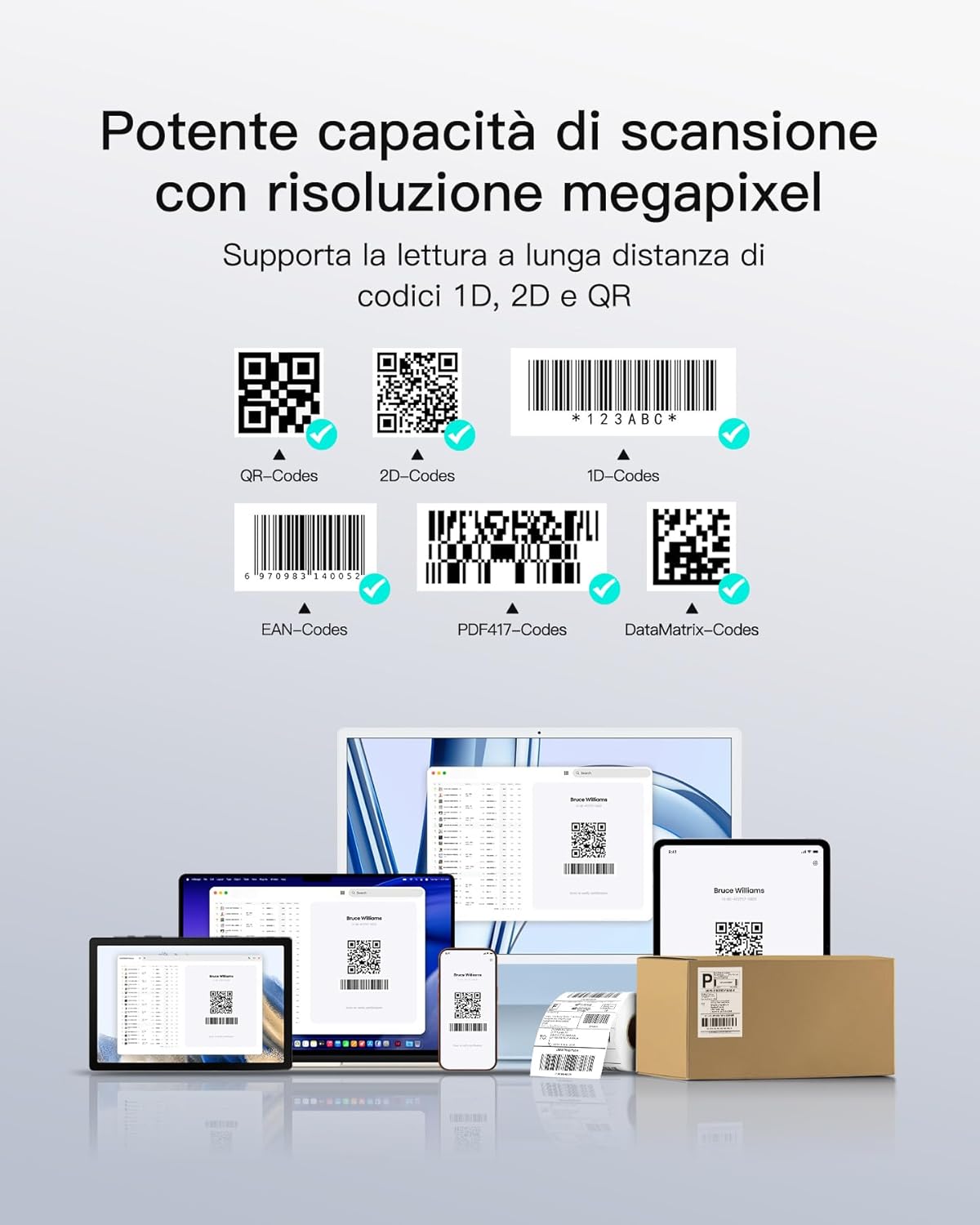
- 1MP High-Resolution Sensor: Equipped with a CMOS 1280*800 sensor, capable of instantly reading 1D/2D codes from smartphones and damaged labels.
- Bluetooth 5.3 & Triple Connection Modes: Provides stable transmission up to 40m with quick reconnection. Compatible with iOS, Android, and Windows via Bluetooth, 2.4G Dongle, or USB cable.
- 10 Hours Battery Life & Plug-and-Play: No drivers required for operation. The 800mAh battery supports a full day of continuous use. Features vibration and LED feedback for scan confirmation in noisy environments.

Figure 2: Ergonomic design highlights, including 60g weight, high-quality silicone, and 10° tilted lens for comfortable scanning.

Figure 3: Demonstrates the scanner's powerful megapixel resolution and ability to read various 1D, 2D, and QR codes, including those on screens or damaged labels.
3. सेटअप
3.1 यन्त्र चार्ज गर्दै
Before first use, fully charge the scanner using the provided USB-C cable. The LED indicator will show charging status. A full charge provides up to 10 hours of continuous operation.

Figure 4: The scanner features an 800mAh battery, providing up to one day of continuous use.
४.२ जडान मोडहरू
The Nano 370 scanner supports three connection methods:
- ब्लुटुथ: For wireless connection to Windows, Mac OS, Linux, Android, and iOS devices.
- USB तार: Direct connection via USB-C cable to a computer.
- २.४G एडाप्टर: For wireless connection using the included 2.4G dongle.

Figure 5: Illustration of the three connection modes: Bluetooth for various operating systems, USB wired, and 2.4G adapter.
3.3 Inateck Scanner APP
For advanced configuration and efficient management, download the Inateck Scanner APP, available for both Android and iOS devices. This app allows for easy customization of scanner settings.

Figure 6: The Inateck Scanner APP supports simple and efficient configuration on Android and iOS devices.
4. सञ्चालन निर्देशनहरू
4.1 Wearing the Scanner
Attach the scanner to your wrist using the adjustable, breathable strap. Ensure it is snug but comfortable, allowing for free movement of your hand and wrist. The 10° tilted lens is designed for optimal scanning posture.

Figure 7: Proper hand and wrist positioning for effective scanning with the wearable device.
३.१ स्क्यानिङ मोडहरू
The Nano 370 offers three scanning modes to suit different operational needs:
- आवाज नियन्त्रण मोड: Simply say "Scan" to activate the laser and read a barcode. This is ideal for hands-free operation, especially when handling heavy items.
- Automatic Sensor Mode: The scanner automatically detects and reads barcodes when they enter its field of view.
- म्यानुअल ट्रिगर मोड: Press the physical button on the scanner to activate the laser and scan a barcode.
चित्र ४.१: सकियोview of the three operational modes: voice command, automatic sensor, and manual button press.
4.3 Scan Confirmation
Upon successful scan, the device provides both vibration feedback and an LED indicator to confirm the reading, which is particularly useful in noisy environments.
5. मर्मतसम्भार
- सरसफाई: Use a soft, dry cloth to clean the scanner's body and lens. Avoid abrasive materials or harsh chemicals.
- भण्डारण: स्क्यानरलाई प्रत्यक्ष घाम र अत्यधिक तापक्रमबाट टाढा चिसो, सुख्खा ठाउँमा राख्नुहोस्।
- ब्याट्री केयर: ब्याट्रीको आयु बढाउनको लागि, बारम्बार ब्याट्री पूर्ण रूपमा डिस्चार्ज नगर्नुहोस्। नियमित रूपमा उपकरण चार्ज गर्नुहोस्।
- पट्टा प्रतिस्थापन: The breathable silicone strap is designed for durability. If replacement is needed, contact Inateck support.
T. समस्या निवारण
| समस्या | सम्भावित कारण | समाधान |
|---|---|---|
| Scanner not turning on | ब्याट्री कम छ; उपकरणमा खराबी छ | Charge the scanner; Contact support if issue persists. |
| ब्लुटुथ मार्फत जडान गर्न सकिँदैन | Bluetooth not enabled on host device; Out of range; Pairing issue | Ensure Bluetooth is on; Move closer to host device; Re-pair the scanner. |
| Unable to read barcodes | Barcode damaged/unreadable; Incorrect scanning mode; Lens dirty | Try a different barcode; Switch scanning modes; Clean the lens. |
| आवाज नियन्त्रणले प्रतिक्रिया दिइरहेको छैन | Voice control disabled; Noisy environment | Check settings in Inateck Scanner APP; Use manual trigger in noisy areas. |
7. निर्दिष्टीकरणहरू
- मोडेल नम्बर: N6022-BK
- ब्रान्ड: Inateck
- सेन्सर: 1MP CMOS (1280*800)
- स्क्यानिङ कोण: 10 Degrees (Ergonomic Tilt)
- वजन: १८.६ ग्राम
- जडान: Bluetooth 5.3, USB-C, 2.4G Wireless (with adapter)
- मिल्दो यन्त्रहरू: डेस्कटप, ल्यापटप, ट्याब्लेट, स्मार्टफोन
- मिल्दो ओएस: विन्डोज, म्याक ओएस, लिनक्स, एन्ड्रोइड, आईओएस
- ब्याट्री: २२००mAh लिथियम-आयन (समावेश गरिएको)
- ब्याट्री जीवन: १२ घण्टासम्म निरन्तर प्रयोग
- स्क्यान गति: 0.5 seconds per scan
- प्रतिक्रिया: Vibration, LED Indicator
8. वारेन्टी र समर्थन
Inateck products come with a standard manufacturer's warranty. For detailed warranty information, technical support, or service inquiries, please visit the official Inateck webसाइट वा आफ्नो ग्राहक सेवा सम्पर्क गर्नुहोस्।
Official Inateck Webसाइट: www.inateck.com
११. उत्पादन भिडियो
भिडियो १: एउटा ओभरview of the Inateck Nano 370 Wearable Barcode Scanner, showcasing its design, features, and various operational aspects.