1. परिचय
This manual provides comprehensive instructions for the Weytoll 15-in-1 Multifunctional Air Quality Monitor, Model Weytollrkjzwvh0t2-12. This device is designed to accurately detect and monitor various indoor air pollutants and environmental factors, ensuring a healthier living or working environment. Please read this manual thoroughly before using the device.
2. उत्पादन समाप्तview
The Weytoll 15-in-1 Air Quality Monitor is a versatile device equipped with advanced sensor technology to provide real-time data on your indoor air quality.
१.१ मुख्य विशेषताहरू
- Multi-Parameter Detection: Monitors HCHO (Formaldehyde), TVOC (Total Volatile Organic Compounds), PM1.0, PM2.5, PM10 (Particulate Matter), CO (Carbon Monoxide), CO2 (Carbon Dioxide), AQI (Air Quality Index), Temperature, Humidity, Air Pressure, and Sound Meter.
- उन्नत सेन्सर प्रविधि: Utilizes high-precision semiconductor/infrared detection technology for reliable and accurate readings.
- डिस्प्ले खाली गर्नुहोस्: Features a 2.8-inch TFT color screen with a clear digital display and real-time curve graphs for trend monitoring.
- Wi-Fi जडान: Supports Wi-Fi for easy data synchronization and remote monitoring via a dedicated mobile application.
- लामो ब्याट्री जीवन: Equipped with a built-in 2000mAh rechargeable lithium battery, providing approximately 300-360 minutes of continuous operation on a 4-hour charge.
- प्रयोगकर्ता-अनुकूल इन्टरफेस: Offers 11 customizable background images for a personalized visual experience.
- कम्प्याक्ट र पोर्टेबल: With dimensions of 9 x 7 x 4 cm, it is suitable for various indoor environments.
2.2 प्याकेज सामग्रीहरू
- 1 x Weytoll 15-in-1 Air Quality Monitor
- 1 x Type-C USB चार्जिङ केबल
- 1 x प्रयोगकर्ता पुस्तिका

Image: The Weytoll 15-in-1 Air Quality Monitor displaying multiple environmental parameters.

Image: Contents of the product package, including the monitor, charging cable, and user manual.
3. सेटअप
Follow these steps for initial setup and preparation of your air quality monitor.
3.1 यन्त्र चार्ज गर्दै
Before first use, fully charge the monitor. Connect the provided Type-C USB charging cable to the device's charging port and plug the other end into a standard 5V DC USB power adapter (not included). The charging process typically takes about 4 hours. The battery indicator on the screen will show the charging status.
५.१ पावर अन/अफ
To power on the device, press and hold the power button located on the side of the monitor until the screen illuminates. To power off, press and hold the power button again until the screen turns off.
3.3 Wi-Fi Configuration and App Connection
- एप डाउनलोड गर्नुहोस्: खोज्नुहोस् the dedicated mobile application (usually specified in the included paper manual) on your smartphone's app store (e.g., Google Play Store or Apple App Store) and install it.
- दर्ता/लग इन गर्नुहोस्: एप खोल्नुहोस् र नयाँ खाता सिर्जना गर्नुहोस् वा यदि तपाइँसँग पहिले नै छ भने लग इन गर्नुहोस्।
- Wi-Fi मा जडान गर्नुहोस्: On the monitor, navigate to the 'WiFi Config' option in the menu. Follow the on-screen instructions to connect the device to your 2.4GHz Wi-Fi network.
- एपमा उपकरण थप्नुहोस्: Within the mobile app, follow the prompts to add a new device. This typically involves scanning a QR code displayed on the monitor or manually selecting the device from a list.
- रिमोट निगरानी: एक पटक जडान भएपछि, तपाईं सक्नुहुन्छ view real-time data, historical trends, and manage settings remotely through the app.

Image: The monitor's display showing Wi-Fi connectivity and a smartphone screen demonstrating the mobile app interface for data viewing।
4. सञ्चालन निर्देशनहरू
This section details how to operate your Weytoll Air Quality Monitor and interpret its readings.
4.1 Main Display and Readings
Upon powering on, the device will display real-time readings for various air quality parameters. Each parameter is shown with its current value and unit (e.g., mg/m³ for HCHO, ppm for CO2, ug/m³ for PM values, dB for Voice). The display also shows temperature, humidity, air pressure, and the current date/time.
२ मेनू नेभिगेसन
Use the physical buttons on the device (refer to the included manual for specific button functions) to navigate through the menu. The menu typically includes options such as:
- WiFi Config: For connecting to a Wi-Fi network.
- वक्र: को view historical data trends for different parameters.
- PM Calibration: For calibrating Particulate Matter sensors.
- TVOC Calibration: For calibrating Total Volatile Organic Compounds sensors.
- Voice Calibration: For calibrating the sound meter.
- Alert Config: To set up alerts for specific parameter thresholds.
- Switch Interface: To change the display background image.
- Temp °F/°C: To switch between Fahrenheit and Celsius temperature units.
- बटन ध्वनि: To enable or disable button press sounds.
- बाहिर निस्कनुहोस्: To exit the menu.

Image: The menu interface of the Weytoll Air Quality Monitor, showing various configuration and calibration options.
५.३ पढाइको व्याख्या
The device provides numerical readings for each parameter. Refer to local or international air quality guidelines to understand what constitutes healthy or unhealthy levels for each pollutant. The device may also use color-coding or an AQI (Air Quality Index) to provide a quick visual assessment of overall air quality.
4.4 Customizing Display Background
The monitor supports 11 different background images. Navigate to the 'Switch Interface' option in the menu to browse and select your preferred display background.

छवि: पूर्वamples of the 11 different background images available for customization on the monitor's display.
5. मर्मतसम्भार
Proper maintenance ensures the longevity and accuracy of your air quality monitor.
८.१ सरसफाई
Wipe the exterior of the device with a soft, dry cloth. Do not use liquid cleaners, abrasive materials, or solvents, as these can damage the casing or internal components. Ensure no liquids enter the sensor vents.
५.३ सेन्सर हेरचाह
The sensors are delicate. Avoid exposing the device to direct water, excessive dust, or strong chemical fumes, which can affect sensor performance and accuracy. Do not attempt to open the device to clean internal sensors.
5.3 ब्याट्री केयर
To maximize battery life, avoid frequent deep discharges. Recharge the device when the battery level is low. If storing the device for an extended period, charge it to about 50% and recharge every few months to prevent battery degradation.
T. समस्या निवारण
If you encounter issues with your Weytoll Air Quality Monitor, refer to the following common problems and solutions.
- यन्त्र सक्रिय छैन:
- उपकरण पूर्ण रूपमा चार्ज भएको सुनिश्चित गर्नुहोस्। यसलाई पावर स्रोतमा जडान गर्नुहोस् र फेरि पावर अन गर्ने प्रयास गर्नु अघि कम्तिमा ३० मिनेट चार्ज हुन दिनुहोस्।
- Try using a different Type-C USB cable and a compatible 5V DC power adapter.
- Wi-Fi जडान समस्याहरू:
- Verify that your Wi-Fi network is active and operating on the 2.4GHz band (the device may not support 5GHz networks).
- उपकरण तपाईंको Wi-Fi राउटरको दायरा भित्र छ भनी सुनिश्चित गर्नुहोस्।
- Double-check the Wi-Fi password entered during configuration.
- Restart both the air quality monitor and your Wi-Fi router.
- Inaccurate or Fluctuating Readings:
- Allow the device to stabilize for at least 5-10 minutes after powering on, especially in a new environment.
- Ensure the device is placed in an open area, away from direct airflow (e.g., vents, fans), heat sources, or strong chemical fumes (e.g., cleaning products, paint).
- If calibration options are available in the menu (e.g., 'PM Calibration', 'TVOC Calibration'), follow the instructions for recalibration if readings seem consistently off. Refer to the included paper manual for detailed calibration procedures.
- Screen Not Responding or Frozen:
- जबरजस्ती रिस्टार्ट गर्न पावर बटन २०-३० सेकेन्डसम्म थिचिराख्नुहोस्।
- If the problem persists, ensure the device is fully charged.
If these troubleshooting steps do not resolve the issue, please refer to the support section for further assistance.
7. निर्दिष्टीकरणहरू
| प्यारामिटर | निर्दिष्टीकरण |
|---|---|
| मोडेल नम्बर | Weytollrkjzwvh0t2-12 |
| निर्माता | Weytoll |
| आयाम (L x W x H) | १५ x १४ x ८ सेमी (लगभग ५.९ x ५.५ x ३.१ इन्च) |
| वजन | 184 ग्राम |
| पावर इनपुट | Type-C USB, 5V DC |
| ब्याट्री | 2000 mAh रिचार्जेबल लिथियम ब्याट्री |
| चार्ज गर्ने समय | करिब ३ घण्टा |
| सञ्चालन समय | लगभग 300-360 मिनेट |
| प्रदर्शन | 2.8 इन्च TFT रङ स्क्रिन |
| जडान | Wi-Fi |
| मापदण्डहरू | HCHO, TVOC, PM1.0, PM2.5, PM10, CO, CO2, AQI, Temperature, Humidity, Air Pressure, Sound Meter |
| मापन शुद्धता | +/-१०% |
| उत्पत्तिको देश | चीन |

Image: Dimensions of the Weytoll Air Quality Monitor.
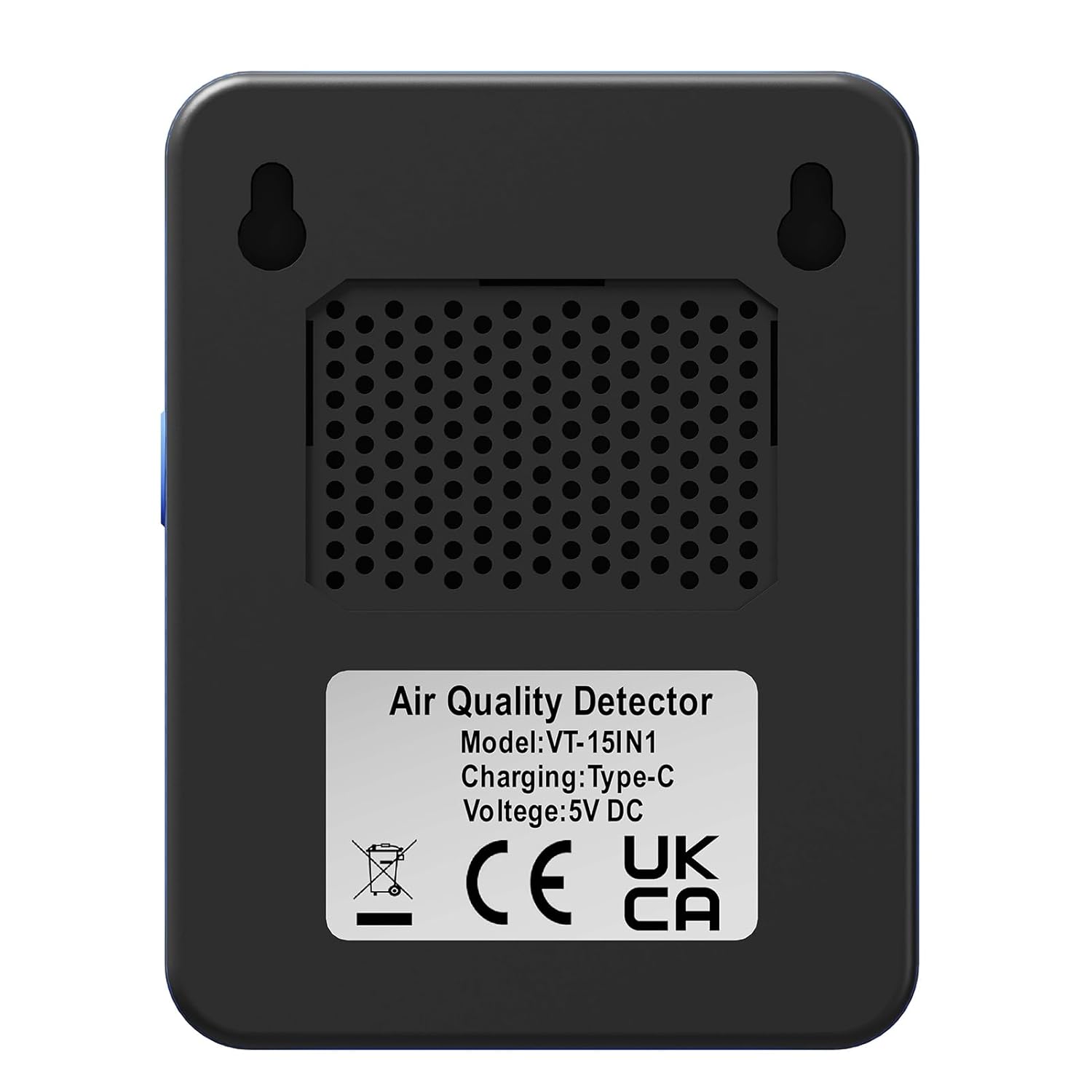
छवि: पछाडि view of the monitor, indicating model number (VT-15IN1), charging type (Type-C), and voltage (5V DC)।
२.३ वारेन्टी
Warranty information is not explicitly provided in the product details. Please refer to the documentation included with your purchase or contact the seller directly for specific warranty terms and conditions.
१.४। समर्थन
For technical support, product inquiries, or assistance with troubleshooting beyond the scope of this manual, please refer to the contact information provided in your product packaging or contact the seller directly through the platform where the purchase was made.