परिचय
The Razer BlackShark V3 X HyperSpeed is a wireless esports gaming headset designed for high-performance audio and clear communication across multiple platforms. This manual provides essential information for setting up, operating, maintaining, and troubleshooting your headset.
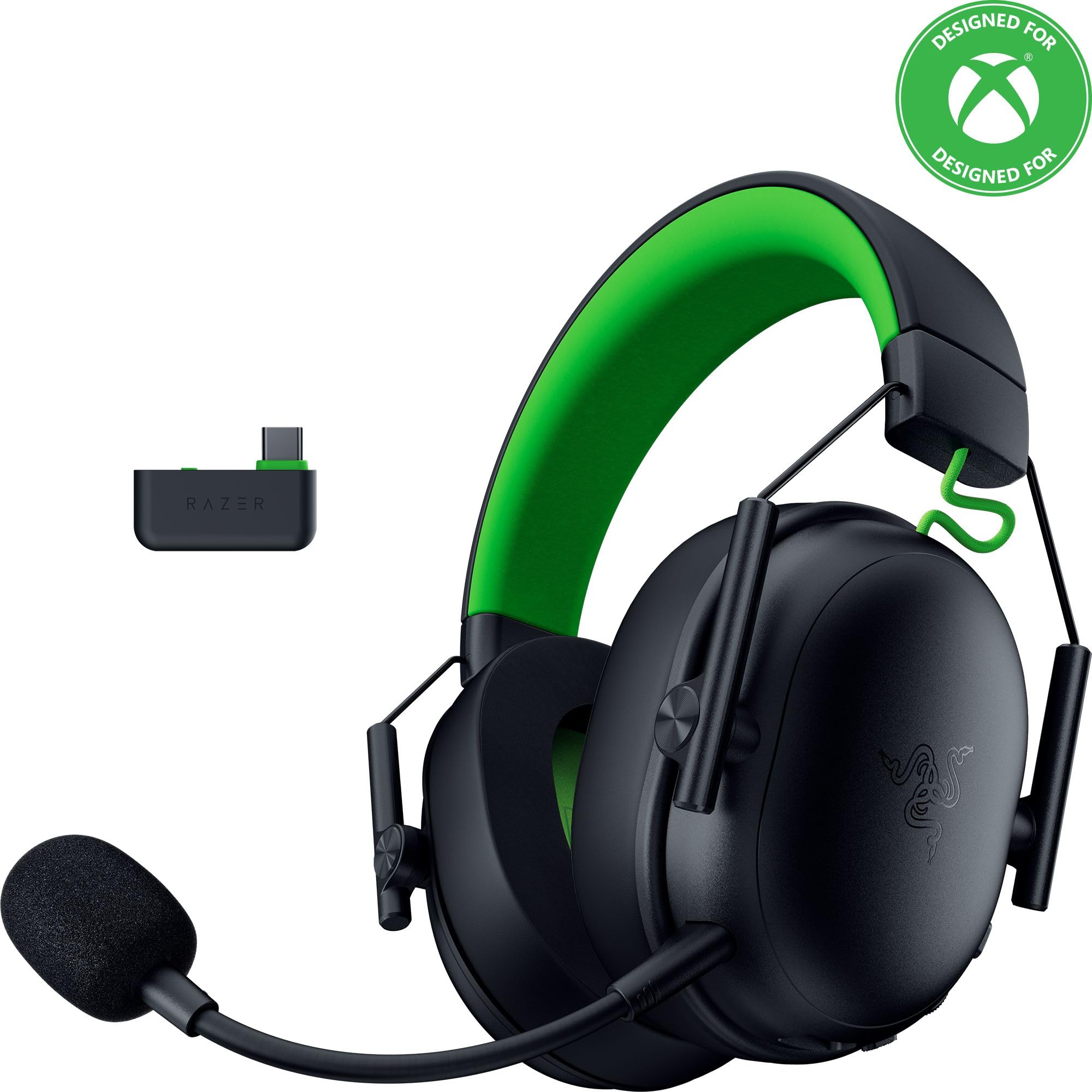
Image: The Razer BlackShark V3 X HyperSpeed Wireless Gaming Headset, showcasinयसको डिजाइन र छुट्याउन मिल्ने माइक्रोफोन।
बक्समा के छ
तपाईंको प्याकेजमा निम्न सबै कम्पोनेन्टहरू छन् भनी सुनिश्चित गर्नुहोस्:
- Razer BlackShark V3 X हाइपरस्पीड वायरलेस गेमिङ हेडसेट
- USB टाइप C रेजर हाइपरस्पीड वायरलेस डोङ्गल
- छुट्याउन मिल्ने रेजर हाइपरक्लियर कार्डियोइड ९.९ मिमी माइक
- USB Type A to Type C Cable (for charging and wired connection)
- USB टाइप A देखि टाइप C एडाप्टर केबल
- उपयोगकर्ता पुस्तिका (यो कागजात)

Image: The Razer BlackShark V3 X HyperSpeed headset on a stand next to its retail packaging, illustrating the product and its box.
सेटअप
1. हेडसेट चार्ज गर्दै
Before initial use, fully charge your headset using the provided USB Type A to Type C cable. Connect the USB-C end to the headset's charging port and the USB-A end to a powered USB port.
२. माइक्रोफोन जोड्ने
Insert the detachable Razer HyperClear Cardioid 9.9mm Mic into the microphone port located on the left earcup. Ensure it is securely connected.

Image: Close-up of the Razer BlackShark V3 X HyperSpeed headset showing the detachable HyperClear Cardioid microphone attached.
3. जडान विकल्पहरू
The headset supports three modes of connectivity: 2.4 GHz HyperSpeed Wireless, Bluetooth, and wired USB-C.
- 2.4 GHz HyperSpeed Wireless (PC, Mac, PS5, Nintendo Switch, Xbox Series X|S, Xbox One):
Insert the USB Type C Razer HyperSpeed Wireless Dongle into an available USB-C port on your device. If your device only has USB-A ports, use the provided USB Type A to Type C Adapter Cable. Ensure the switch on the dongle is set to 'USB' for PC/Mac/PS5/Switch or 'XBOX' for Xbox consoles. The headset will automatically connect. - Bluetooth (Smartphones, Tablets, Handheld Gaming Devices):
With the headset powered on, press and hold the power button until the LED indicator blinks blue, indicating pairing mode. On your device, search for and select "Razer BlackShark V3 X HyperSpeed" from the list of available Bluetooth devices. - तारयुक्त USB-C:
Connect the headset directly to your device using the USB Type A to Type C Cable. This mode provides audio and microphone functionality without relying on battery power.

Image: The Razer BlackShark V3 X HyperSpeed headset alongside its USB-C wireless dongle, illustrating the wireless connectivity component.

Image: A visual representation of the headset's three connectivity modes: 2.4 GHz Wireless, Bluetooth, and USB, highlighting its versatility.
हेडसेट सञ्चालन
1. नियन्त्रण ओभरview
हेडसेटमा इयरकपमा अवस्थित सहज नियन्त्रणहरू छन्:
- पावर बटन: Press and hold to power on/off. Single press to switch between 2.4 GHz HyperSpeed Wireless and Bluetooth modes.
- माइक म्यूट बटन: माइक्रोफोनलाई म्यूट वा अनम्युट गर्न थिच्नुहोस्।
- भोल्युम व्हील: Adjusts the overall audio volume.
- Mic Monitoring Wheel: Adjusts the volume of your own voice heard through the headset (sidetone).

छवि: साइड view of the Razer BlackShark V3 X HyperSpeed headset, highlighting the location of the power button, volume wheel, and mic mute button.
2. Audio Quality and Features
- रेजर ट्राइफोर्स ५० मिमी ड्राइभर जेन-२: Experience powerful, clear audio with enhanced positional accuracy for competitive gaming.
- Razer HyperClear Cardioid 9.9mm Mic: The detachable microphone features a unidirectional pickup pattern to focus on your voice and minimize background noise.
- चारै तिर ध्वनि: Enjoy immersive surround sound with Windows Sonic on Xbox and 7.1 Surround Sound on PC for precise audio cues.

तस्बिर: विस्फोट भएको view of the Razer TriForce 50mm Drivers Gen-2, illustrating their internal components for powerful and clear audio.

Image: The Razer BlackShark V3 X HyperSpeed headset surrounded by sound waves, representing its advanced surround sound capabilities for Xbox and PC.
७. आराम र डिजाइन
Weighing just 270g, the headset is designed for extended gaming sessions with plush memory foam cushions and a fatigue-free design.

Image: The Razer BlackShark V3 X HyperSpeed headset with an icon representing its ultra-lightweight design, emphasizing comfort for long gaming sessions.
१०. आधिकारिक उत्पादन भिडियो
Video: An official product video from Razer showcasing the BlackShark V3 headset line, highlighting its features and design for esports performance.
मर्मतसम्भार
७.१। सरसफाई
- हेडसेटको सतहहरू सफा गर्न नरम, सुख्खा कपडा प्रयोग गर्नुहोस्।
- इयरकपको लागि, विज्ञापनले बिस्तारै पुछ्नुहोस्amp आवश्यक परेमा कपडा र हल्का साबुनले छोप्नुहोस्, त्यसपछि राम्ररी सुकाउनुहोस्। अत्यधिक ओसिलोपनबाट बच्नुहोस्।
- कठोर रसायन वा घर्षण सामग्री प्रयोग नगर्नुहोस्।
2. भण्डारण
- हेडसेटलाई प्रत्यक्ष घाम र अत्यधिक तापक्रमबाट टाढा चिसो, सुख्खा ठाउँमा राख्नुहोस्।
- प्रयोगमा नभएको बेला, यसको आकार कायम राख्न र क्षति हुनबाट जोगाउन यसलाई हेडसेट स्ट्यान्डमा राख्ने विचार गर्नुहोस्।
समस्या निवारण
कुनै अडियो छैन/कमजोर अडियो गुणस्तर
- भोल्युम जाँच गर्नुहोस्: हेडसेटको भोल्युम ह्वील माथि छ भनी सुनिश्चित गर्नुहोस्।
- जडान: Verify the headset is correctly connected via 2.4 GHz dongle, Bluetooth, or USB-C. For 2.4 GHz, ensure the dongle switch is set to the correct platform (USB/XBOX).
- यन्त्र सेटिङहरू: Confirm the headset is selected as the default audio output device in your computer's or console's sound settings.
- पुन: जोडा: For wireless connections, try re-pairing the headset with your device.
माइक्रोफोन काम गर्दैन
- मौन जाँच गर्नुहोस्: Ensure the mic mute button on the headset is not activated.
- Mic Connection: Verify the detachable microphone is securely inserted into the port.
- यन्त्र सेटिङहरू: Confirm the headset microphone is selected as the default input device in your computer's or console's sound settings.
- माइक निगरानी: Adjust the mic monitoring wheel to hear your own voice, confirming mic functionality.
जडान समस्याहरू
- हस्तक्षेप: अन्य वायरलेस यन्त्रहरूबाट टाढा जानुहोस् जुन हस्तक्षेप हुन सक्छ।
- दायरा: Ensure you are within the effective range of the wireless dongle or Bluetooth connection.
- Dongle Switch: Double-check that the switch on the USB-C dongle is set to the correct position (USB for PC/Mac/PS5/Switch, XBOX for Xbox).
ब्याट्रीको आयु अपेक्षाभन्दा कम भयो
- चार्ज गर्दै: प्रयोग गर्नु अघि हेडसेट पूर्ण चार्ज भएको सुनिश्चित गर्नुहोस्।
- प्रयोग: High volume levels or continuous use of certain features can reduce battery life.
निर्दिष्टीकरणहरू
| मोडेल नाम | ब्ल्याकशार्क V3 X हाइपरस्पीड |
| मोडेल नम्बर | RZ04-05420200-R3U1 |
| जडान प्रविधि | Bluetooth, USB, 2.4 GHz Wireless |
| अडियो चालक प्रकार | Dynamic Driver (Razer TriForce 50mm Drivers Gen-2) |
| आवृत्ति प्रतिक्रिया | २० हर्ट्ज - २० किलोहर्ट्ज |
| संवेदनशीलता | २० dB |
| माइक्रोफोन | छुट्याउन मिल्ने रेजर हाइपरक्लियर कार्डियोइड ९.९ मिमी माइक |
| शोर नियन्त्रण | ध्वनि अलगाव |
| मिल्दो यन्त्रहरू | Xbox Series X|S, Xbox One, PS5, PS4, PC, Mac, Nintendo Switch, Smartphones, Tablets |
| वस्तुको वजन | 270 grams (without mic) |
| ब्याट्रीहरू | 1 लिथियम आयन ब्याट्री (समावेश) |
| ब्लुटुथ संस्करण | 5.3 |
वारेन्टी र समर्थन
For warranty information, technical support, or further assistance, please visit the official Razer support webसाइट। वारेन्टी दावीहरूको लागि आफ्नो खरिदको प्रमाण राख्नुहोस्।
अनलाइन समर्थन: www.razer.com/support